7 LCD Operation User Manual
50
If the setting is changed from ON to OFF, you should
set the protection voltage as specified in Tab. 7-3
according to local protection requirement.
If the grid voltage adjusting function is set to ON, the power derating
function for over-voltage will be automatically disabled.
If the line voltage or frequency goes outside pre-determined
parameters, the inverter must shut down for safety purposes, which
means it is not a faulty inverter in these instances. High line voltages
may damage home appliances and Sungrow is not held responsible or
liable for these issues.
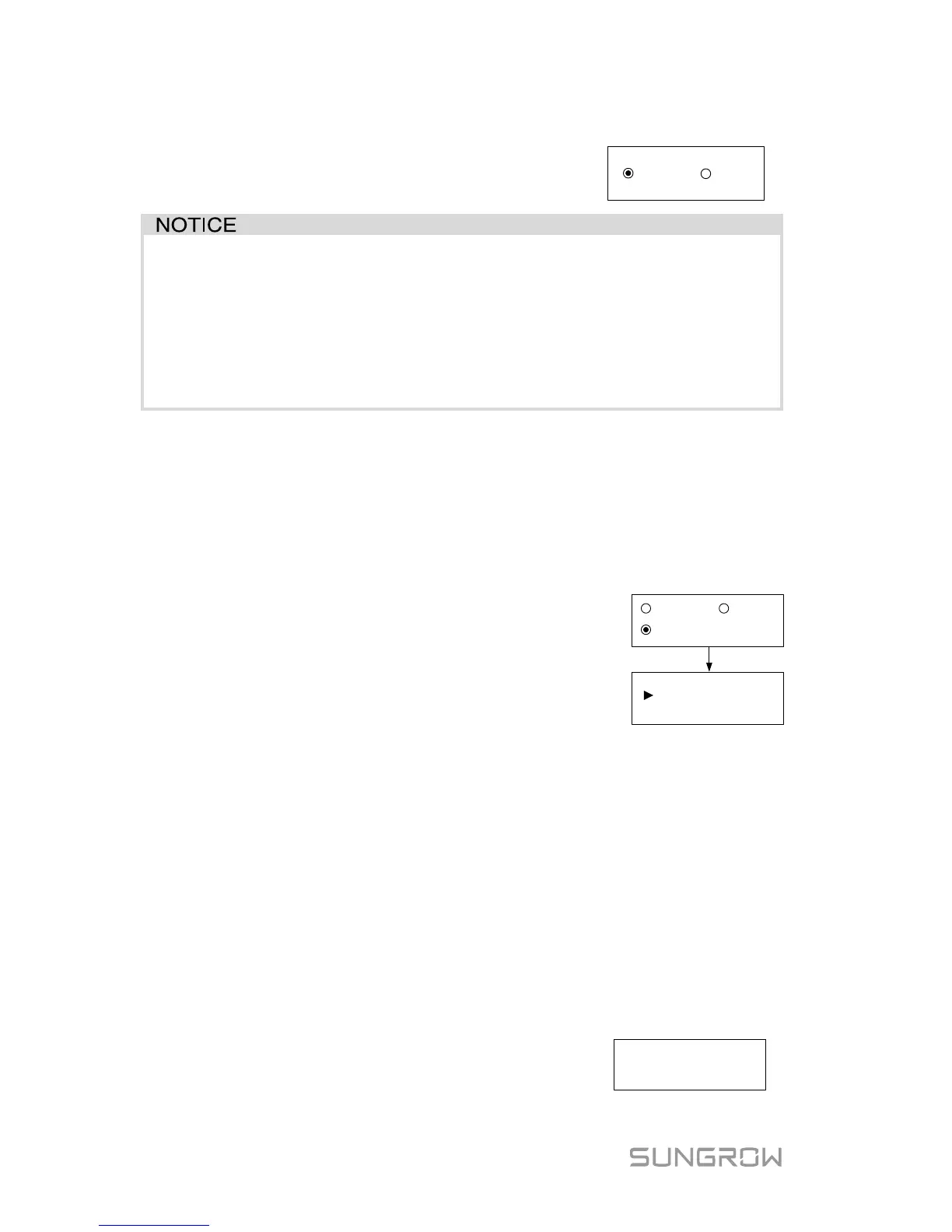
7.5.3 Zero-export Setting
Touch ENT / ESC to select and press ENT to confirm.
Touch ESC to change the value and touch ENT to move the cursor. Press
ENT to confirm the settings.
OFF: all the power will be exported to the grid (by
default).
ON: no power will be exported to the grid.
Partial: part of the output power will be exported to
the grid.
Total Export: the export power upper limit of the whole
ONOFF
Total Export: 1000W
Partial
(0W
–
5000W)
The range of export power will automatically change:
When the existing inverter is disabled: 0 to (rated power of the inverter)
When the existing inverter is enabled:
The lower limit is the rated power of existing inverter.
The upper limit is ([rated power of the existing inverter] + rated power of the
inverter).
For example, retrofit an existing PV system (rated power: 2000 W) with
SG5K-D (rated power: 5000 W). The total export range will be 2000 W – 7000
W.
A prompt will appear when you set it for the second
time.
Set by solar
professionals only!



 To Next Page