7 LCD Operation User Manual
52
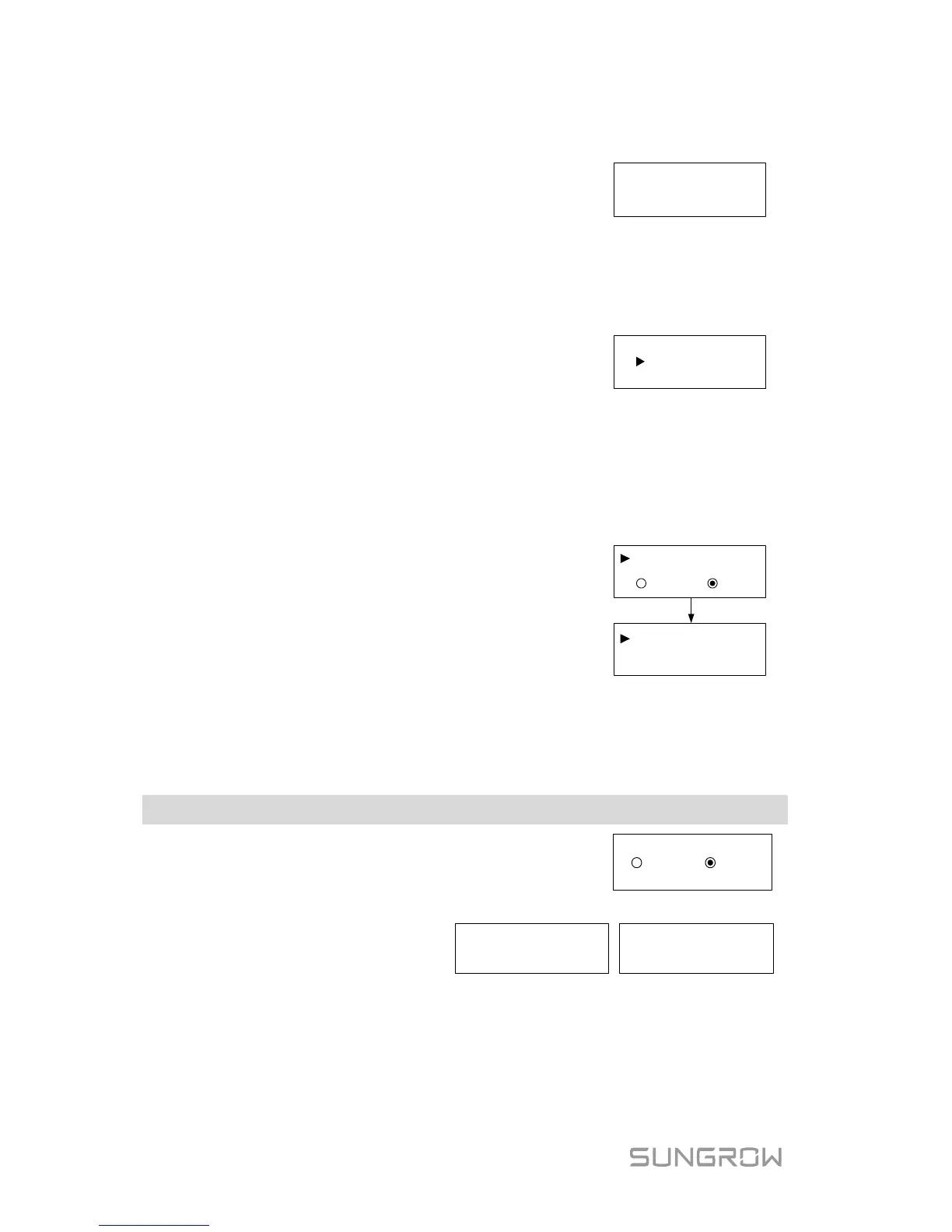
Touch ESC to add the value and Touch ENT to
move the cursor. Press ENT to confirm the setting.
The “+” can be changed to “-” by touching ESC.
The adjustment rangs from -9999 kWh to +9999
kWh.
7.5.8 Setting Communication Parameter
Touch ESC to set the appropriate value and touch
to move the cursor. Confirm settings by
pressing ENT.
Device address range: 1-247.
7.5.9 Ethernet Configuration
The Ethernet setting is reserved for later usage.
Touch ENT to select and press ENT to confirm.
OFF: The IP address should be assigned manually.
ON: Automatically assign an IP address from the
home router.
Touch ESC to switch between the DHCP and the IP
interfaces.
ONOFF
IP:
DHCP
:
192.168
.001.
100
7.6 Starting/Stopping the Inverter
Main Screen (Press ENT)→Menu (Touch ESC)→ON/OFF (Press ENT)
Touch ENT / ESC to select and press ENT to
Confirm your selection by pressing ENT.
Confirm turn on? Confirm turn off?



 To Next Page