26
Sunstone Welders User Manual: CDDP-A
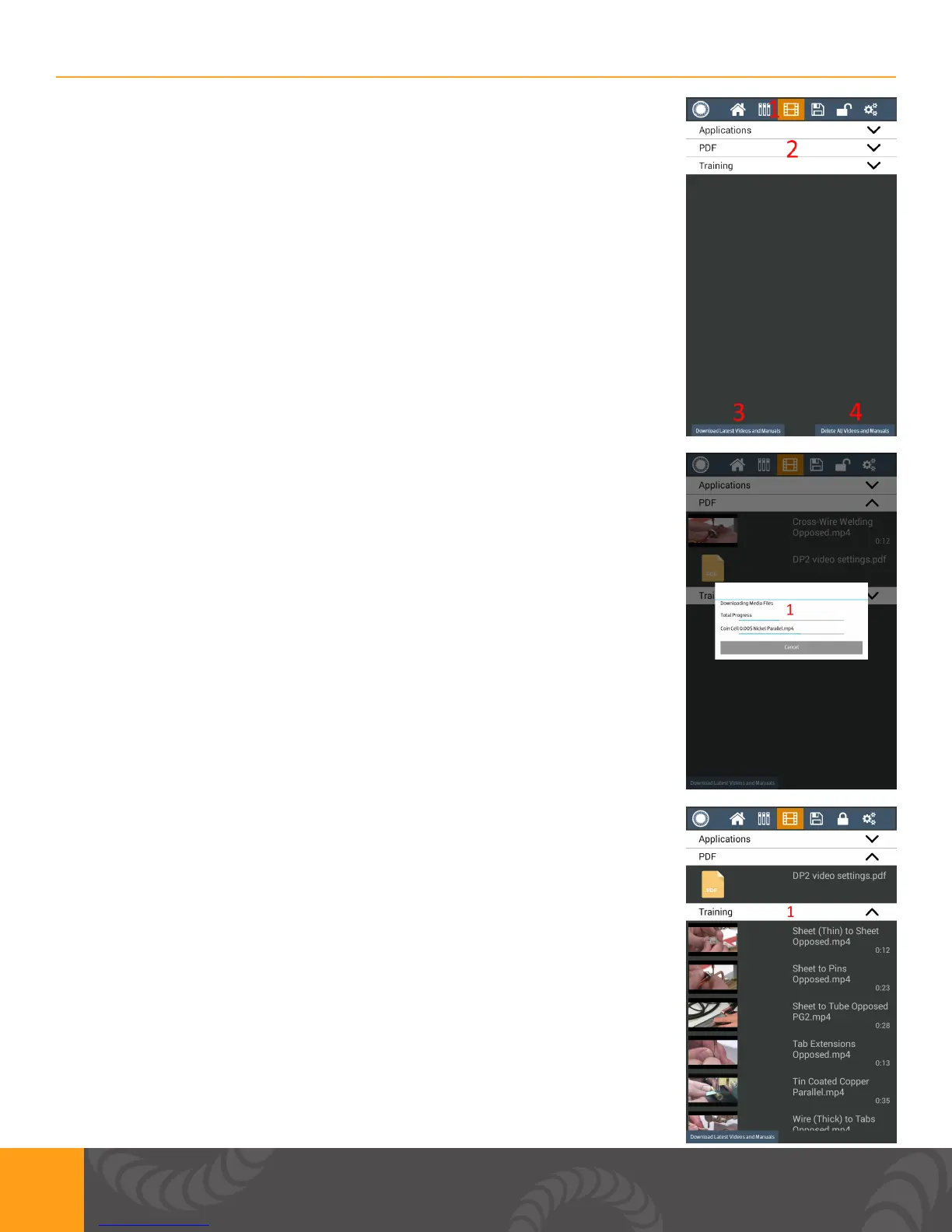
Media Screen
1. User can view videos of applications, PDF’s, and training videos.
2. Show the different folders where videos are stored. Press any of them
to display les within that folder.
3. Button can be pressed to update with latest les.
a. Unit needs to be connected to Wi-Fi.
b. A dialog will display if you are up to date.
4. Button can be pressed to delete all media (videos and manuals)
1. Download latest videos and manuals pop up
a. Shows user the progress of downloads
b. Time to complete will vary depending on how much material needs to
be downloaded.
c. Press the cancel button to go back to the media screen.
1. Example of contents of a media folder.
a. Videos can be selected to be viewed.















 To Next Page