8
Sunstone Welders User Manual: CDDP-A
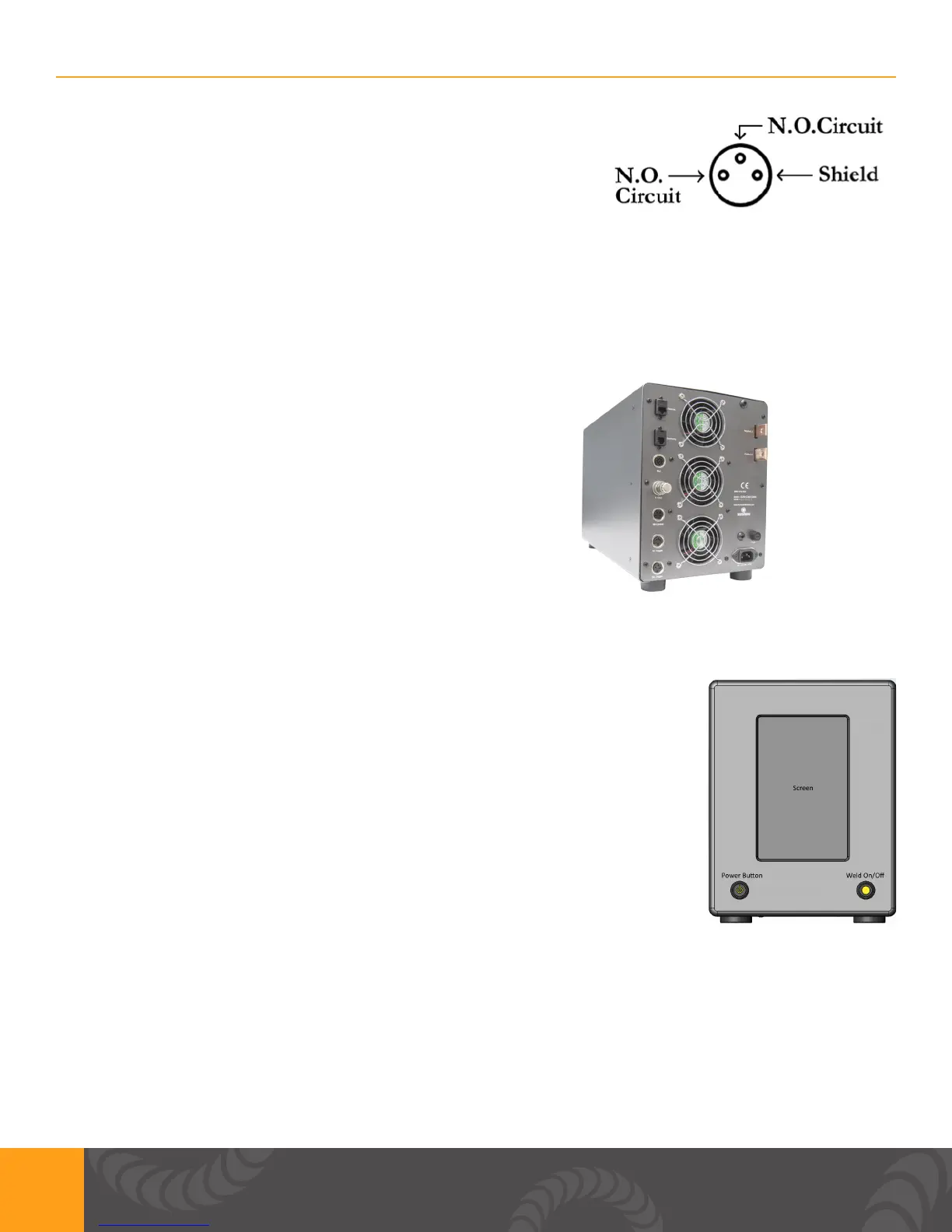
FIGURE 5: External Trigger Wiring Diagram - N.O. stands for
Normally Open.
THERMAL PROTECTION
Sunstone’s capacitive discharge welders are equipped with temperature sensors. If the unit is hot it
will warn the user with a pop up. After the unit is cool enough to operate, the welder will go back to
normal operation. Please maintain a clear space of 6+ inches around the welder fans. FIGURE 6,
below, shows the location of the fans on the back of the welder.
FIGURE 6: For proper cooling, ensure all fan locations are
unobstructed.
Front Panel Connections
POWER BUTTON: A latching push button that turns the unit on when depressed.
If unpressed the unit will turn off. Warning: DO NOT turn the welder off during
boot up. Allow enough time for unit to completely boot up before turning unit
off.
WELD ON/OFF: A latching push button that enables welding when depressed.
An LED will light up when the push button is depressed completely. This
indicates that the weld is enabled. We always recommend to turn OFF the
Weld On/Off switch whenever making changes to electrodes or other welding
equipment connected to the welder.
SCREEN: 8” capacitive touch screen with a WXGA LCD. This makes it
convenient for navigating the interface and setting up the machine.
FIGURE 7: Front Panel
Side Panel Connections
USB: A USB ash drive (thumb drive) can be used to update the machine. A USB ash drive can
also be inserted when data collection in desired from the weld process. You can also connect a
compatible USB wired mouse to navigate the interface.















 To Next Page