29
5. Creates a new saved slot with current settings.
6. Load setting that has been selected.
7. Takes the current weld settings and replaces the selected saved weld settings.
8. Deletes the selected weld setting.
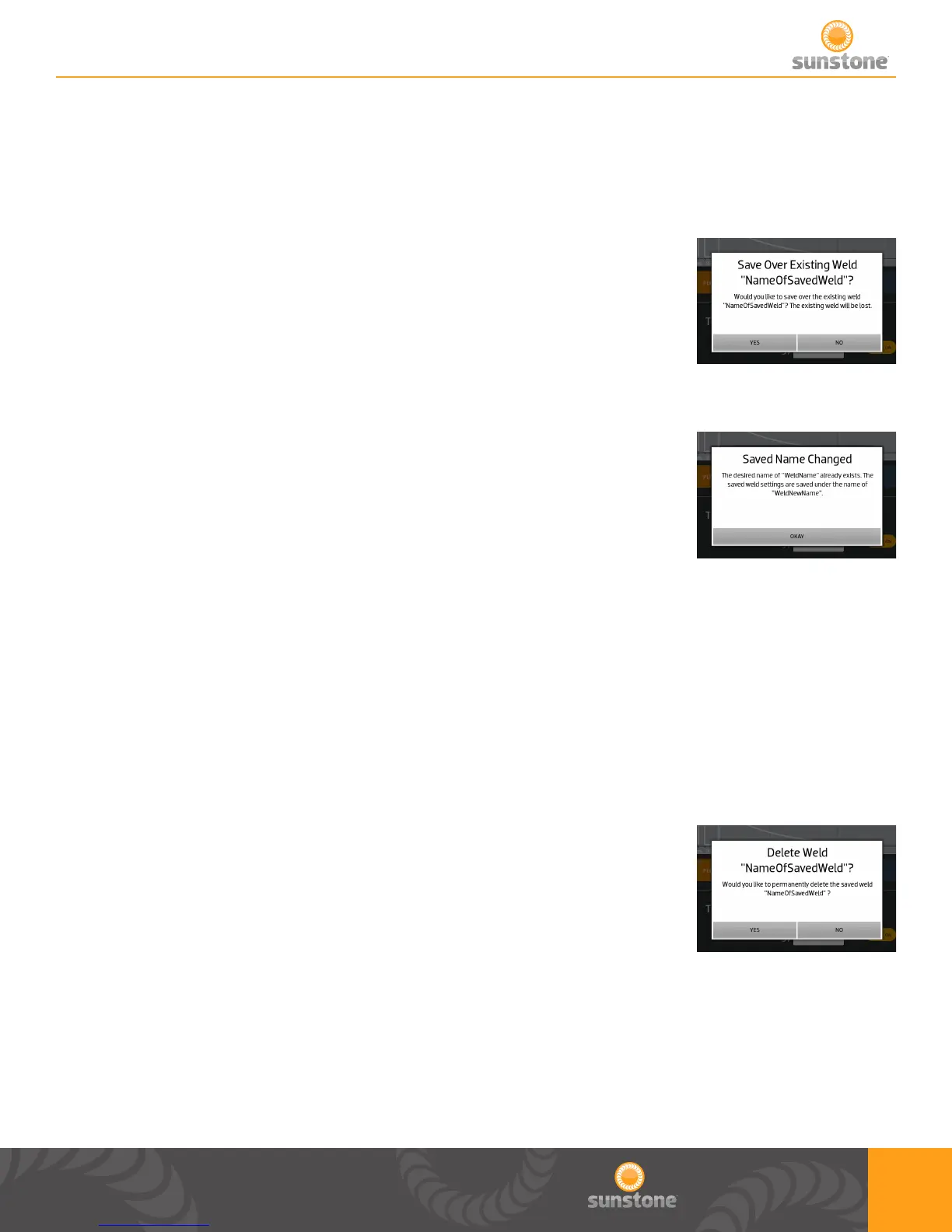
1. Save over existing weld pop up
a. A conrmation that you really want to save over the existing weld
settings.
b. Pops up after user has pressed the “Save Over Selected Weld” on
Save/Load screen.
1. If user chooses to save a weld with the same name, then this pop up will
appear to notify the user that a (1) was attached to the title before being
saved.
a. User can only acknowledge the change.
b. User can change the name in the Save/Load screen, by selecting the
newly saved weld, changing the title, and selecting “Save Over Selected Weld”..
1. After pressing the “Delete Selected Weld” this pop up appears to conrm
that the user wants to delete the weld setting.
a. In this example, the user is trying to delete “NameOfSavedWeld”.
b. Press “Yes” to delete or press “No” to not delete.















 To Next Page