7 Sunways Browser
71
MSN
MSN for the modem extension (ISDN modem). This
is usually the extension number of without the area
code.
SIM card PIN
SIM card PIN for GSM modem.
APN
Access Point Number. You can obtain the APN from
your mobile communications provider.
Always connected
Select this option if you have a GPRS mobile tariff in
order to ensure that the device is always online.
Please note: With time-based tariffs (e.g. modem
connection with GSM or analog) this function can
result in very high telephone costs!
Function buttons
Click «Send» to save the settings in the Solar
Inverter.
Click «Read» to display the current Solar Inverter
settings.
Click «Modem Test» to test the connection between
the modem and the ISP. You receive a reply as to
whether dialling in was successful.
Click «Info» to obtain additional information about
the modem.
Click «Initialise» to re-initialise the modem.
· Before conducting the modem test, the settings
must be stored in the Solar Inverter by clicking
«Send».
· Cheap ISP dial-up numbers are available from
www.teltarif.de/internet or www.billiger-surfen.
de, for example. Here you will find not only tariff
information, but also the access data (phone
number, user name, password).
E-mail settings
To enable the Solar Inverter to send E-mails, the
E-mail settings must be stored via the Sunways
Browser. The settings can be accessed via «Settings –
Network» in the «Email Settings» section.
Requirements:
· When dialling in via modem, the correct dial-up
settings must be stored (see Internet dial-up via
modem).
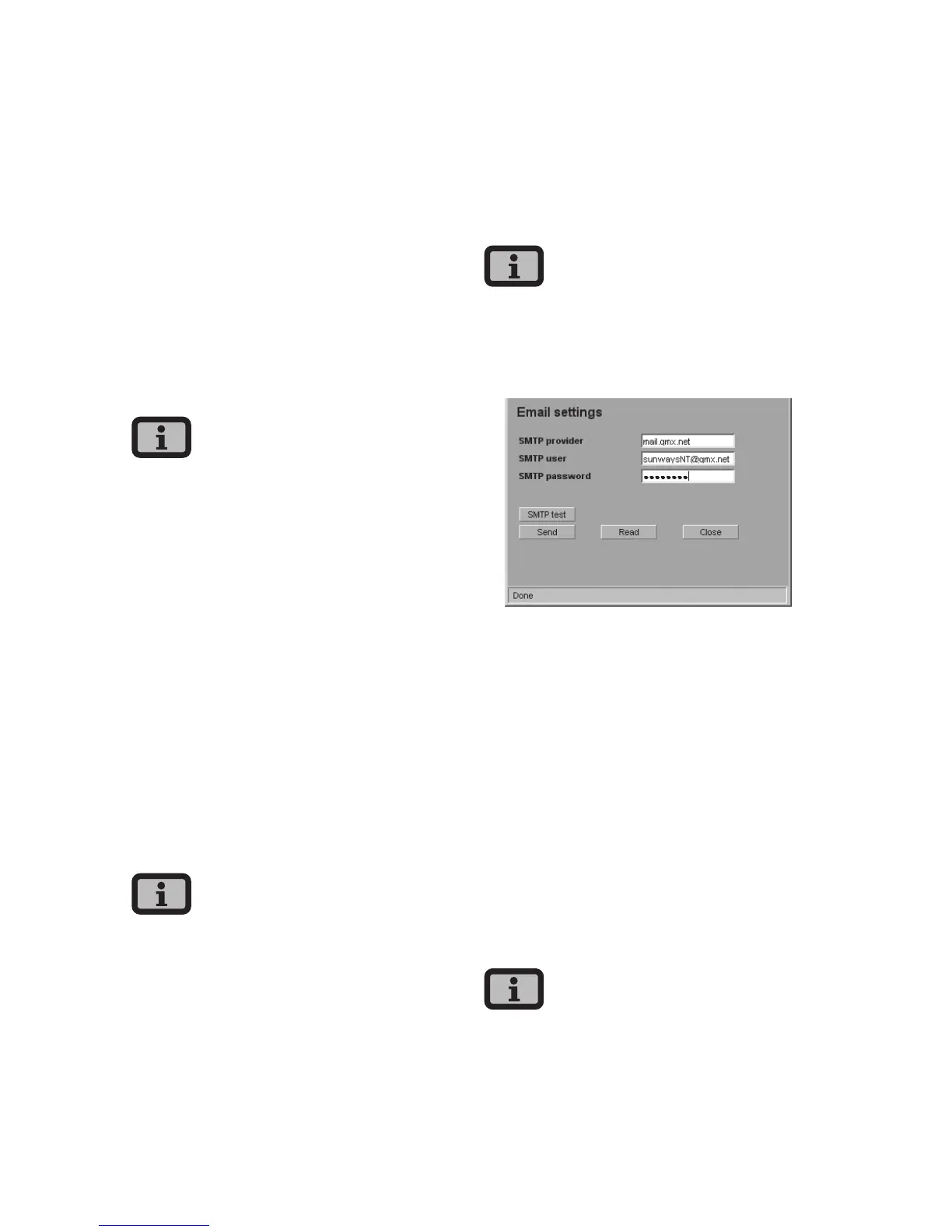
SMTP provider
SMTP server for sending e-mails, e.g. mail.gmx.net
(max. 30 characters). Alternatively an IP address can
be entered.
SMTP user
User name for your e-mail provider (generally your
e-mail address), e.g. sunwaysNT@gmx.net (max. 50
characters)
SMTP password
Password for your e-mail provider
Function buttons
Via «SMTP Test» you can send a test e-mail to the
e-mail address stored for active alerting.
· Before conducting the SMTP test, the settings
must be stored in the Solar Inverter with «Send».



 To Next Page