6 System monitoring
60
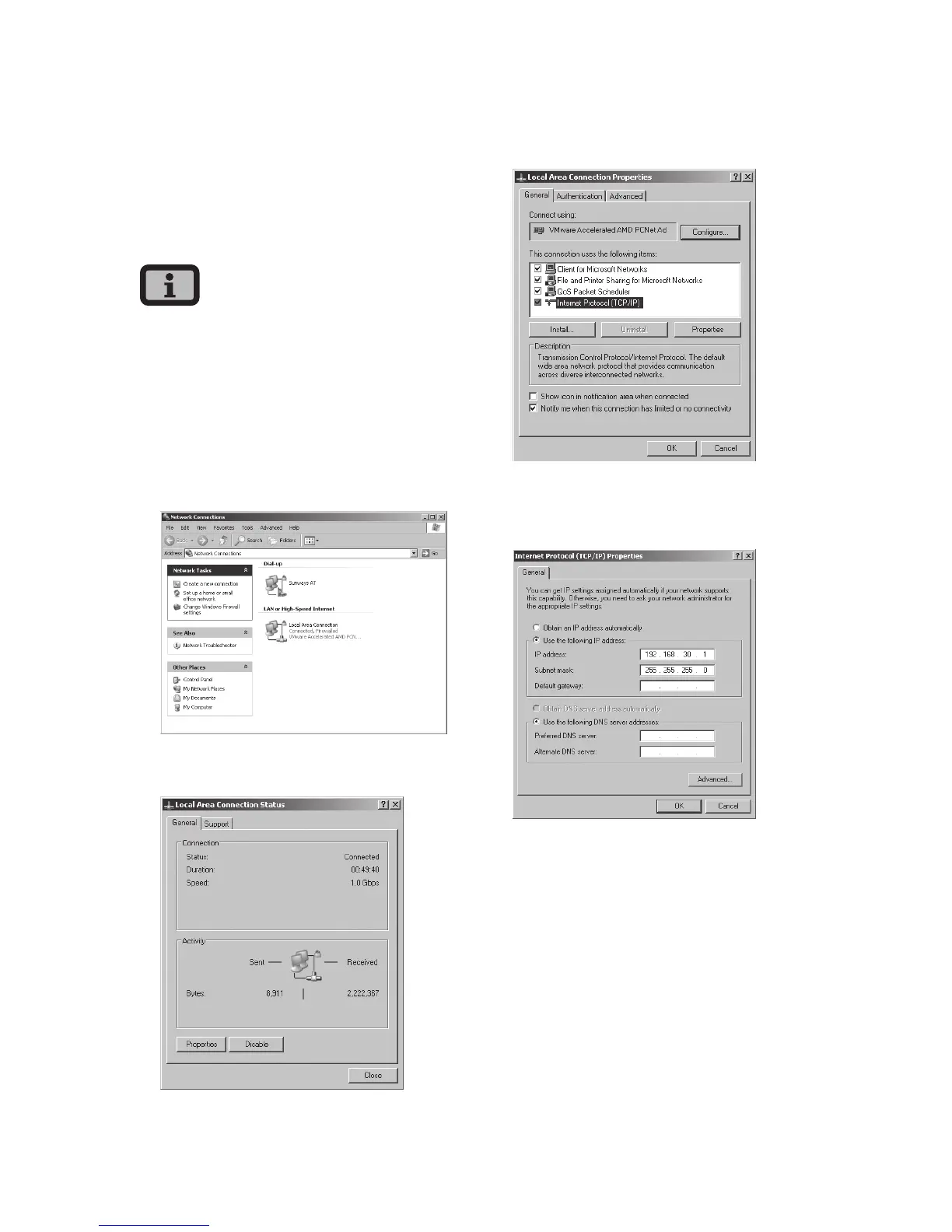
6.5 Network settings on the PC
To enable your PC to communicate with the Solar
Inverter certain network settings are required.
The procedure differs slightly depending on the
operating system. A configuration example for
Windows
®
XP is shown below..
IP addresses may only be assigned once within the
network.
1. Select «Start – Settings».
2. Select «Network Connections».
3. Double-click on the LAN connection through
which you are connected to the Solar Inverter.
4. Click in the Status window on «Properties».
5. Select «Internet Protocol (TCP/IP)» and click
«Properties» again.
6. Now assign an unused IP address 192.168.30.XXX
and enter the subnet mask 255.255.255.0.
7. Click OK to confirm your entries.



 To Next Page