27
Chapter 3: Maintenance and Component Installation
Installing the Processor and Heatsink
Begin by removing power from the system as described in Section 3.1.
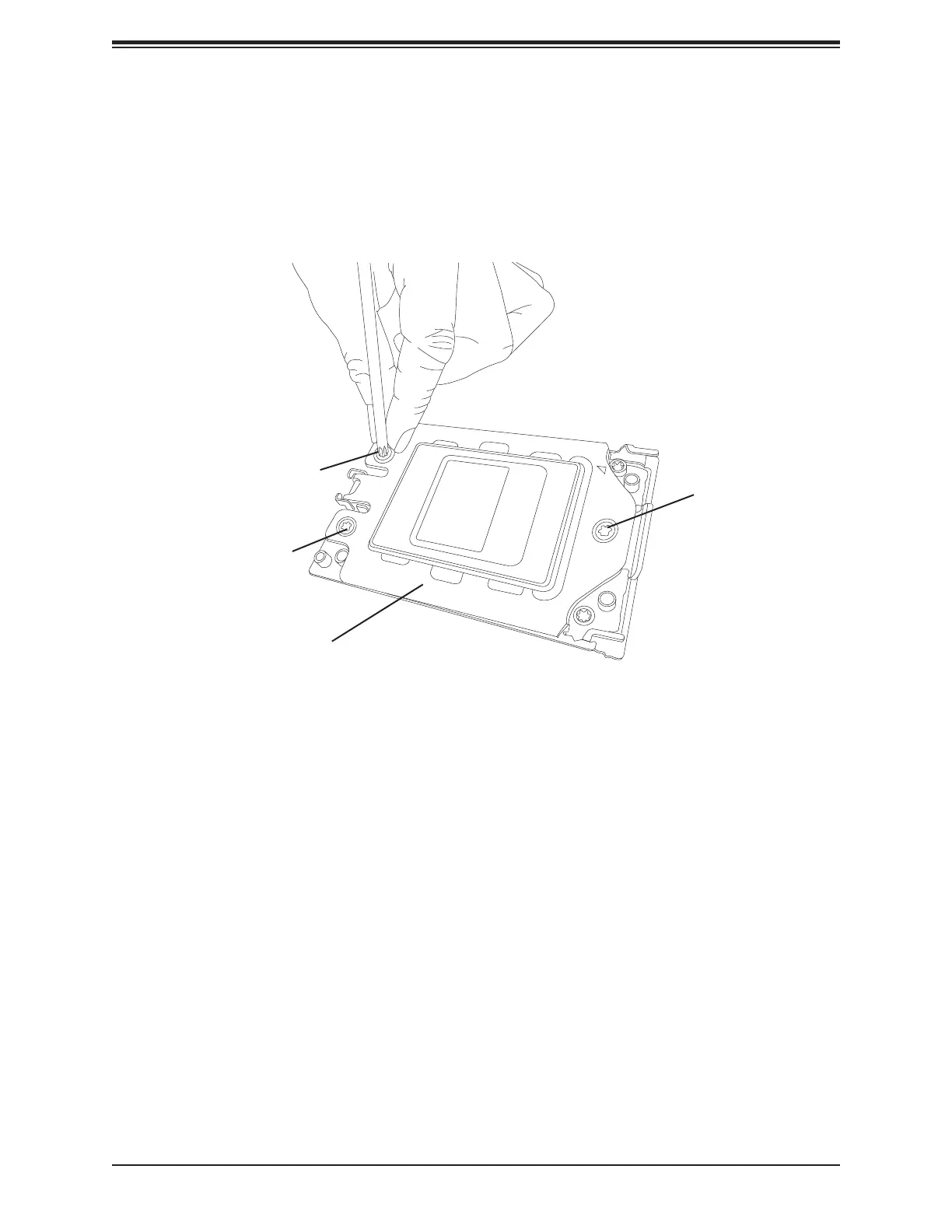
1. Use a Torx T20 driver to loosen the screws holding down Force Frame in the sequence
of 3-2-1. The screws are numbered on the Force Frame next to each screw hole.
Screw #1
Screw #2
Screw #3
Force Frame
Figure 3-5. Removing the Processor Force Frame





 To Next Page