45
Chapter 3: Maintenance and Component Installation
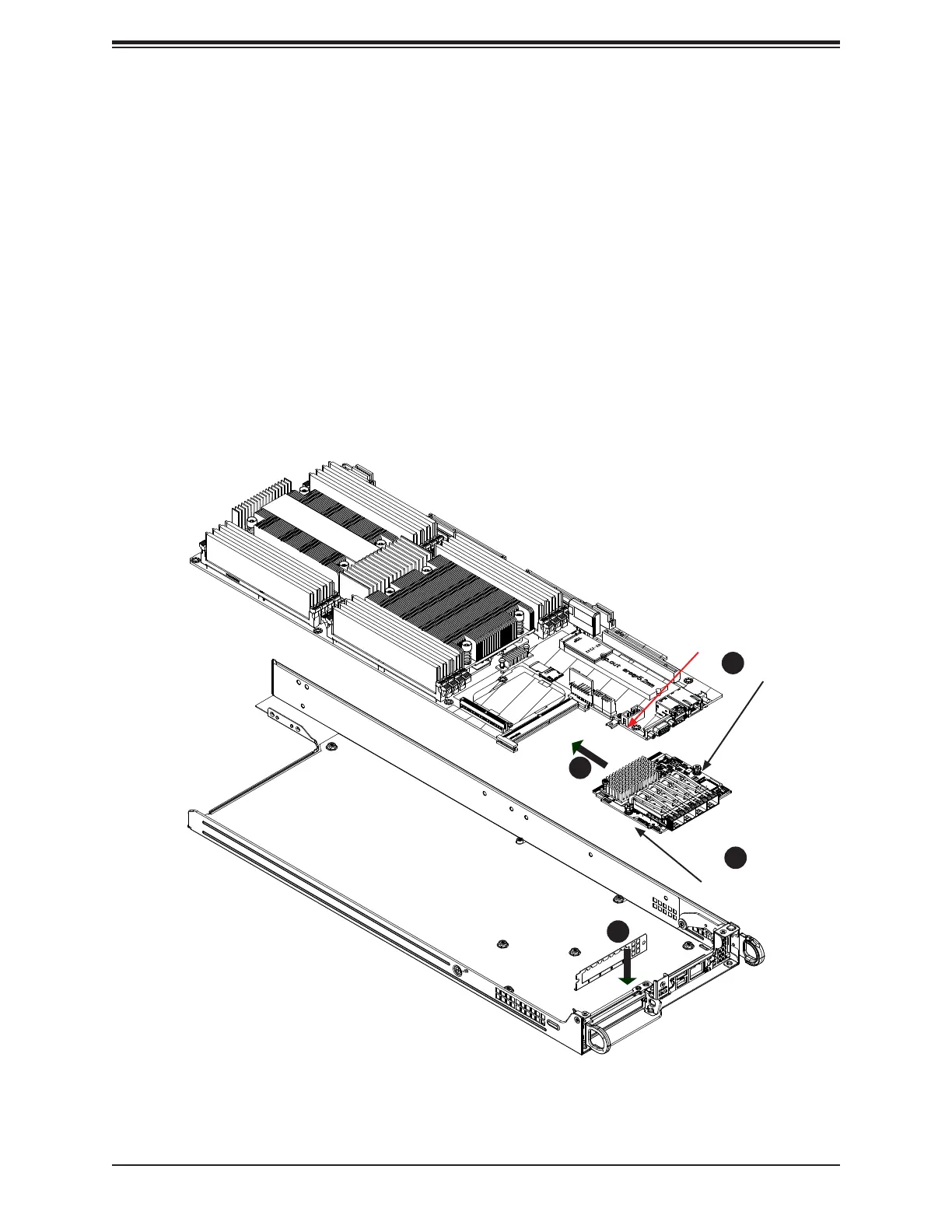
Figure 3-25. SIOM Card Position on Node Drawer Rear
SIOM Card
The Supermicro Input/Output module (SIOM) card provides options for network connection.
It is inserted into a SIOM slot on the motherboard. This installation is usually performed by
a system integrator or manufacturer.
Installing the SIOM Card
Before installing the motherboard into the node drawer:
1. Insert the SIOM card into the motherboard as shown.
2. Secure it with a screw. Note: Torque range is 0.20-0.28 Nm.
3. Install the covering bracket on the rear of the node drawer.
4. Install the motherboard including the other screw on the SIOM card.
1
4
3
2
Screw
Hole for Screw
Screw
Note:





 To Next Page