6-18
SUPERSERVER 6027TR-HTRF+/H70RF+/H71RF+ User's Manual
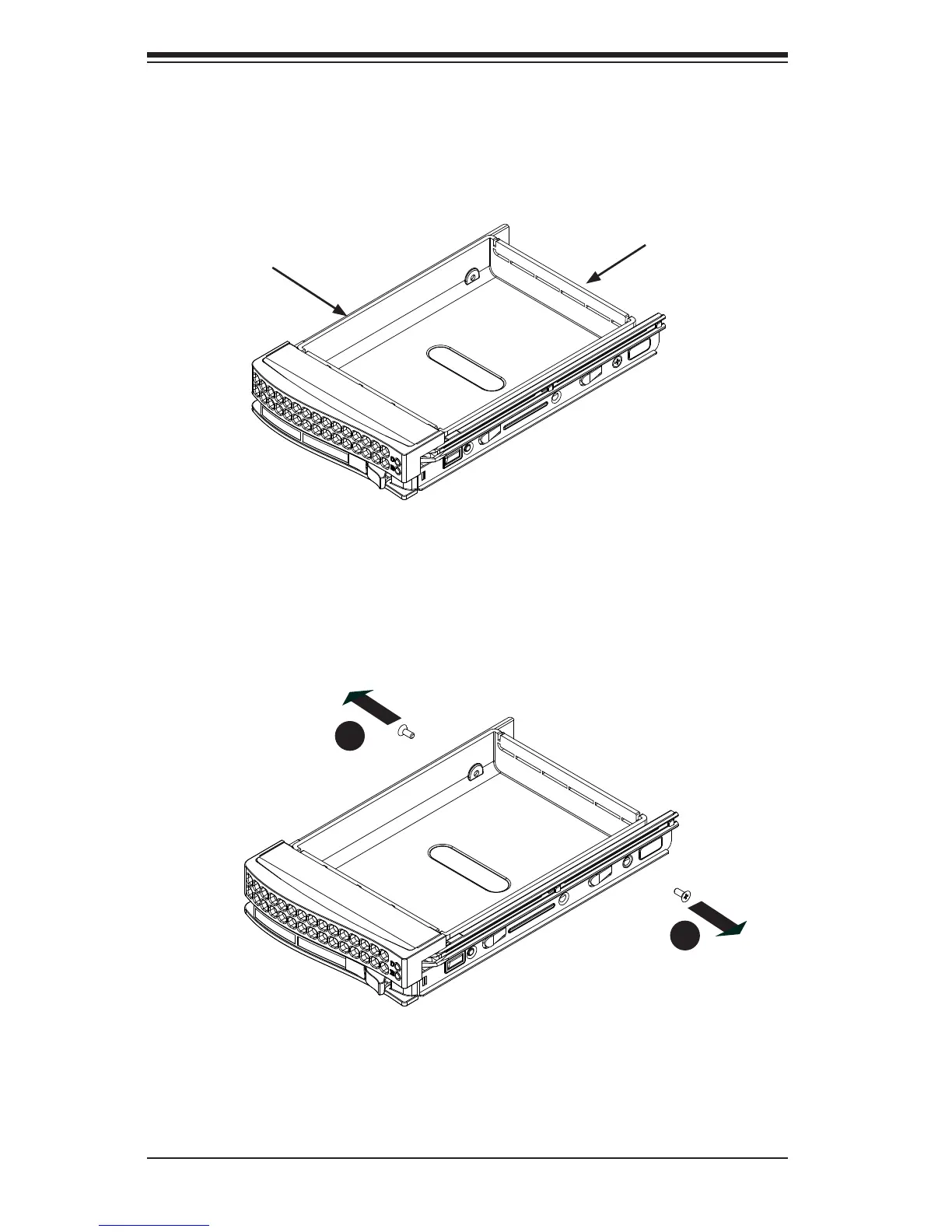
The drives are mounted in drive carriers to simplify their installation and removal
from the chassis (see Figure 6-16). These carriers also help promote proper airfl ow
for the drive bays.
Figure 6-16. Chassis Drive Tray
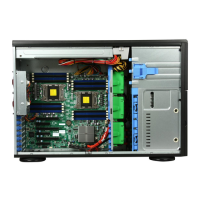
Figure 6-17. Removing Dummy Drive from Tray
Drive Tray
Dummy Drive
1
1
1
1
Caution: Except for short periods of time while swapping hard drives, do not
operate the server with the hard drives empty.
Installing a Drive into the Hard Drive Tray
1. Remove the screws (2) holding connecting the drive tray the carrier (Figure
6-17).
2. Remove the tray from the carrier.


 To Next Page