After the final character is entered, press the MENU/
STORE button.
NOTE: All CD TEXT entries are in short term memory
until the CD is finalized. You can play, pause and stop,
but if you turn off power, or open the CD-R drive your
editing will be lost.
How to Erase CD Text
The TEXT ERASE menu item lets you delete CD TEXT
that has been entered, prior to finalizing.
With your disc in the CD-R drive and stopped:
1 Press the MENU/STORE button.
2 Turn the SELECT jog wheel so “TEXT ERASE” is
displayed.
3 Press the SELECT jog wheel to confirm the selection.
The display reads “ALL TEXT.” Now turn the SELECT
jog wheel to choose between erasing CD TITLE or
CD TRACK TITLE.
4 Press the SELECT jog wheel to confirm the selection.
“ERASE?” is displayed briefly, then “PUSH ENTER” Is
displayed.
5 Press the SELECT jog wheel to erase the selected text.
- 28 -
CD-R
R
L
dB-50 -30 -22 -16 -12 -8 -4 0
CD-RW
4 Turn the SELECT jog wheel to choose between
editing CD TITLE or CD TRACK TITLE. Press to make
your selection.
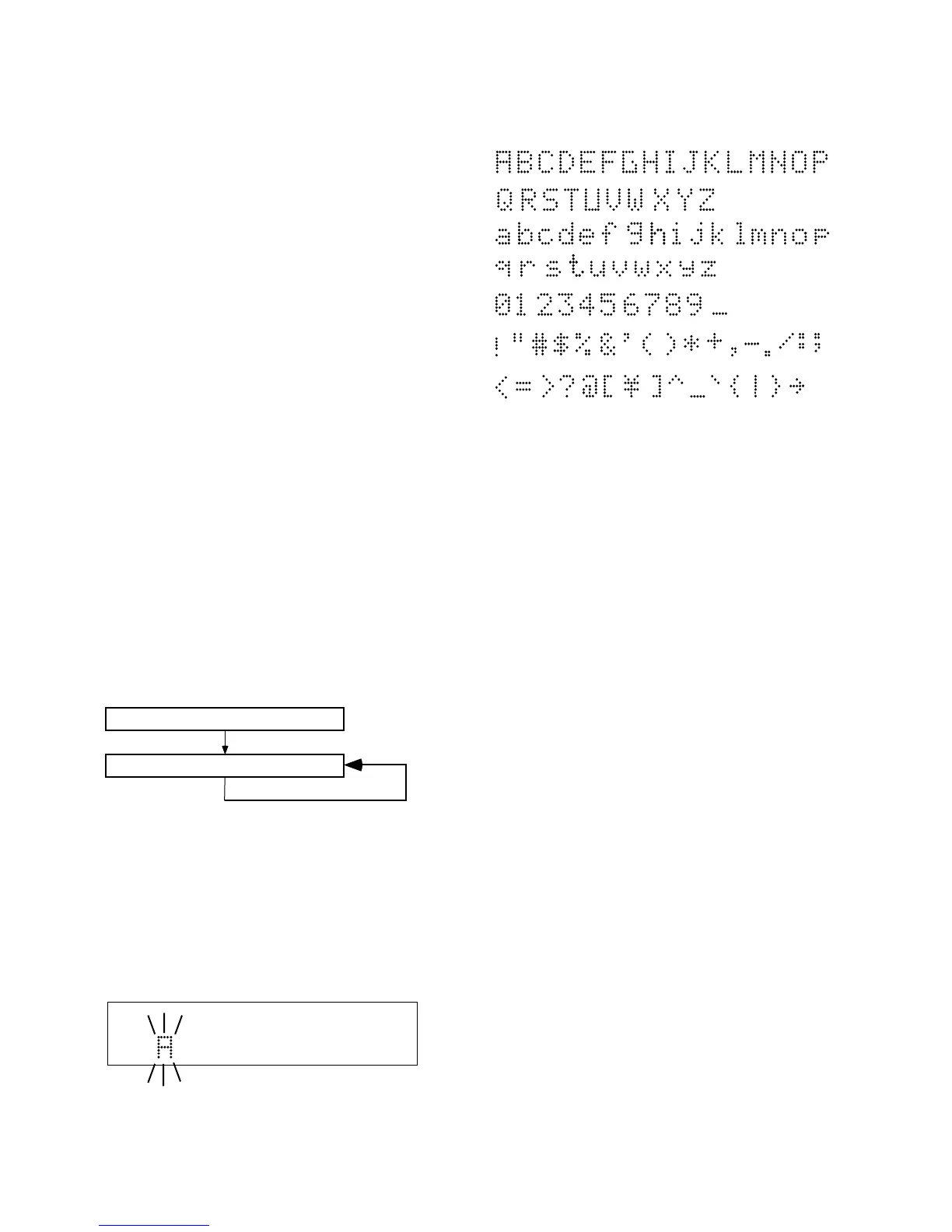
5 The first character of the title is flashing. Turn the
SELECT jog wheel to select the character. Or from the
remote with CDR selected, press alphanumeric keys
to select each character.
6. Depending on the specific track, the FRAME adjust-
ment can be from 75 to -75 (75 frames = 1 second).
7. Turn the SELECT jog wheel to change the audio start
position. Then push and release the SELECT jog
wheel to store the adjustment.
8. Press the MENU/STORE button to exit.
About CD Text
CD text, when present, provides text information such
as the CD title, artist, track titles, and track artists.
When a disc is inserted in the CD drive or CDR drive the
PSD340 automatically detects if a disc has text informa-
tion and automatically displays the CD title. The PSD340
can display 14 characters, if the text information is
longer than that the text automatically scrolls from right
to left.
Creating CD Text
Before finalization of a CD you can enter text informa-
tion. Only the CD title and track titles can be entered.
With your unfinalized disc in the CDR drive and
stopped.
1 Press the MENU/STORE button.
2 Turn the SELECT jog wheel until the display reads
“TEXT EDIT.”
3 Press the SELECT jog wheel to select. The display
reads “CD TITLE.”
CD Title
Title of each track
The SELECT jog wheel control presents the following
characters in order:



 To Next Page