Need help?
Do you have a question about the Supmeter BST100-E81 and is the answer not in the manual?
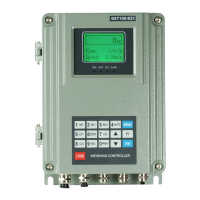
Visual representation of the controller's interface and buttons.
Explains the function of each key on the controller's keypad.
Describes the meaning of LED indicators on the controller.
Details the physical installation and mounting of the controller unit.
Identifies and describes the various terminal connections on the controller.
Describes the primary display screens and their information.
Procedure for calibrating the zero value of the belt weigher.
Calibrating the span using dynamic loading of materials or weights.
Calibrating span using a static chain weight on the belt.
Calibrating span using a static hanging weight on the belt.
Performing further corrections for linear segments in span calibration.
Calibrating the speed coefficient of the belt weigher.
Calibrating the belt length of the weighing system.
Automatic locking of the keypad after a period of inactivity.
Manually locking the controller's keypad.
Manually unlocking the controller's keypad.
Procedure for setting or changing the controller's password.
Restoring the controller to its factory default settings.
 General
| Model | BST100-E81 |
|---|---|
| Category | Controller |
| Control Mode | PID, ON/OFF |
| Output | Relay |
| Power Supply | 50/60Hz |
| Accuracy | ±0.5% |
| Sampling period | 0.5S |
| Power | 5W |
| Operating Temperature | 50°C |


 To Next Page