Event Log
25
Event Log
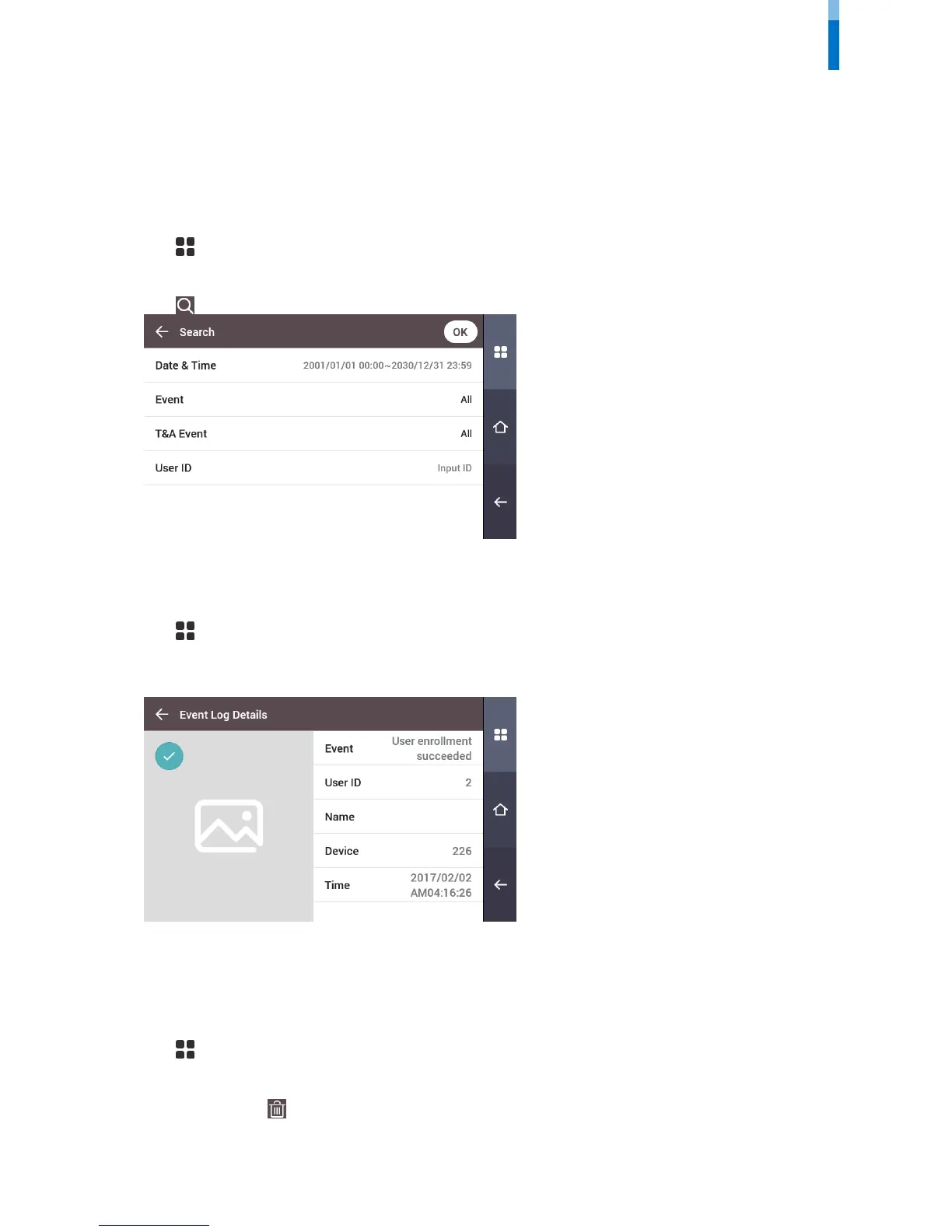
Search Log
You can set a condition and search a log.
1 Press and authenticate with the Admin level credential.
2 Press EVENT LOG.
3 Press and change the condition. When you press OK, a log that matches the condition will be displayed on the screen.
Detail View Log
1 Press and authenticate with the Admin level credential.
2 Press EVENT LOG.
3 Select a log to view detailed contents.
Delete All Logs
You can delete all saved logs.
1 Press and authenticate with the Admin level credential.
2 Press EVENT LOG.
3 To delete all logs, press and then press OK. To cancel, press Cancel.



 To Next Page