User
12
User
Registering user information
The user information, including the face, can be registered.
1 Press and authenticate with the Admin level credential.
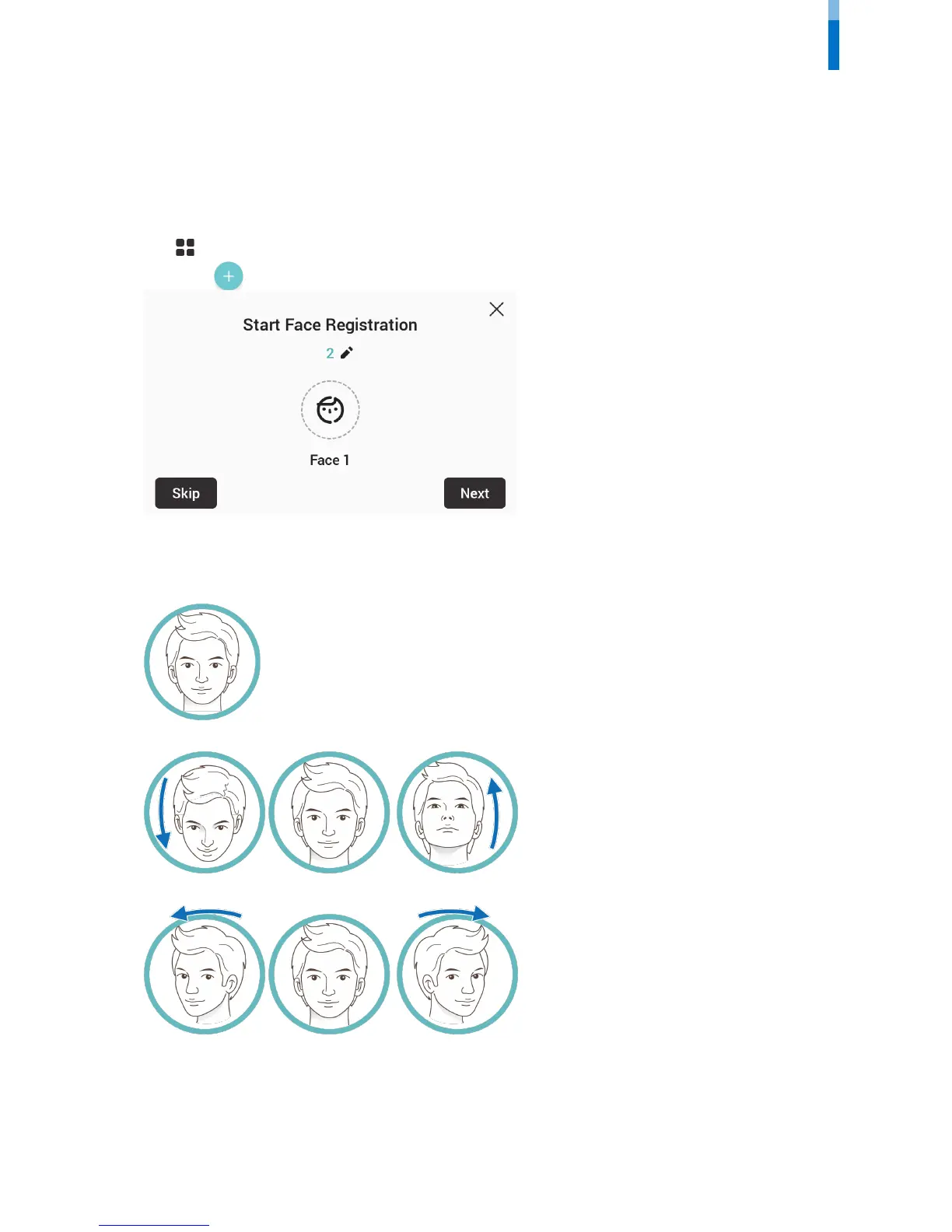
2 Press User > . The face registration wizard will begin.
3 To proceed with the face registration wizard, press Next. To skip, press Skip and go to step 5.
4 If you have pressed Next, register the face according to the instructions on the screen. Face registration is carried out in 3 steps.
(1) Registering the front face
(2) Moving the face up and down
(3) Moving the face to the left and right
When the face registration wizard is used, only the user's face is registered. Modify other information by pressing Edit after registering
the face.



 To Next Page