396-3815Y1 SureFire PumpRight for Raven RCM 46 Revised 01/16/2018
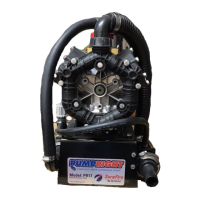
(The SureFire hydraulic pump with an RPM
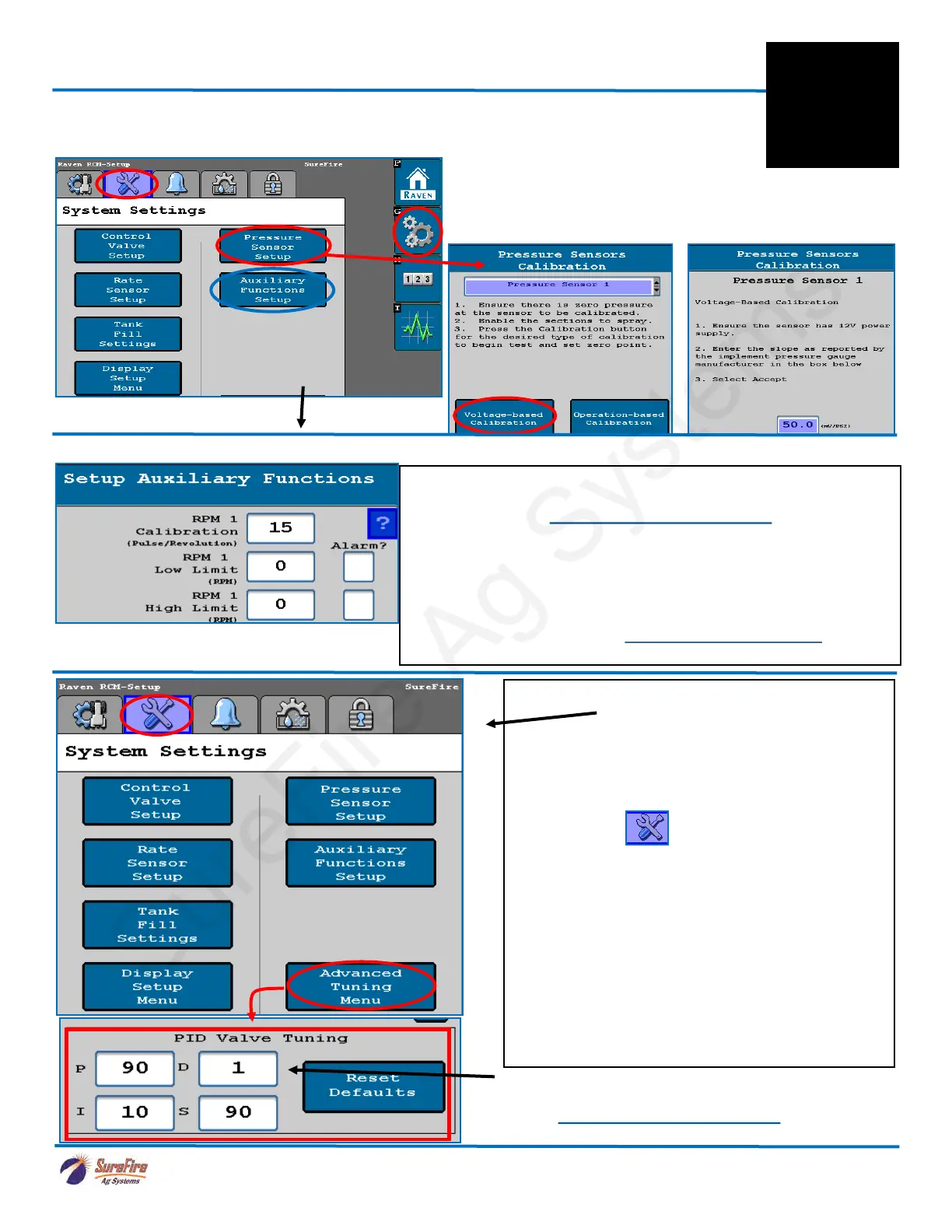
Sensor is 15 pulses/rev as shown above.
These instructions do not cover every possible setup. Your setup may
be different. See the Raven RCM Operation Manual for safety
information and complete setup and operating instructions.
SureFire harnesses for the Raven RCM are designed for specific
operating setups. Pinouts on the Raven RCM change depending on
the Profile Setup and the number of products. See the wiring harness
diagram for your harness.
More information is available at www.surefireag.com/support.
16. If using a Pump RPM sensor on a SureFire PumpRight Hydraulic Pump
DO THIS for SureFire electric pump systems
17. Advanced Tuning
On SureFire electric pump systems, it will be
necessary to use the Advanced Tuning feature in
addition to the regular Control Valve Calibration. To
activate Advanced Tuning, press and hold the
Settings tab for about 8 seconds.
On electric pump systems, set the PID Valve
Tuning parameters as shown (below left). Press the
“?” for an explanation of what each of these values
does.
Fine-tuning of the system may require some
adjustment of these numbers along with the Valve
Response Rate on the Control Valve Setup.
(For quickest response of the Tower 110 system,
set P = 100 and S = 100.)
For SureFire hydraulic pumps start with the Default
values for the PID Valve Tuning.
Start with these settings for SureFire electric pumps.
Select Voltage-Based
Calibration
Enter ‘50’
Auxiliary Function Setup
If using a SureFire
Hydraulic Pump with
RPM sensor
Read the Raven RCM Operation Manual for safety infor-
mation and additional setup/operating information.
Product 2
will be
RPM 2.
Setup instructions for Raven RCM and SureFire: 2 Liquid Products
15. Pressure Sensors must be calibrated. See the boxes below for the procedure. Enter 50.0 mv/
PSI for SureFire 0-100 PSI sensor. If you have 2 sensors, both must be calibrated. Be sure there is
no pressure against the sensor when calibrating. Unplug the sensor during the calibration process.
SureFire recommends putting the Pressure
Sensor reading in your Display Settings on the Run Screen
(see next page).
For complete information on how the sensor is operating, go to
Diagnostics > System Information > Pressure Sensors.
F
Setup &
Operation



 To Next Page