396-3815Y1 SureFire PumpRight for Raven RCM 52 Revised 01/16/2018
Application Rate Fluctuates
First, you need to determine if the fluctuation is caused by the controller sending fluctuating signals to
the valve or because of something else.
1. Inspect & clean pump inlet strainer. Strange flow rate fluctuations are very often due to an
obstruction to the pump inlet. Inspect plumbing from tank to pump.
OR
1. Run the system in Manual Mode with a Test Speed.
2. Turn the system on. Watch the flow in GPM.
3. Is the flow steady within a very small range? For example, a fluctuation from 12.3 to 12.6 GPM would be
considered normal. A fluctuation from 10-14 GPM is a problem. If only a small normal fluctuation is seen in section
test, skip steps 4-8 and proceed to “Application Rate Fluctuates in Field …….. “ below.
4. If there is a large fluctuation, observe the system flow. Is the discharge a steady stream; are the flow indicator balls
floating steady?
5. If visually the flow is steady, but the display reports a fluctuation in GPM, inspect the flowmeter. See section B of
manual for flowmeter information. Check connections between tank and pump. A loose connection may not show
up as a leak, but it can be a place where air can be sucked in. Air in the system will cause erratic flowmeter
operation.
6. If visually the flow is unsteady, the flowmeter is working correctly reporting a flow problem. Is the pump turning
steady or surging?
7. If the pump is turning steady, the hydraulic circuit is functioning correctly. Look for any type of obstruction in the
pump inlet. Clean the strainer. If continually plugging the strainer investigate fertilizer quality and necessary
strainer size.
8. If the pump speed is surging, there is a hydraulic problem.
Application Rate fluctuates in field, but flow in Section Test mode is stable.
This problem indicates the valve calibration needs changed. The system is surging because the Rate Controller is
moving the hydraulic valve too much.
1. Go to Setup - System Settings - Control Valve Setup.
2. Lower the Valve Response Rate by 5 or 10. You can do this on the go and see how the change affects the rate.
3. In extreme cases, it may be necessary to go to Advanced Tuning and adjust some other parameters.
Application Rate is slow to get to the Target Rate
1. To get system to Target Rate faster on startup, go to Setup - System Settings - Control Valve Setup > PWM
Setup > PWM Startup. Set PWM Startup (%) so that pump starts up at or slightly above the normal PWM Duty
Cycle.
2. If system is slow responding to rate or speed changes, you may need to increase the Valve Response Rate. Go to
Setup - System Settings - Control Valve Setup. Increase Valve Response Rate 10 at a time. You can do this
while going across the field and observe the effects of each change. If Valve Response Rate is at 100 and system
is still slow getting to Target, go to Advanced Tuning and increase P and S.
Helpful Operating and Troubleshooting Information on the Raven RCM
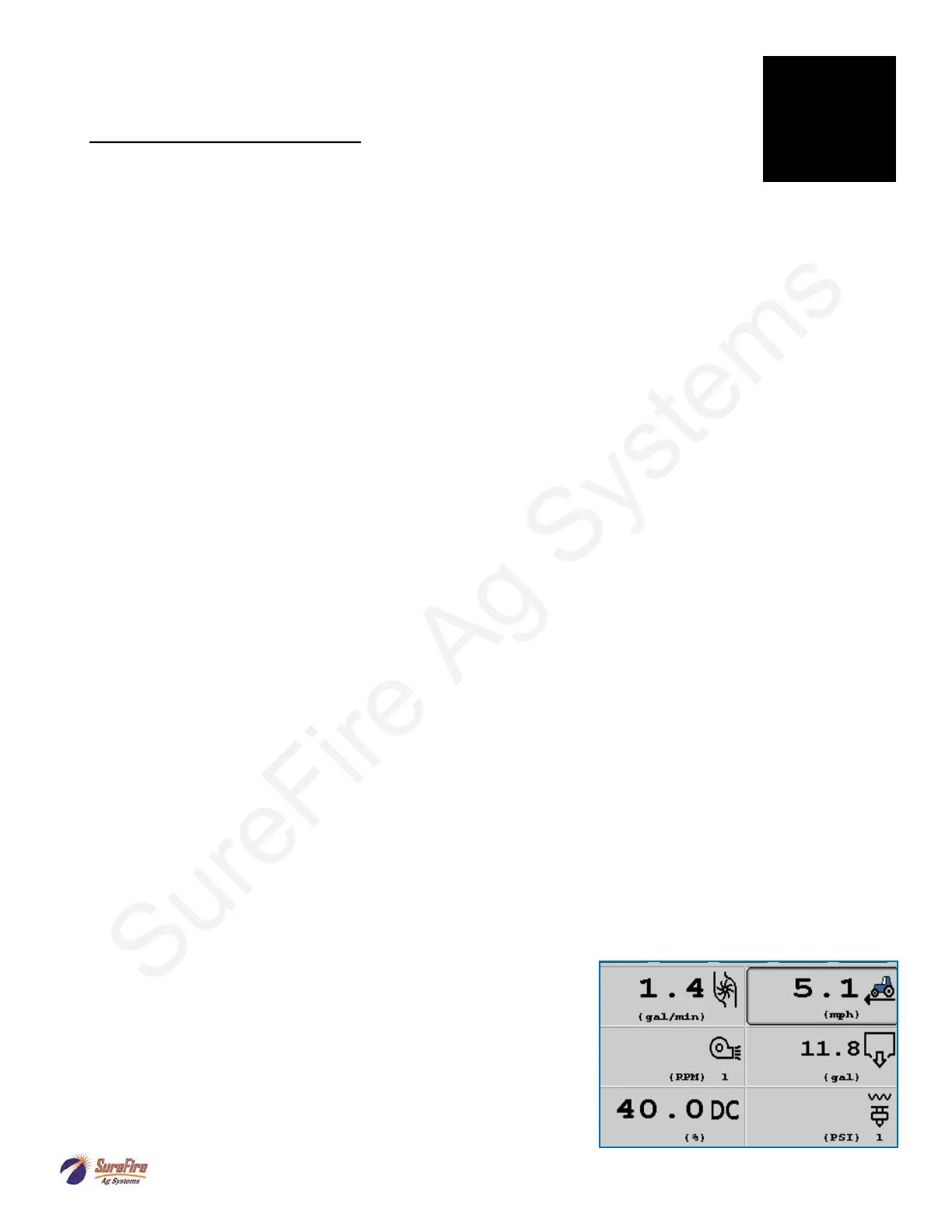
1. Flow (gal/min), Pressure (PSI), PWM Duty Cycle (DC%), and Pump RPM (if equipped on your hydraulic pump)
are important indicators of system performance. It is good to know what these values are in normal field operation.
They provide good troubleshooting information if there is a problem.
2. These items can be placed on the Run Screen with Display Settings.
G
Trouble-
shooting
73
26



 To Next Page