11
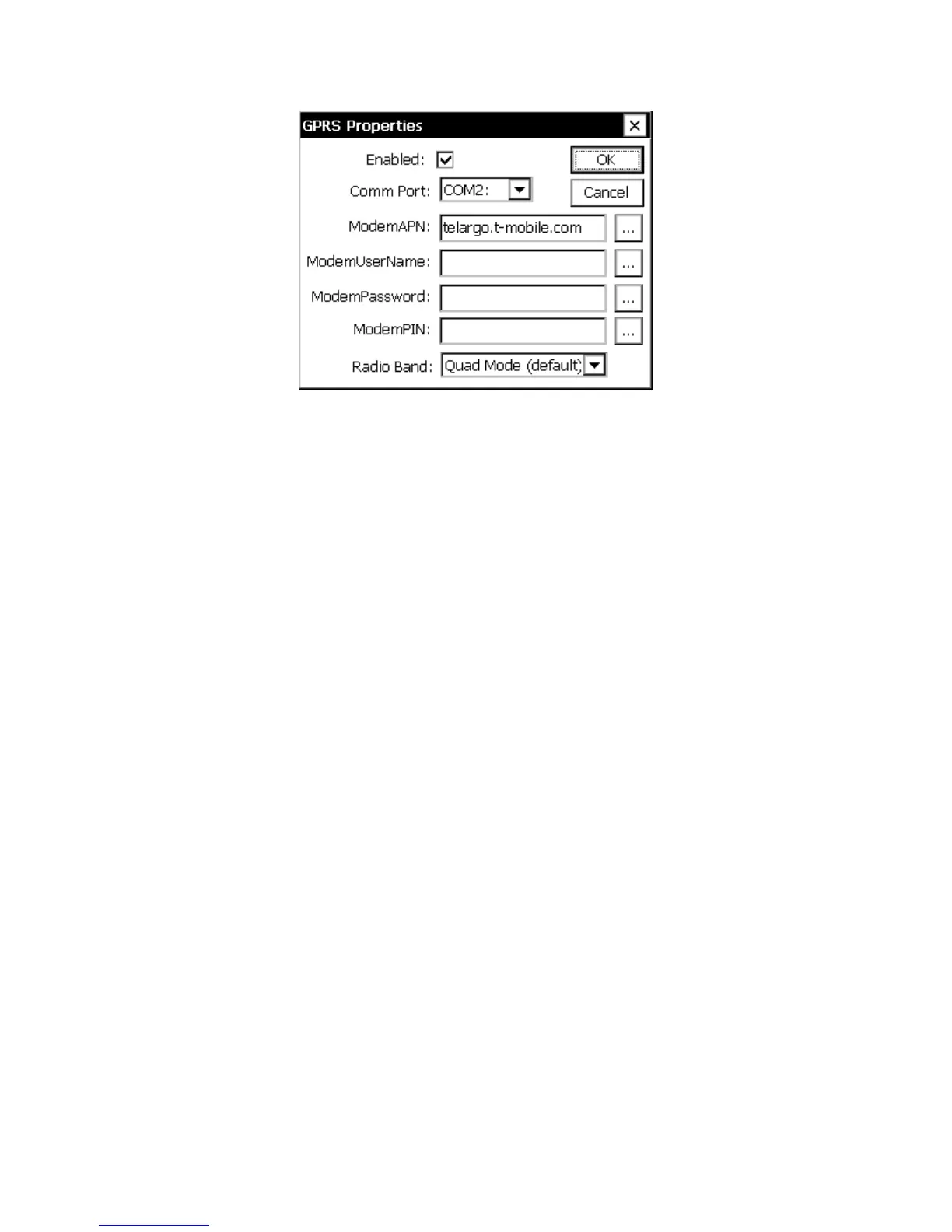
Figure 3: GPRS Properties Dialog
The GPRS Properties dialog contains setting for configuring the GPRS modem hardware.
Here are the options provided by this dialog:
Enabled
This property must be set to YES to enable GPRS processing, including self-timed and
alarm transmissions via GPRS and/or SMS communication, and command processing.
Port
This defines the serial port the GPRS device will be connected to. <None> will disable
GPRS support. To use a serial port for GPRS you will need to make sure it’s not already
in use for something else. The port settings are fixed at 115200,n,8,1. With RTS/CTS
hardware handshaking.
ModemAPN
The APN name is used to connect the modem to the internet. It varies based on the
provider of the cell service. For T-Mobile, a typical value is “telargo.t-mobile.com”
ModemUserName and ModemPassword
These are used to login to the cell service provider. For some providers they can be blank,
but otherwise use the value assigned by the provider or by Sutron.
ModemPIN
The SIM PIN unlock code. This must be specified if the SIM being used is locked. The
GPRS Diagnostics Tab will warn if a SIM PIN is needed and hasn’t been entered.
Entering the wrong PIN can cause the modem to become blocked, so be carefully
especially when swapping SIMs.



 To Next Page