12
Radio Band
The Sutron GPRS modem supports multiple bands. Typically in the US the “Quad Mode”
can be used, but internationally you may need to select the specific band to prevent
frequency hopping and/or roaming. Normally, when a modem is connected to the Xpert
for the first time, it is factory reset and programmed to work with pre-configured settings.
The “Use Modem Setting” may be used to bypass this initialization and use the settings
that were pre-programmed in to the modem. This allows many of the modem settings to
be customized in the modem. The “Janus T2 Modem” and the “Sutron HSDPA Modem”
enables support for those specific 3G capable modems, but the settings are similar to
the “Use Modem Setting” in that they use the band(s) which have been pre-configured
in to the modem. If the default settings are unable to connect to the Cell provider,
custom settings may be needed, and the manual(s) for the modem should be consulted.
Typically the AT#BND and AT#AUTOBND need to be issued with the desired settings to
configure the appropriate bands, and then the AT&W command must be issued to save
the changes. Depending on the provider, some of the other settings such as
AT#PLMNMODE, AT#ENS, and AT#SELINT) may need to be checked or changed.
GPRS Power Settings
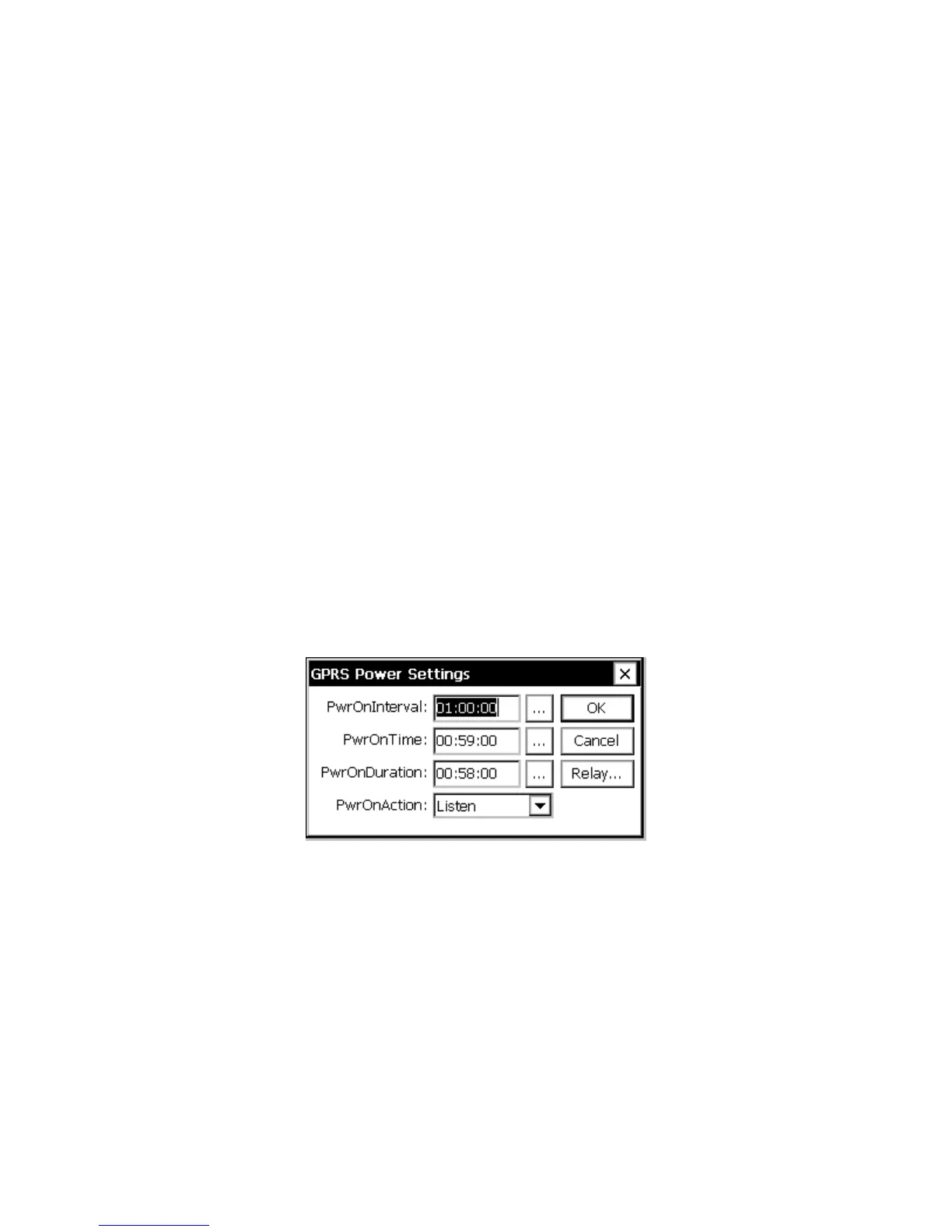
The GPRS power settings are accessed by selecting the “Power” item under GPRS in the
Setup tab and clicking Edit. This dialog contains settings that determine when the GPRS
modem should be powered on, how it should be powered on, and what it should do when
powered on.
Figure 4: GPRS Power Settings Dialog
PwrOnInterval + PwrOnTime + PwrOnDuration
PwrOnTime, PwrOnInterval, and PwrOnDuration are used to specify when the modem is
powered PwrOnInterval specifies how often to power on, PwrOnTime specifies an offset
to the interval, and PwrOnDuration specifies how long to stay powered.
For example, with PwrOnInterval = “01:00:00”, PwrOnTime = “00:30:00”, and
PwrOnDuration = “00:15:00”, the modem will be powered on every hour at half-past the
hour, and will stay powered for 15 minutes.



 To Next Page