18
AlarmData
AlarmData can be either “SensorsInAlarm” or “AllSensors”. When set to the latter, alarm
transmissions contain the same data as is found in self-timed transmissions, i.e., all data
tagged with an GPRS block in the Graphical Setup (as well any data ponts tagged in
EzSetup). However, when AlarmData is “SensorsInAlarm”, only the data triggering the
alarm is included in the transmission.
Content
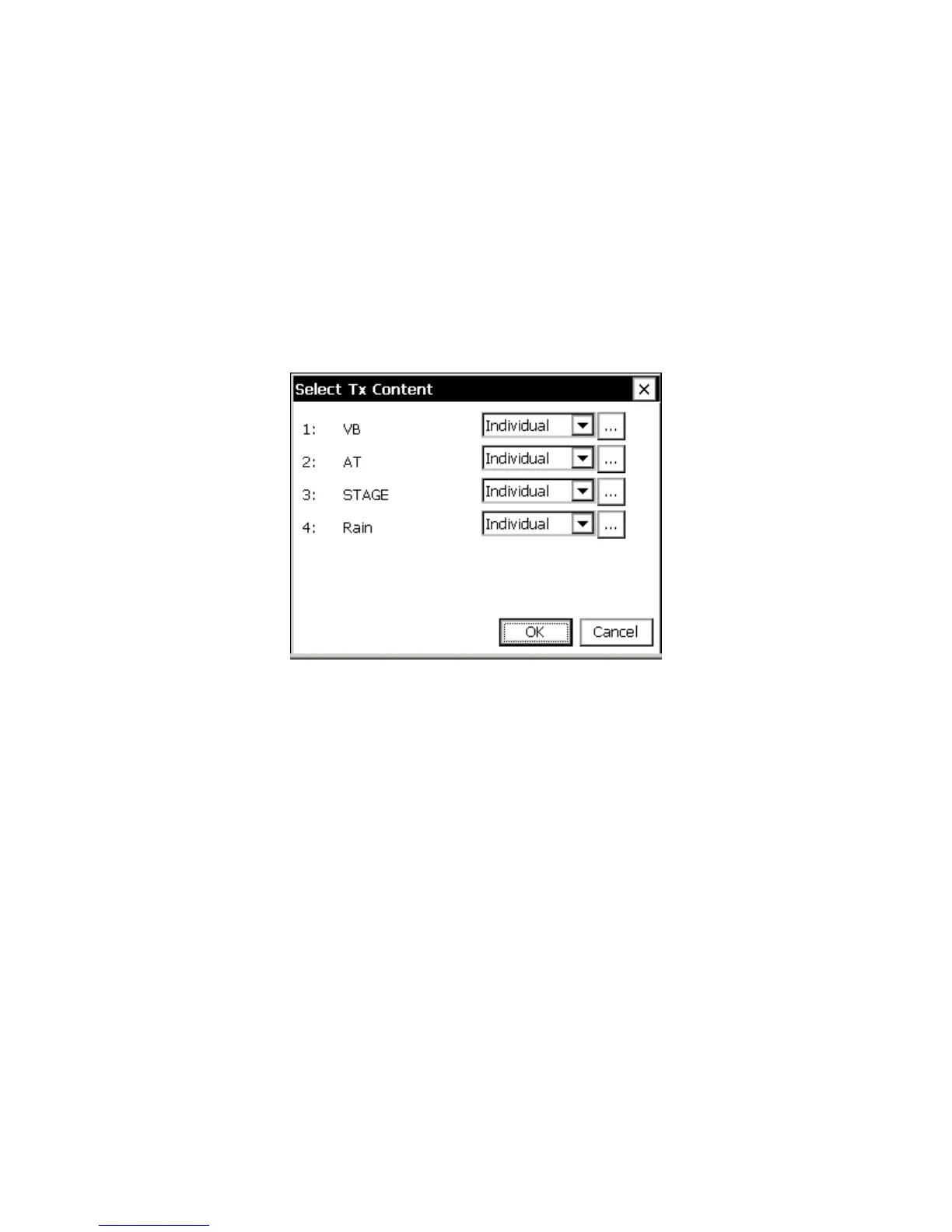
When you press the Content button on the GPRS Transmission Settings dialog, the “Set
Tx Content” dialog opens showing a list of all GPRS blocks in the Graphical Setup (as
well as any data points tagged in EzSetup).
Figure 8: Select Tags dialog
When more entries exist than can be shown in the dialog, scroll bars appear, allowing you
to scroll to other entries.
From this dialog, you can change the value of the “TxContent” property for each data
item in the list. You can also press the “…” button to access and change other properties
in the block’s properties dialog.
GPRS SMS Settings
The GPRS SMS settings are accessed by selecting the “SMS” item under GPRS in the
Setup tab and clicking Edit. This dialog contains settings that determine how the GPRS
modem transmits manages sending and receiving SMS text messages.



 To Next Page