14
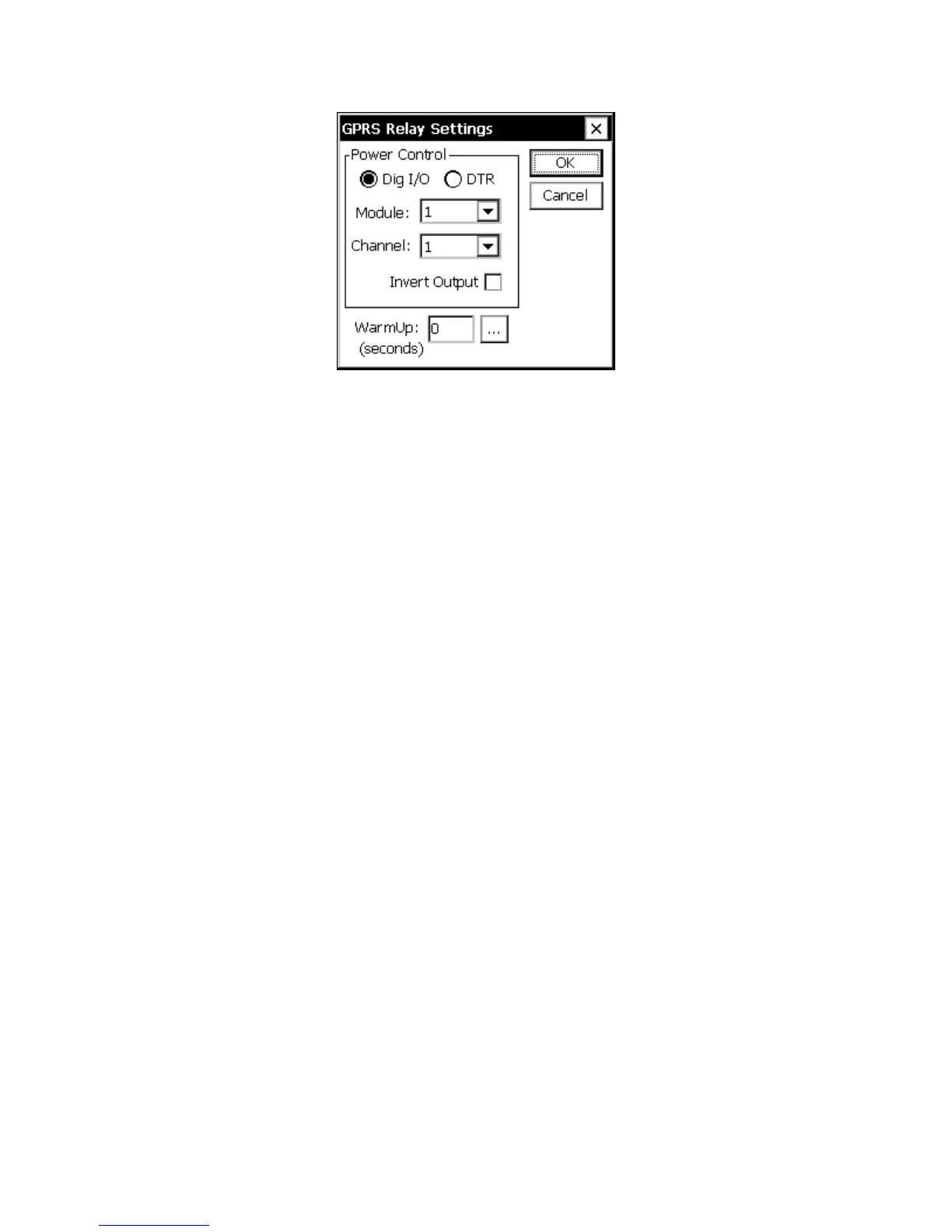
Figure 5: GPRS Relay Settings Dialog
Power Control
Power to Sutron's GPRS modem is supplied and managed using 12V DC (hardware
selectable jumper) via PIN 9 of the RS232 port. In this case select DTR and enter a
WarmUp delay of at least 10 seconds.
When using other modems it may be desirable to control power via a relay. When a
connection is made, DTR is always asserted to the device. For non-Sutron modems which
can enter standby mode when DTR is low this may be sufficient, but power to the device
may be controlled by a digital switch or relay. When Dig I/O is selected, an I/O Module
and Channel may be selected. This output will be turned “on” before a GPRS connection
is attempted. The output is assumed to be open-collector, hence “on” means 0V is output.
If the output instead uses positive logic, the “Invert Output” box may be checked.
WarmUp
WarmUp is the number of seconds to allow the modem to warm up after asserting power
before trying to establish a connection. It applies to both the Dig I/O and DTR settings.
GPRS Connection Settings
The GPRS connection settings are accessed by selecting the “Connect” item under GPRS
in the Setup tab and clicking Edit. This dialog contains settings that determine how the
GPRS modem connects to TCP/IP based internet servers. These connections may be used
for control or data transmission purposes.



 To Next Page