16
ServerPassword
If not blank the GPRS Modem will use this password when accessing the server. This is
used for authentication purposes.
CSDShoulderTap
When enabled, CSDShoulderTap allows the user to call the modem using the phone
number given to the GPRS SIM card. The modem then will connect to what’s set to
“Command Port” as long the modem can connect to the “PrimaryIP” or “SecondaryIP”.
This gives the user another way of making the GPRS modem connect to a master station
such as Tempest.
The reason we have this settings is because if the user did not have a static ip address of
the GPRS modem but had the phone number of the GPRS, he or she can call the number,
or send a text with the command “STAP”. By calling the number, or sending the text, and
the Xpert is powering the GPRS using PwrOnTime, PwrOnInterval, and PwrOnDuration
the GPRS will create a SSP/CL connection to the master station even if the GPRS’s
PwrOnAction = Listen. If sending a text the user will receive a text message saying
“Created SSP/CL session to PrimaryIP(user set)”
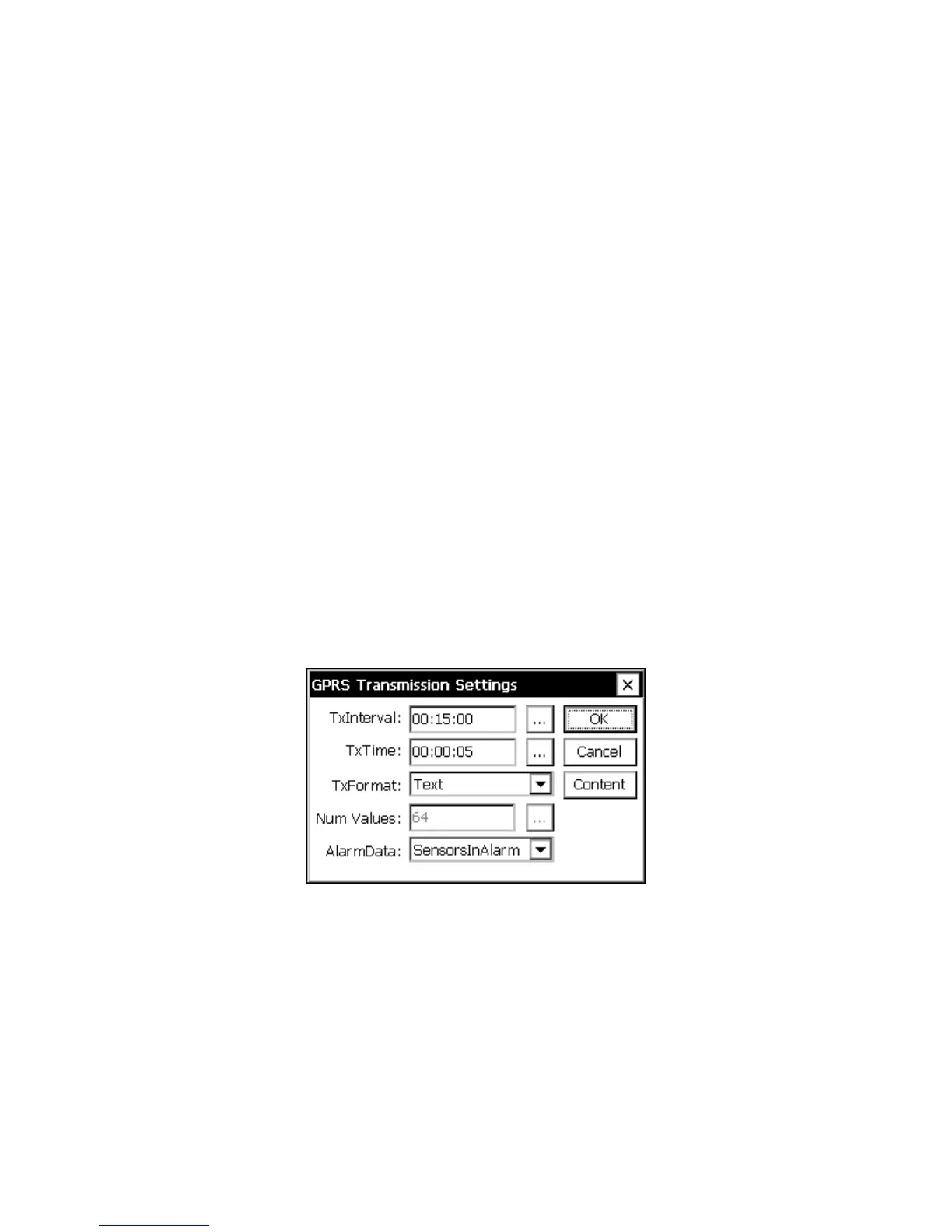
GPRS Transmission Settings
The GPRS transmission settings are accessed by selecting the “Transmit” item under
GPRS in the Setup tab and clicking Edit. This dialog contains settings that determine how
the GPRS modem transmits data to TCP/IP based internet servers.
Figure 7: GPRS Transmission Settings dialog
TxInterval
TxInterval defines how often to transmit self-timed messages. The format of the string is,
“hh:mm:ss”, where “hh” = hours, “mm” = minutes, and “ss” = seconds. For example,
“01:00:00” means “every hour”, while “00:30:00” means every half hourTypical rates are
01:00:00 for hourly transmissions and 04:00:00 for transmissions every 4 hours.



 To Next Page