EasyManua.ls Logo

Suunto AMBIT2 2.0 - Setting Time

Suunto AMBIT2 2.0
145 pages
Print Icon
To Next Page IconTo Next Page
To Previous Page IconTo Previous Page
Loading...
1. 2. 3.
GENERAL
[...............]
[...............]
Time/date
[...............]
[...............]
20.9.
Tuesday
GENERAL
16:30
Setting time
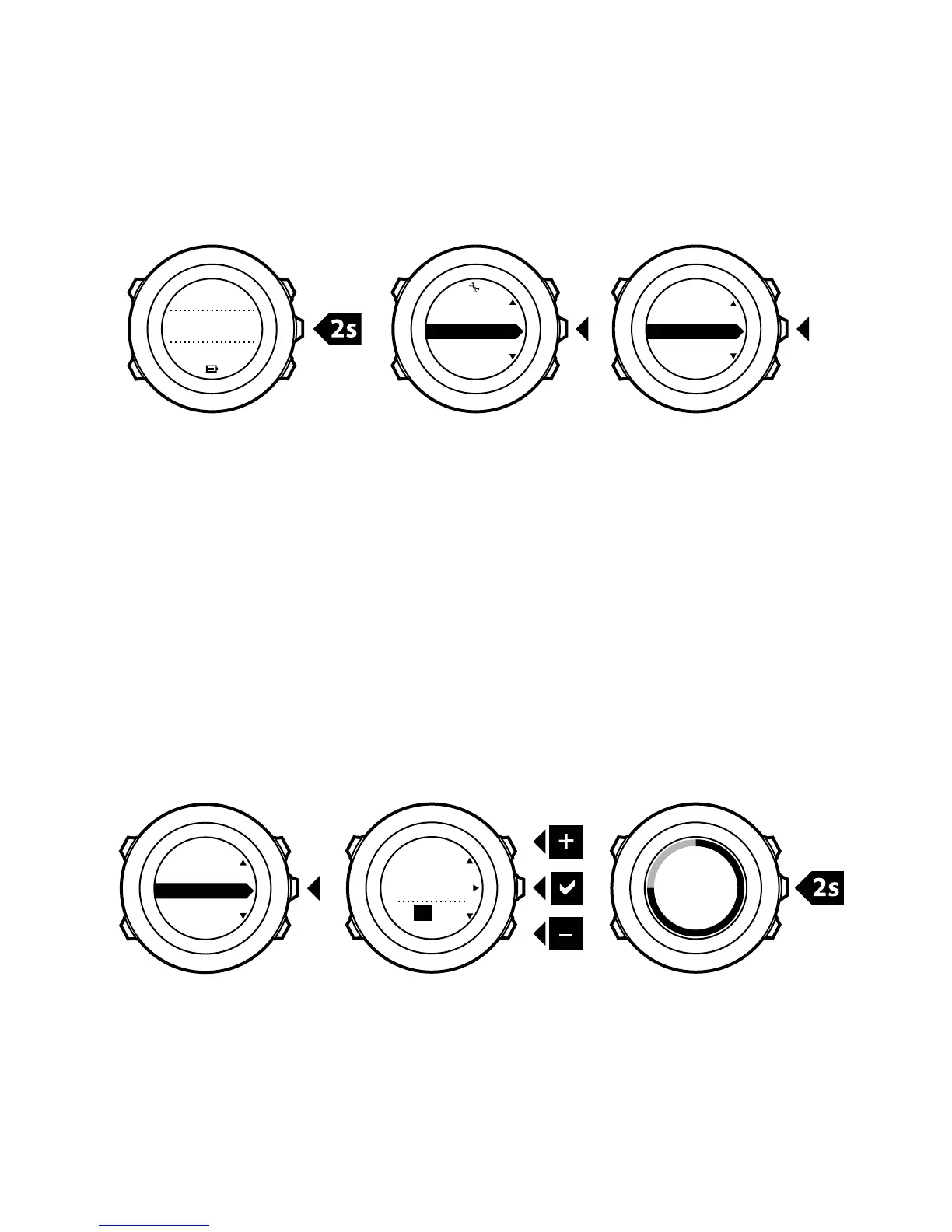
The current time is shown in the middle row of the TIME mode
display.
To set the time:
1.
In the options menu, go to GENERAL, then to Time/date and
Time.
2. Change the hour and minute values with [Start Stop] and [Light
Lock]. Accept with [Next].
3. Go back to the settings with [Back Lap], or keep [Next] pressed
to exit the options menu.

1. 2. 3.
Time
[...............]
[...............]
Hold to
exit
Hours
16 :30
Time/date
23

Table of Contents

Related product manuals