11.7 Viewing logbook after exercise
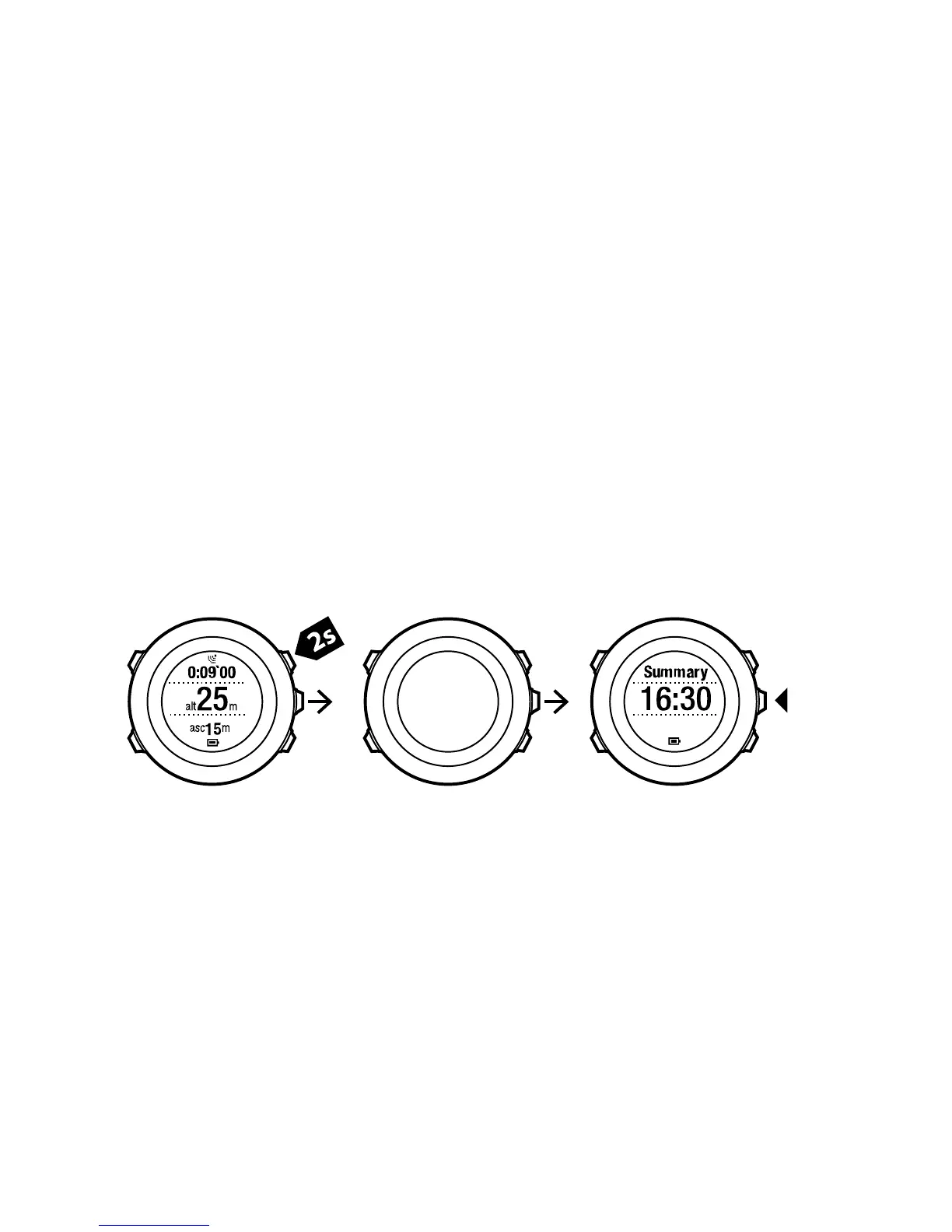
You can view the summary of your exercise after you have stopped
recording.
To stop recording and view the summary information:
1. Keep [Start Stop] pressed to stop and save the exercise.
Alternatively, you can press [Start Stop] to pause the recording.
After pausing the log, confirm stopping by pressing [Back Lap],
or continue recording by pressing [Light Lock]. After stopping
the exercise, save the log by pressing [Start Stop]. If you do not
want to save the log, press [Light Lock].
2. Press [Next] to view the exercise summary.
You can also view the summaries of all your saved exercises in the
logbook. In the logbook the exercises are listed according to time
and the latest exercise is shown first. The logbook can store
approximately 15 hours of exercises with the best GPS accuracy and
1 second recording interval.
To view the summary of your exercise in the logbook:
1. Press [Start Stop] to enter the start menu.
94



 To Next Page