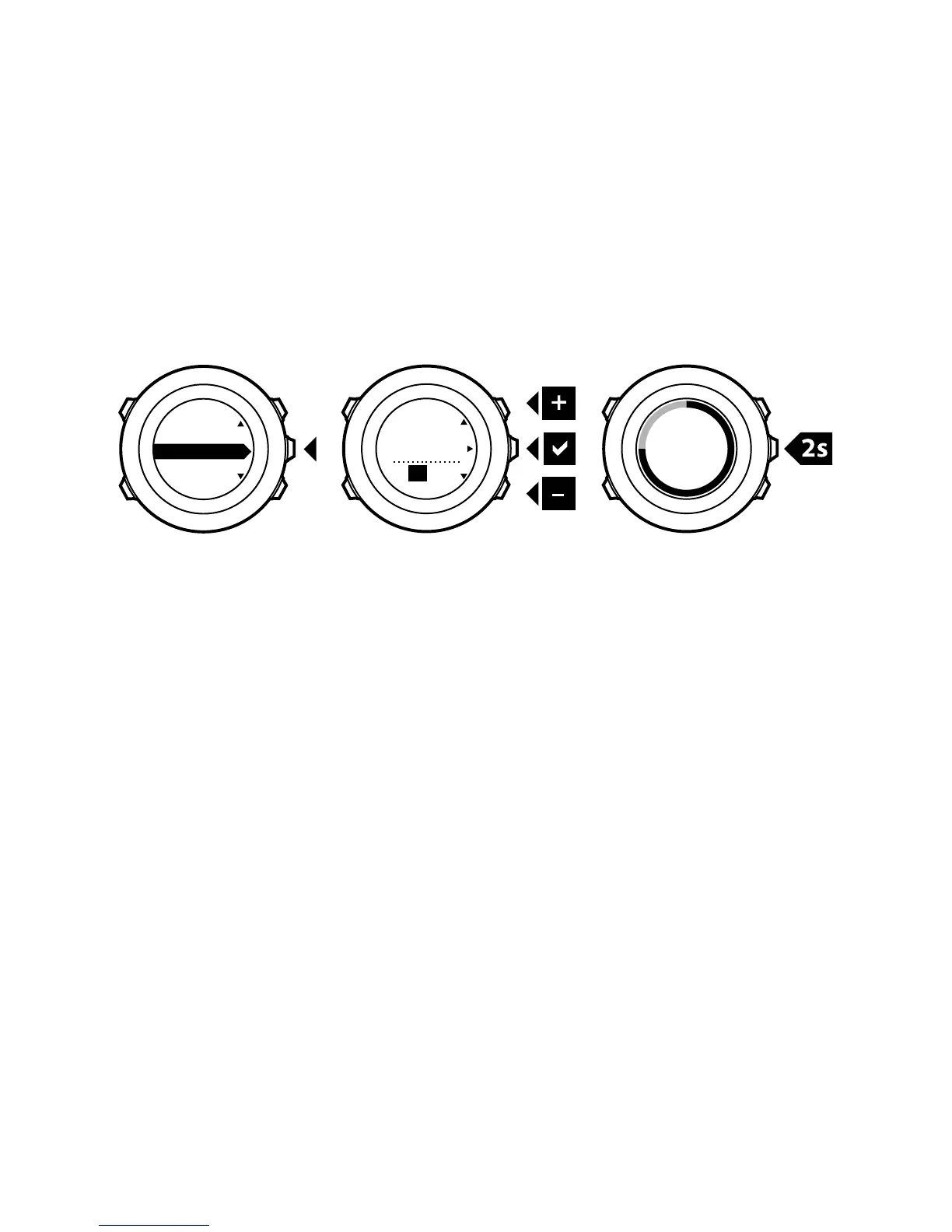
2. Change the hour and minute values with [Start Stop] and [Light
Lock]. Accept with [Next].
3. Go back to the settings with [Back Lap], or keep [Next] pressed
to exit the options menu.
Setting alarm
You can use your Suunto Ambit2 as an alarm clock.
To access the alarm clock and set the alarm:
1.
In the options menu, go to GENERAL, then to Time/date and
Alarm.
2. Set the alarm on or off with [Start Stop] or [Light Lock]. Accept
with [Next].
3. Set the hours and minutes with [Start Stop] and [Light Lock].
Accept with [Next].
4. Go back to the settings with [Back Lap], or keep [Next] pressed
to exit the options menu.
25




 To Next Page