TIP: You can create POIs in Movescount by selecting a location
on a map or inserting the coordinates. POIs in your Suunto Ambit2
and in Movescount are always synchronized when you connect the
watch to Movescount.
8.3.2 Navigating to a point of interest (POI)
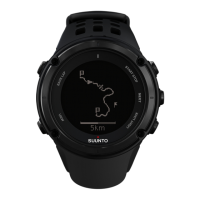
Suunto Ambit2 includes GPS navigation which allows you to
navigate to a pre-defined destination stored as a POI.
NOTE: You can also navigate when you are recording an
exercise, see 11.6.7 Navigating during exercise.
To navigate to a POI:
1. Press [Start Stop] to enter the start menu.
2.
Scroll to NAVIGATION using [Start Stop] and enter with [Next].
3.
Scroll to POIs (Points of interest) using [Light Lock] and select
with [Next].
The watch displays the number of saved POIs and free space
available for new POIs.
4. Scroll to the POI you wish to navigate to with [Start Stop] or
[Light Lock] and select with [Next].
5.
Press [Next] to select Navigate.
If you are using the compass for the first time, you need to
calibrate it. For more information, see
10.1 Calibrating compass
.
After activating the compass, the watch starts searching for a
GPS signal and displays GPS found after acquiring the signal.
40














 To Next Page