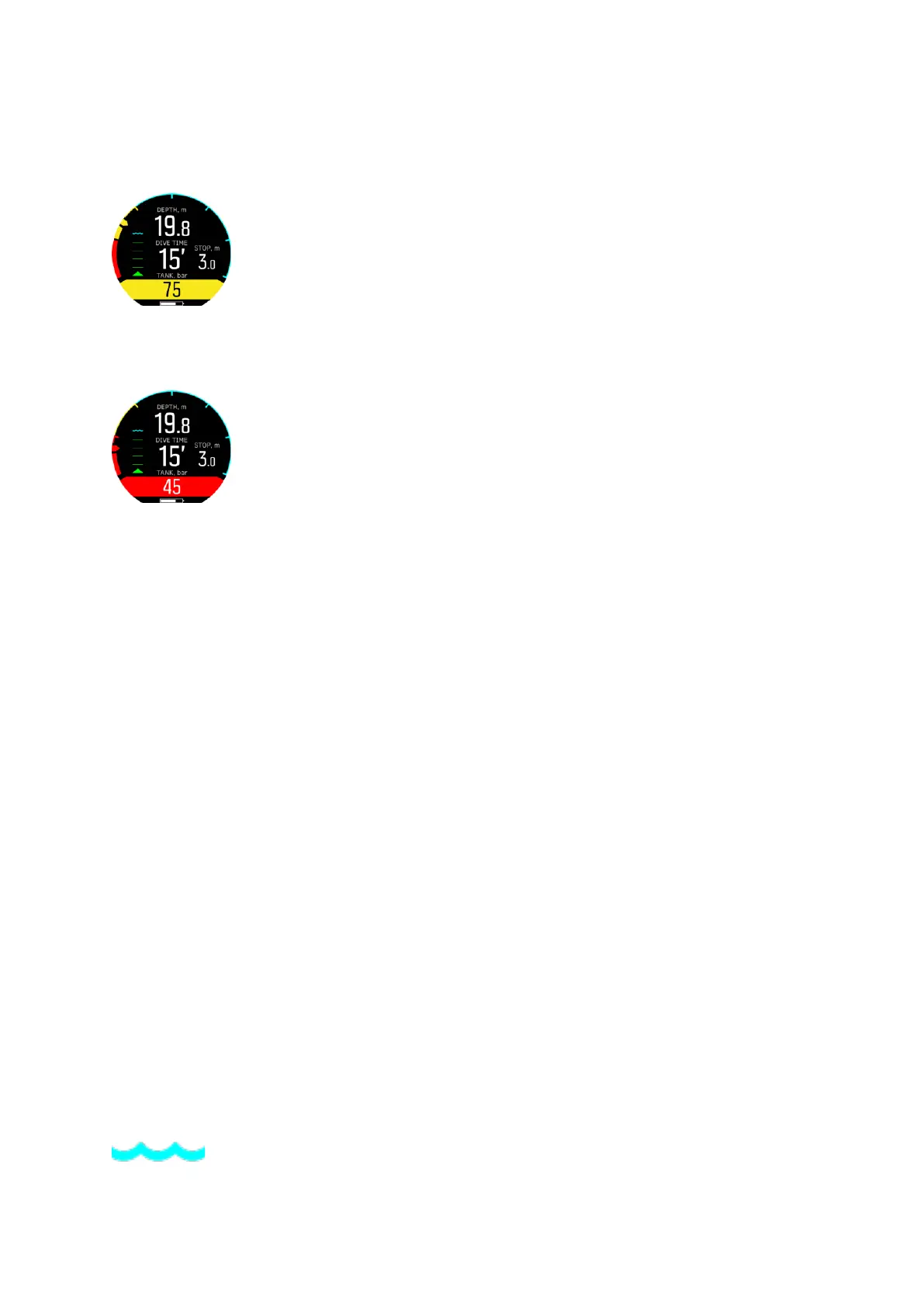
When the tank pressure alarm is turned on and the value is between the value you set and 50
bars, the tank pressure value is indicated in a yellow field in the switch window and the range
is also shown in the arch with yellow:
When the tank pressure drops below 50 bars (so within the red area in the arch) the actual
tank pressure value is indicated in a red
field in the switch window and a mandatory alarm is
triggered:
3.30. Timer
Suunto D5 has a timer that can be used for timing specific actions during surface or dive. The
timer is shown in bottom-right corner as scrollable item.
To use the timer:
1. While diving, press upper button to start the timer.
2. Press again the upper button to pause the timer.
3. Keep the upper button pressed to reset the timer.
Timer start and stop actions are saved to the dive log.
3.31. Water contacts
Suunto D5 has water contact functionality that recognizes when the device is in contact with
water. When submerged, the water contact poles are connected by the conductivity of the
water.
Suunto D5 switches to dive state when water is detected. Dive starts
•
when the water contact is on, at 1.2 m (4 ft), or
•
when the water contact is not on, at 3.0 m (9.8 ft)
and ends
•
when the water contact is on and your depth is less than 0.9 m (2.9 ft) in case of freedive,
and 1.2 m (3.9 ft) in case of scuba dive, or
•
when the water contact is not on and your depth is at 3.0 m (9.8 ft).
A wave icon appears on the left, above the ascend indicator when the device is under water.
See 2.2. Display - modes, views, and states for an overview of dive screen icons.
Water contact icon:
Suunto D5
41



 To Next Page