11 ©2022 Sveaverken. All rights reserved.
Sveaverken F100 Auto Steer System Software User Manual
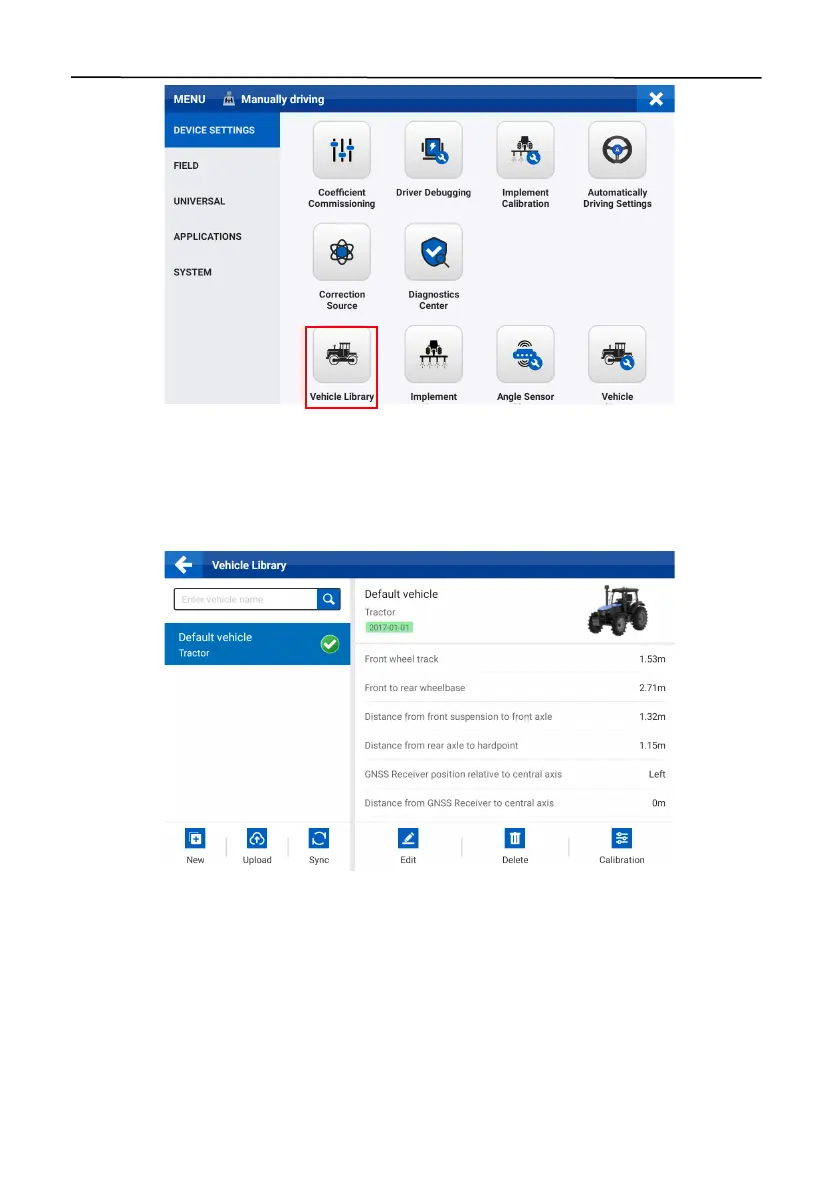
Figure 16.
Select Vehicle Library
2.6.1 Parameter Settings
To enter the vehicle settings screen, tap
New
or
Edit
. Enter the basic information on the
Information
tab, and then tap
Next
. Measure and enter the vehicle parameters on the
Parameters
tab, and then tap
Next
. Check the vehicle information on the
Summary
tab, and then tap
Save
.
Figure 17.
Vehicle library



 To Next Page