57 ©2022 Sveaverken. All rights reserved.
Sveaverken F100 Auto Steer System Software User Manual
5.1 Smart U-turn (Available after activating advanced mode)
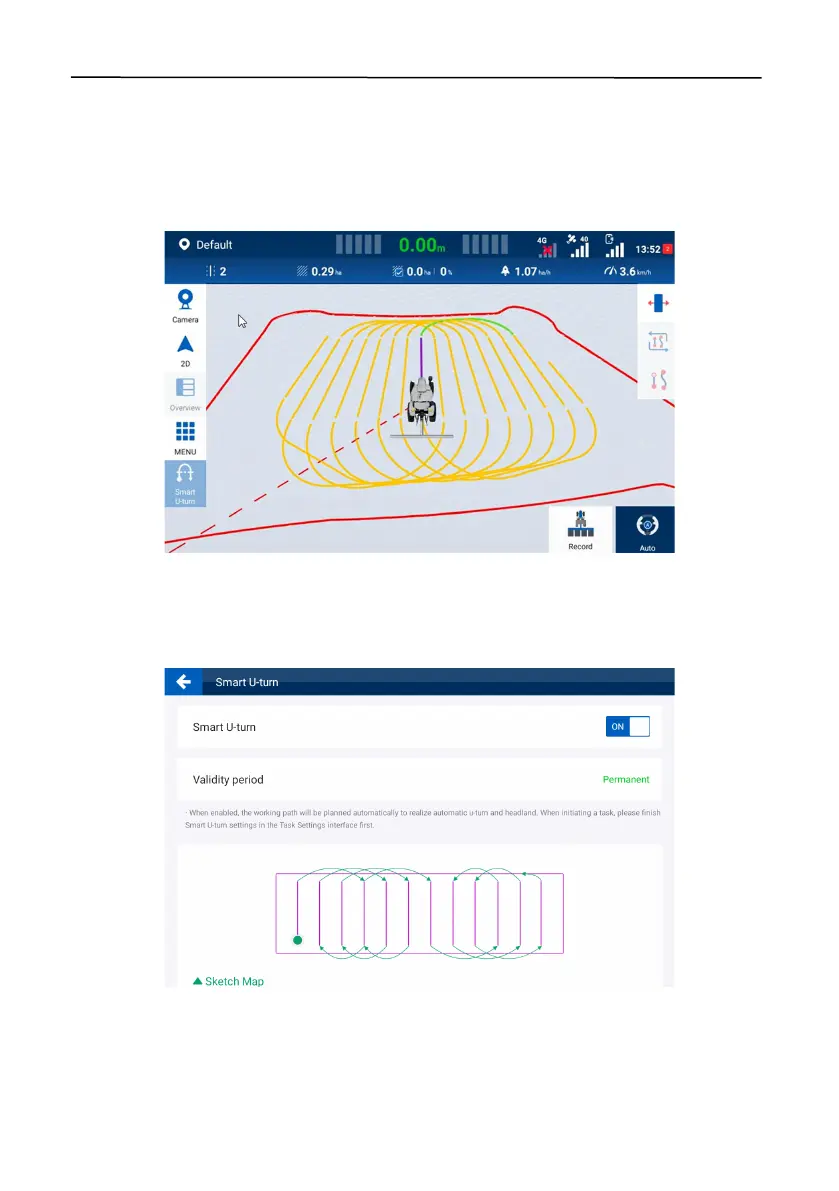
Smart U-turn can plan the whole-process operation paths (including the turning-around at the
headlands) automatically and autosteer the vehicle throughout the whole task operation. It can plan
the headland operation appropriately, reduce the turning-around distance by 30%, and improve
the operation efficiency.
Figure 102.
Smart U-turn
Access the Smart U-turn screen, and enable Smart U-turn in the upper left corner.
When Smart U-turn is activated, a green dot is shown on the Smart U-turn icon in the application list,
and also the Smart U-turn icon is shown at the home screen.
Figure 103.
Smart U-turn
5.1.1 Applicable Fields



 To Next Page