©2022 Sveaverken. All rights reserved. 82
Sveaverken F100 Auto Steer System Software User Manual
6.2 Task Data
6.2.1 Real-time Task Data
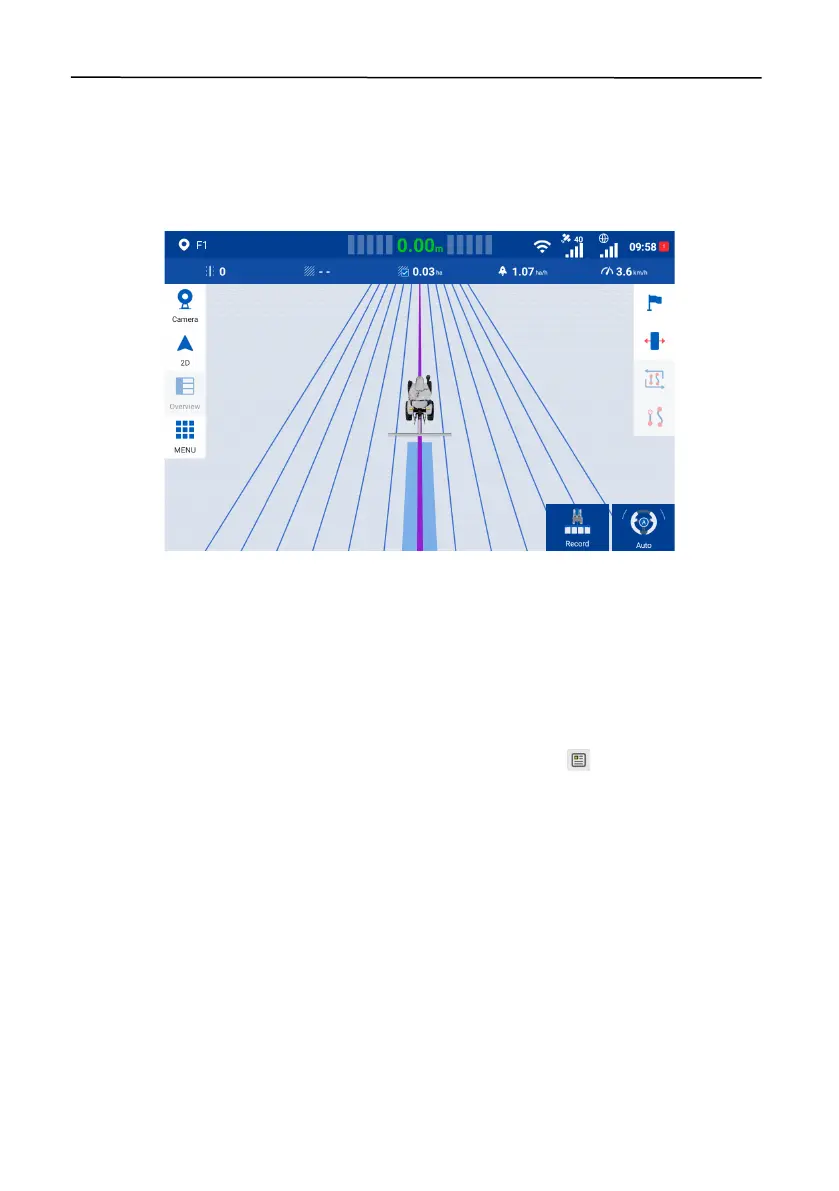
During operation, check the status bar above the mapping guidance panel to view the real-time
task data, including the current guidance line number, field area (available after activating advanced
mode), operated area, operation efficiency, and current speed.
Figure 135.
Real-time task data
6.2.2 Historical Task Data
Choose
MENU
>
FIELD
>
Guidance line & Task
>
Task (MENU
>
FIELD
>
Field
>
Task
after
activating advanced mode) to view the historical task data and operation trajectories. Select a task
in the left column, and its cumulative operation data is displayed on the right, including the
cumulative operation time, total area (the area enclosed by the applied boundary*), operation area,
effective operation area (the operation area inside the applied boundary*), creation time, start time,
and end time. To view the historical operation data under the task, tap in the lower right corner
of the map.
*Boundary available after activating advanced mode



 To Next Page