©2022 Sveaverken. All rights reserved. 10
Sveaverken F100 Auto Steer System Software User Manual
Base stations of other brands must support the following features:
Frequency: 410
–
470 MHz
Baud rate: 4,800 bps/ 9,600 bps/ 19,200 bps
Radio communication protocol: Tr an s p ar en t-EOT/ TRIMMARK3/ TRIMTALK
Differential data format: RTCM 2.X / 3.X
Note:
1. Base station pairing may take up to 3 minutes.
2. If RTK connection keeps failing, try switching the RTK connection mode a few times.
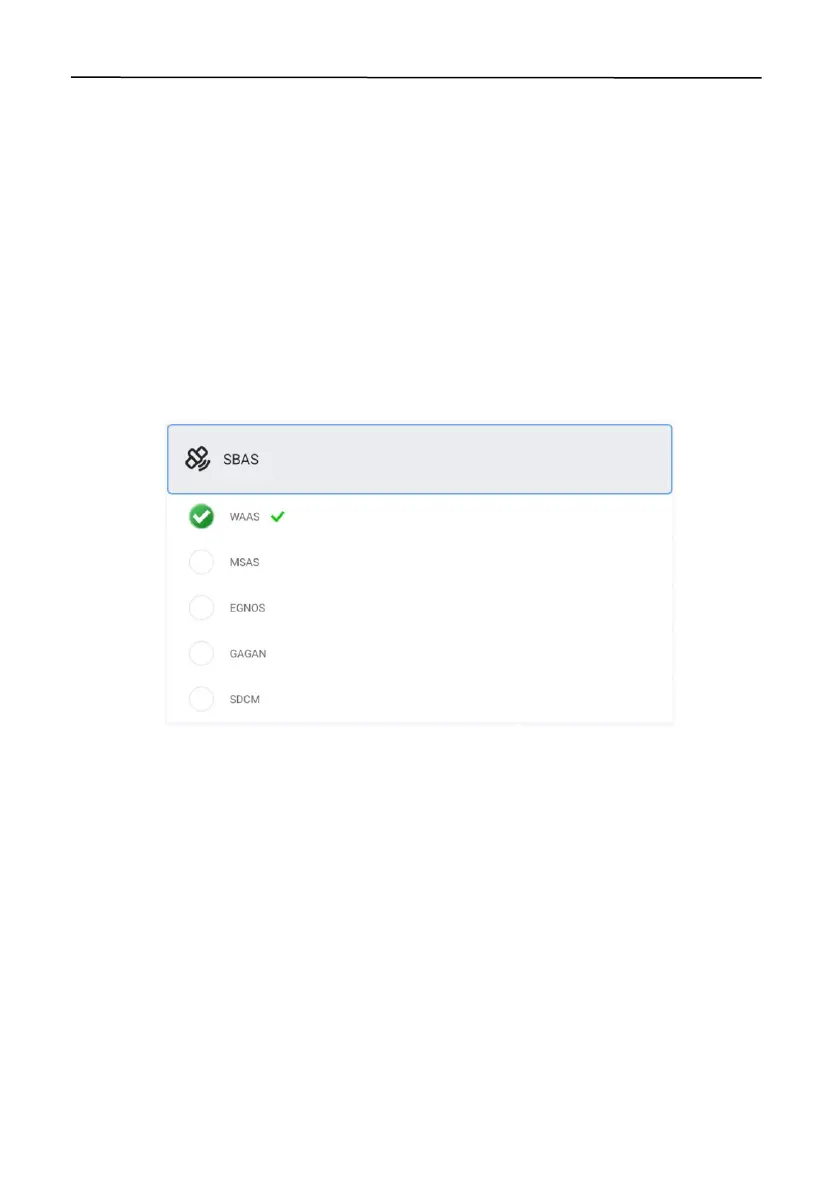
2.5.3 SBAS *
Tap
SBAS
, and select
WAAS
,
MSAS
,
EGNOS
,
GAGAN
, or
SDCM
. The operation cannot be started
until
connected
is displayed at the right of
SBAS
. To switch to a different signal source, tap the
source, and then tap
OK
in the popup dialog.
Figure 15.
SBAS connection established
Note:
The operation cannot b e started when
RTK Status
is 1 in
Diagnostics Center
>
Scenario
.
Once the connection is established,
RTK Status
becomes 2 and the signal source icon in the upper
right corner becomes "S00-S20".
* Please check whether the hardware support SBAS or not
2.5.4 Bluetooth RTK
Note:
This m od e i s o n ly available in J ap an .
2.5.5 External Bluetooth RTK
Note:
This m od e i s o n ly available in J ap an .
2.6 Setting Vehicle Parameters
To add, delete, modify, check, upload, synchronize, and calibrate the vehicle information, choose
MENU
>
DEVICE SETTINGS
>
Vehicle Library
.



 To Next Page