©2022 Sveaverken. All rights reserved. 20
Sveaverken F100 Auto Steer System Software User Manual
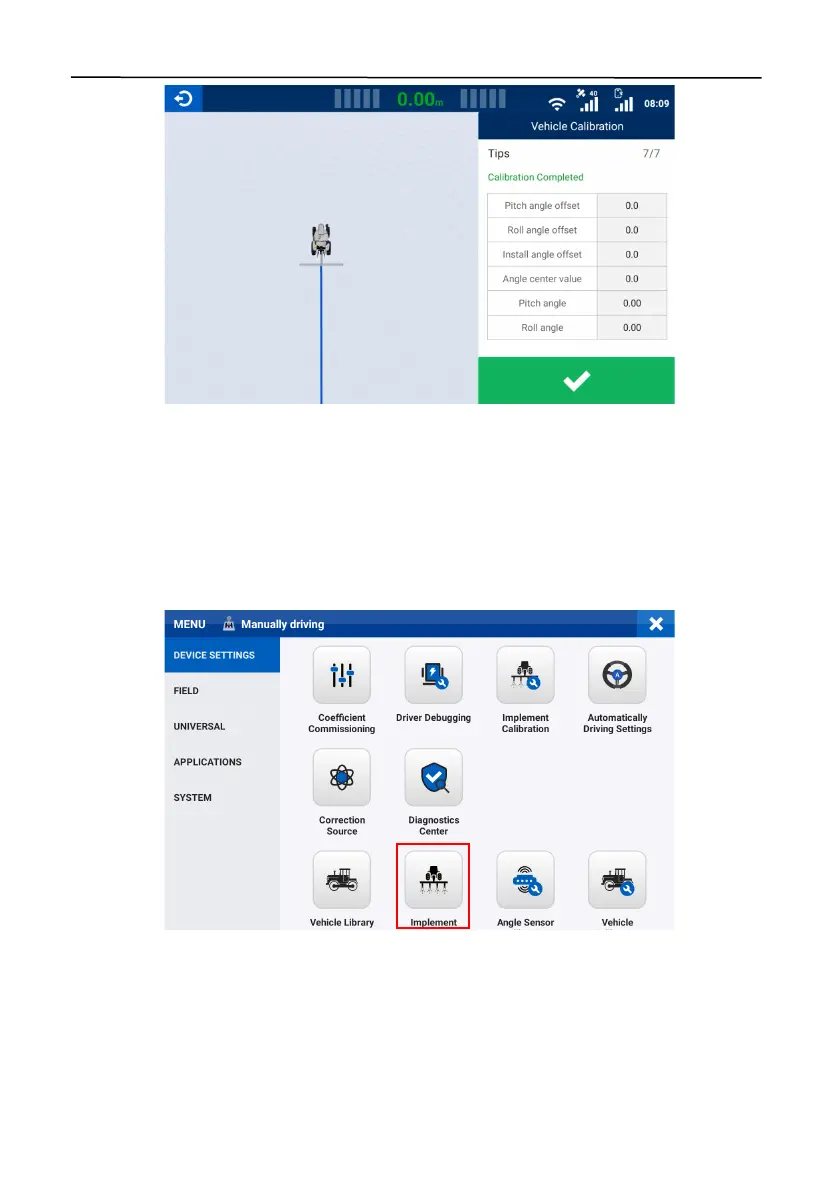
Figure 34.
Confirm the calibration result
Note:
Complete the angle sensor calibration before the vehicle calibration.
2.9 Setting Implement Parameters
To add, delete, modify, check, upload, synchronize, and calibrate the implement information,
choose
MENU
>
DEVICE SETTINGS
>
Implement Library
.
Figure 35.
Select Implement Library
2.9.1 Parameter Settings
To enter the implement settings screen, tap
New
or
Edit
. Select the implement type on the
Type
tab, and then tap
Next
. Enter the basic information on the
Information
tab, and then tap
Next
.
Measure and enter the implement parameters on the
Parameters
tab, and then tap
Next
. Check
the implement information on the
Summary
tab, and then tap
Save
.



 To Next Page