©2022 Sveaverken. All rights reserved. 78
Sveaverken F100 Auto Steer System Software User Manual
Note:
1. After the USB flash drive is connected to the control terminal, you can only transfer files via USB.
2. When Shapefile imports a line group, you need to make sure that the line group objects have
been synthesised into one object.
6 Others
6.1 Device Status
6.1.1 Error Messages
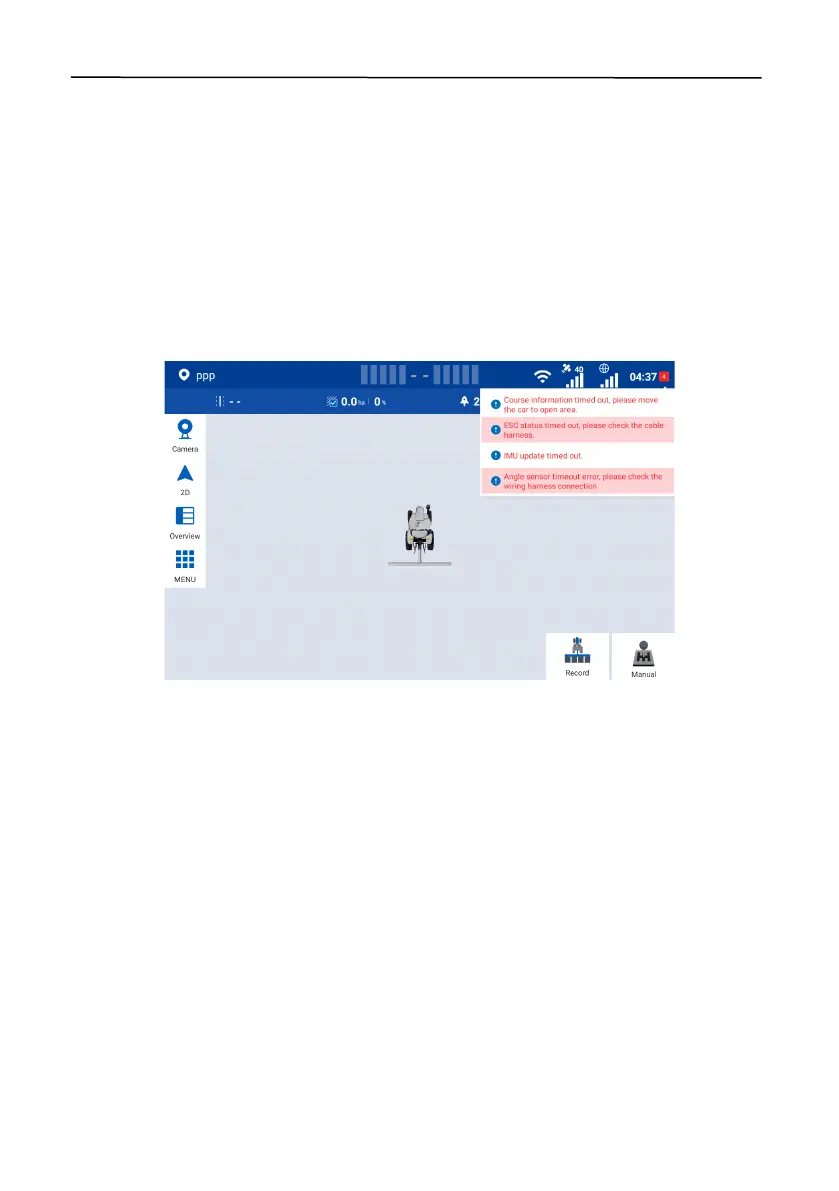
On the home screen, tap the red square with a number in the upper right corner to view the error
messages.
Figure 128.
Error messages
6.1.2 Diagnostics Center
Choose
MENU
>
DEVICE SETTINGS
>
Diagnostics Center
to check the version information,
scenario information, hardware status, and parameter information.
Version information



 To Next Page