77 ©2022 Sveaverken. All rights reserved.
Sveaverken F100 Auto Steer System Software User Manual
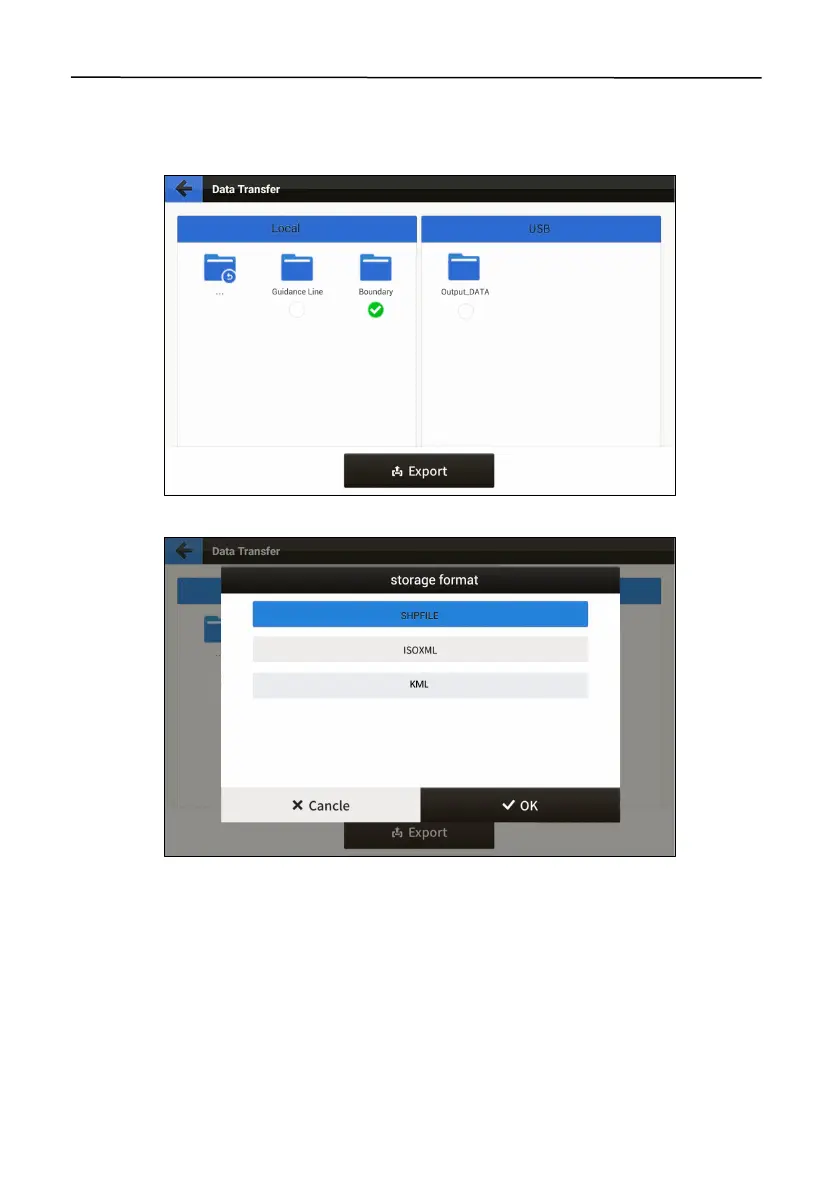
Export files
Select the local files to be exported on the left, tap
Export
, select the format, and tap
OK
. Then, the
selected files are exported to the folder named "Output_DATA" on the right.
Figure 126.
Export files
Figure 127.
Select the format
Import files
Select the external files to be imported on the right, tap
Import
, and tap
OK
. Then, the selected files
are imported into the local field folder with the same name as that of the original field folder. If
such local field folder cannot be found, the system automatically creates one.



 To Next Page