Equipment details
97
CONTROL PANEL – FUNCTIONS AND
SYMBOLS
(Applies to control panels with program
version 38 (06-17) or later, see item 17)
0. The standby and on-position of the
control panel
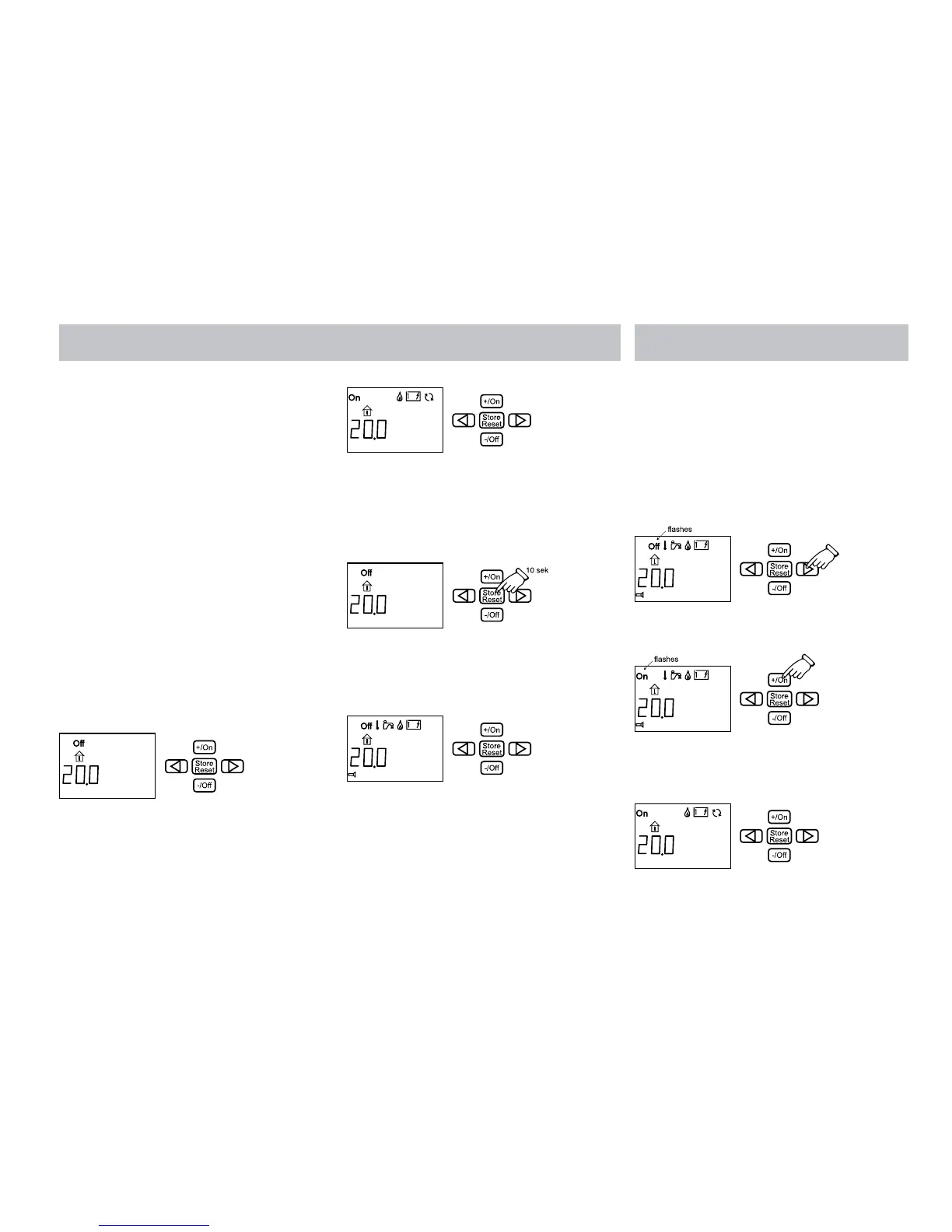
In standby, the functions which are activated
in the boiler are shown, and there is no
background lighting in the display. The control
panel automatically goes to standby from the
on position after two minutes if no buttons are
pushed or if you step to standby (left of On/Off)
with the arrow keys.
Start the on position by pressing any button.
The background lighting comes on (blue light)
and a function that can be set flashes. Select
a function that can be set with the arrow keys.
The settings are automatically saved.
1. The control panel is on standby and the
heater is switched off.
2. The control panel is on standby and the
heater is operating.
1. RESETTING THE SYSTEM
1. Press the Store/Reset button for 10
seconds. The control panel is reset to the
factory setting.
2. The main breaker to the control panel is in
the “Off” position, Gas is on, Electricity at
1kW and 22°C.
The pump is in automatic position. The
lower menu row is not lit up.
2. START THE HEATER
Start the heating in the caravan with the
settings last used.
If you break the power to the heater, the
settings which were last used will automatically
be used when the power comes back on.
1. Press the button with the arrow until “Off”
(main breaker) in the display flashes.
2. Press the +/On button.“On” (main breaker)
in the display flashes.
3. The settings are ready.“On” (main breaker)
is shown in the display when the panel
returns to standby.






 To Next Page