Equipment details
98
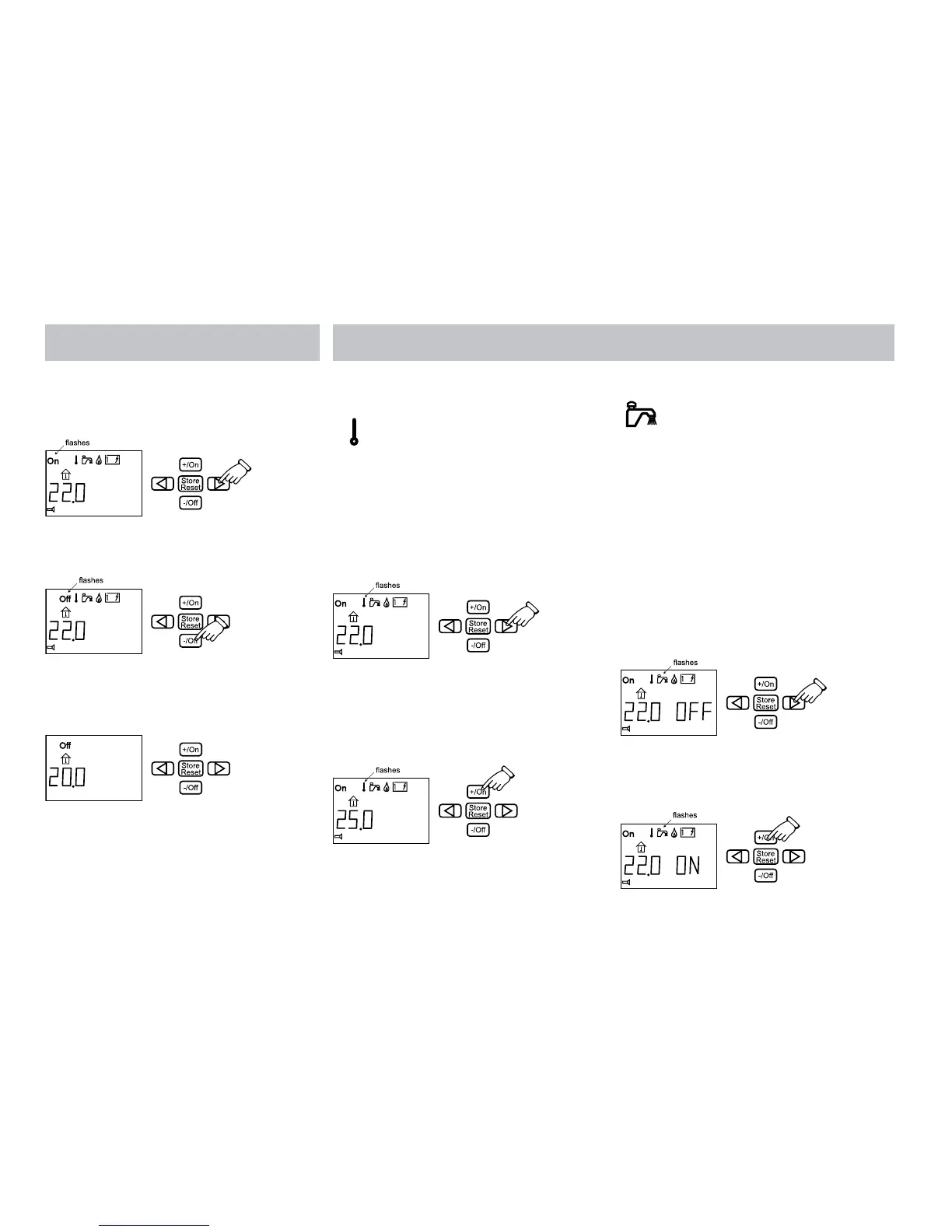
3. SWITCH OFF THE HEATER
1. Press the button with the arrow until “On”
(main breaker) in the display flashes.
2. Press the -/Off button. “Off” (main breaker)
in the display flashes.
3. The settings are ready. “Off” (main breaker)
is shown in the display when the panel
returns to standby.
4. SET THE TEMPERATURE YOU WANT IN
THE VEHICLE
The temperature of the vehicle can be set from
+5°C to +30°C at intervals of 0.5°C.
1. Press the button with the arrow until the
symbol for selecting temperature flashes.
The temperature shown is the temperature
which is set at present (in this case 22.0°C).
2. Increase the temperature by pressing the
+/On button. Lower the temperature by
pressing the -/Off button. The diagram
shows that we have set the temperature at
25.0°C.
3. The settings are complete and the boiler is
working at the set temperature.
5. WARM WATER
If you need more warm water you can increase
the quantity temporarily for 30 minutes by
increasing the water temperature from 50°C to
65°C.
When 30 minutes have elapsed, the water
temperature returns to 50°C and the symbol
goes out. When you have selected more warm
water, the circulation pump stops.
1. Press the button with the arrow until the
symbol for selecting warm water flashes.
The “OFF” text is shown next to the
temperature on the display.
2. Switch the warm water on by pressing the
+/ON button. The “ON” text is shown next
to the temperature on the display.







 To Next Page