
 Need help?
Do you have a question about the Sylvac Scan Series and is the answer not in the manual?
Overview of the SYLVAC Scan range of non-contact measuring systems and their control software.
Essential safety instructions, user obligations, and potential dangers when using the machine.
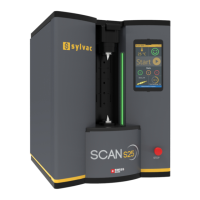
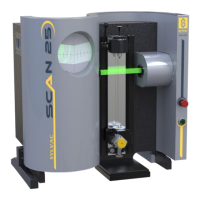
Detailed description of the SYLVAC Scan gauging system, including its components and capabilities.
Technical specifications for the SYLVAC-Scan 25 model, covering dimensions, performance, and capacity.
Technical specifications for the SYLVAC-Scan 50 model, including dimensions, performance, and capacity.
Technical specifications for the SYLVAC-Scan 50 Plus model, detailing its dimensions and performance metrics.
Technical specifications for the SYLVAC-Scan 50CE Plus model, outlining its dimensions and operational parameters.
Instructions for visually inspecting system components for damage immediately after unpacking.
Safe lifting guidelines for the SYLVAC-Scan 25 model, emphasizing the use of designated handles.
Safe lifting procedures for SYLVAC-Scan 50, 50CE Plus, and 50 Plus models using the lifting bar.
Guidance on installing the gauging system on a suitable surface and environmental requirements.
Procedures for making electrical connections between the system, PC, monitor, and printer.
Overview of how components are held using headstock and tailstock mounted on the carriage.
Description of the headstock's fixed position, centering method, and retention screws.
Details on adjusting and operating the tailstock for holding parts of different lengths.
Information on using standard Morse Taper tooling in the headstock and tailstock.
Explanation of the gauging system's measurement process using CCD arrays and light.
Step-by-step guide for powering on the system and computer, and launching the application.
Process for calibrating the gauging system using a setting master before measurement.
Instructions for selecting and performing a profile gauge calibration sequence.
Common calibration errors, their causes, and recommended troubleshooting steps.
Overview of functions available in measurement mode, including data display and statistics.
Steps for opening and running a pre-written measurement program for components.
Correct procedure for shutting down applications, Windows, and the gauge to prevent data loss.
Recommended monthly and yearly maintenance tasks to ensure system longevity and performance.
Guidelines for cleaning system components and advice on lubrication for corrosion prevention.
Procedure for adjusting the tailstock clamping mechanism on SYLVAC-Scan 50 and 50 Plus.
Information on the LED lifespan and the process for its replacement by authorized technicians.
Details on limit switches and the linear scale reader for slide position detection and diagnostics.
Instructions for updating calibration values for the setting master in the PRO-MEASURE software.
Introduction to common problems and error messages encountered during system operation.
Solutions for common issues encountered during system start-up, such as no power or illumination.
Comprehensive list of Pro-Measure and Pro-Composer error messages and their meanings.
Statement confirming the product's conformity with relevant EU directives and standards.
Details of the manufacturer's 2-year warranty, including coverage, exclusions, and claim procedures.
General notes section and information regarding the document's edition and revision history.
 General
| Accuracy | ±1 µm |
|---|---|
| Resolution | 0.1 µm |
| Power Supply | 100-240 VAC, 50/60 Hz |
| Camera | Integrated CCD camera |
| Connectivity | USB |
| Display | LCD touchscreen |
| Output Interface | USB |
| Dimensions | Varies depending on model |
| Weight | Varies depending on model |











 To Next Page