4 - 36 VC5000 Vehicle Computer Product Reference Guide
Export
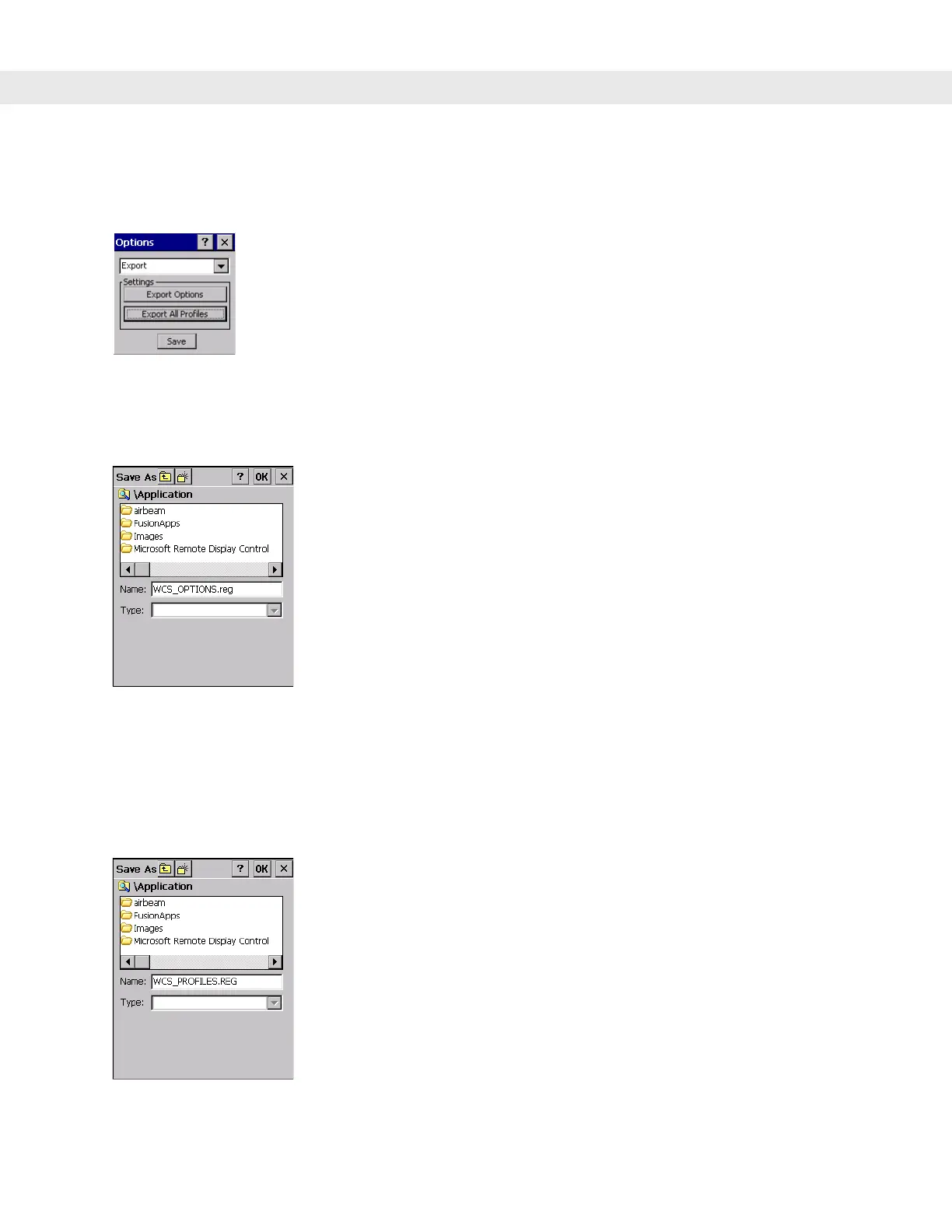
Use Export to export all profiles to a registry file, and to export the options to a registry file.
Figure 4-48
Options - Export Dialog Box
To export options:
1. Tap Export Options. The Save As dialog box displays.
Figure 4-49
Export Options Save As Dialog Box
2. Enter a filename in the Name: field. The default filename is WCS_OPTIONS.REG.
3. Tap Save.
To export all profiles:
1. Tap Export All Profiles. The Save As dialog box displays.
Figure 4-50
Export All Profiles Save As Dialog Box
2. Enter a filename in the Name: field. The default filename is WCS_PROFILES.REG.


 To Next Page