2 - 12 VC5090 Vehicle Computer Product Reference Guide
Installing the VC5090 on a Wall or Desktop
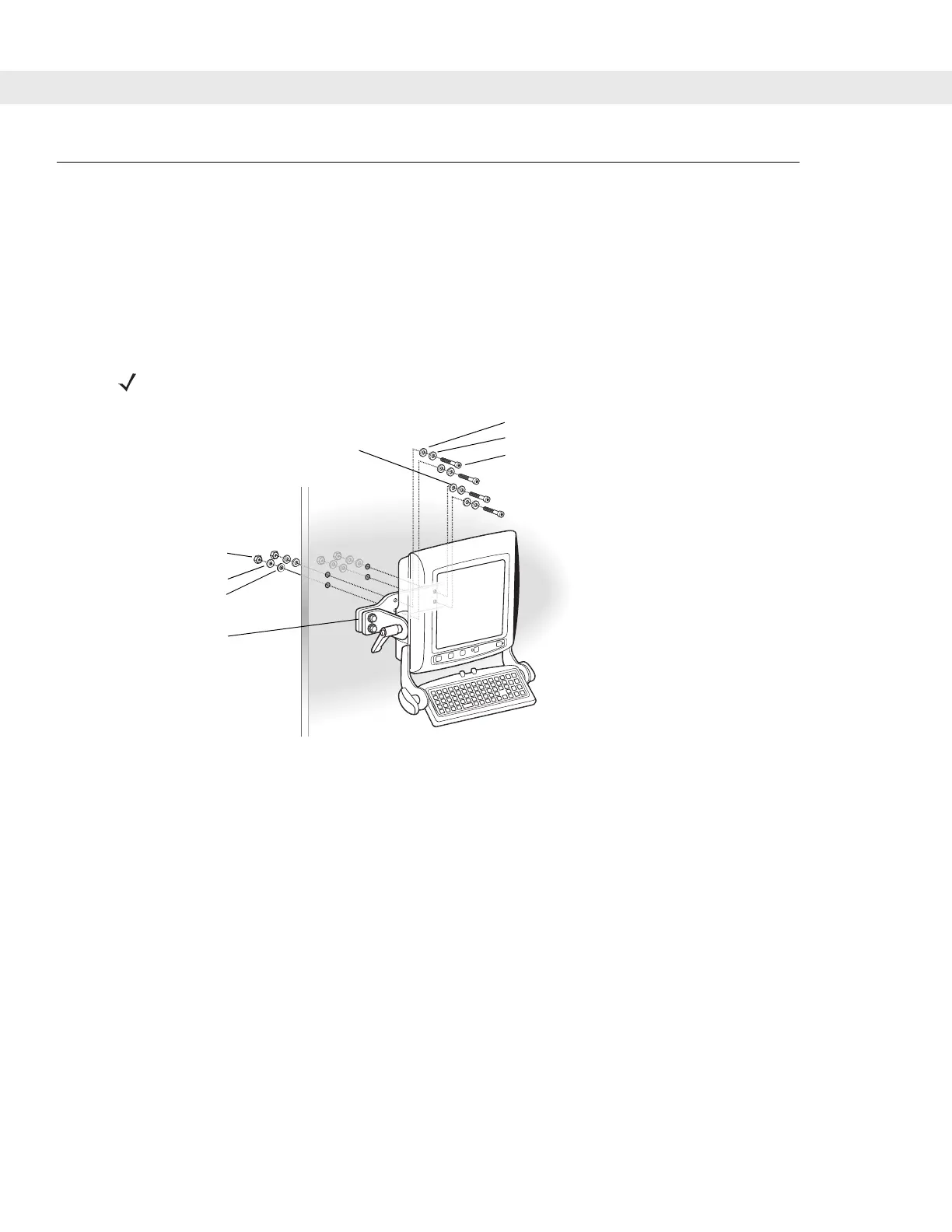
To use the vehicle computer in a wall mounted application:
•
Install the mounting bracket to the wall.
•
Connect the vehicle computer to the AC power supply.
Mounting the Bracket on a Wall
Figure 2-12
Mounting on a Wall
NOTE If mounting to a thin surface, a reinforcing plate maybe required.
Flat Washers
Nuts
Optional Wall
Mounting Bracket
Lock Washers
Cap Screws
Lock Washers
Flat Washers


 To Next Page