2 - 32 VC5090 Vehicle Computer Product Reference Guide
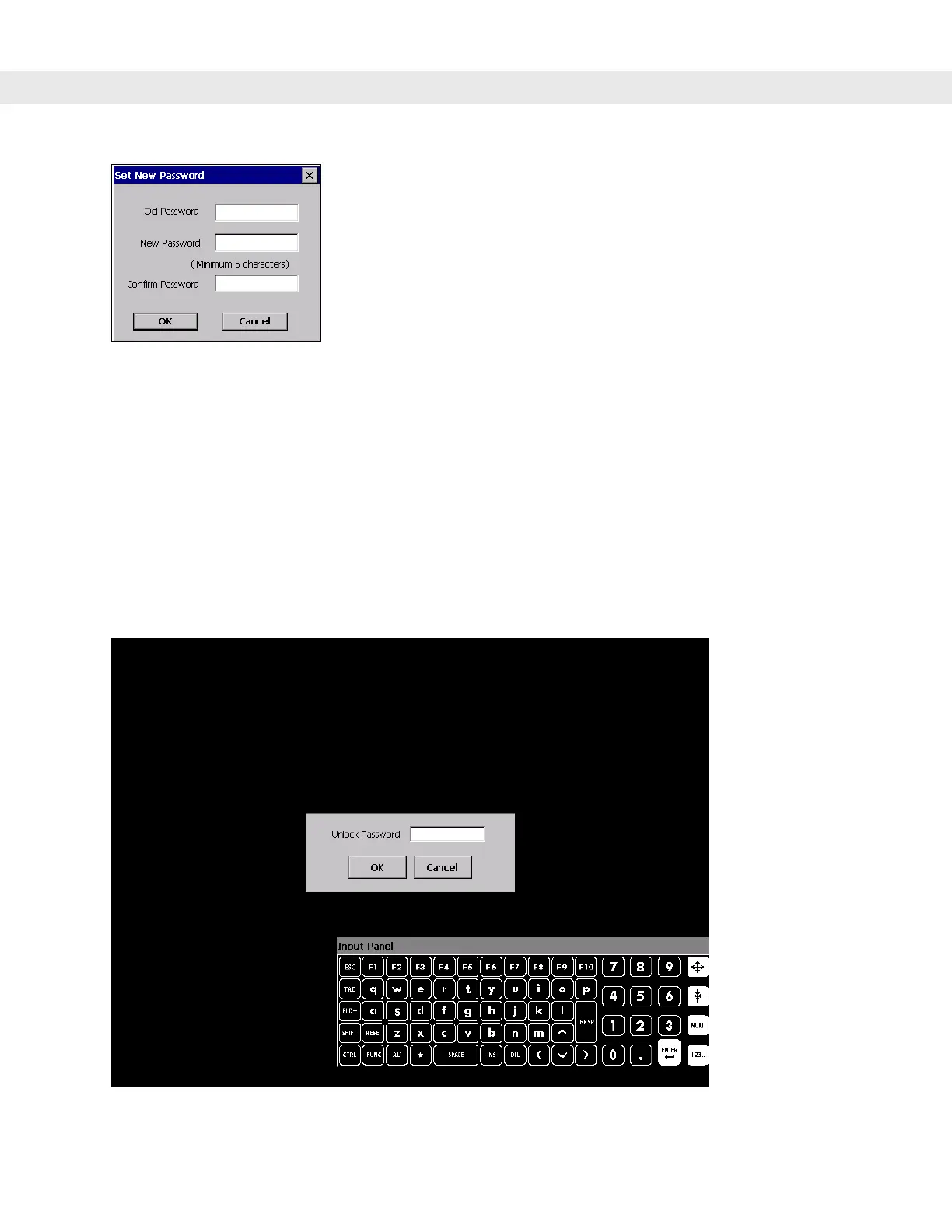
Figure 2-43
Set New Password Window
5. In the Old Password text box, enter the old password.
6. In the New Password text box, enter the new password. The password must have a minimum of five
characters.
7. In the Confirm Password, re-enter the new password.
8. Tap OK.
Over-Ride
If the cable is cut or breaks, you can over-ride the lock out by tapping the screen three times. A dialog box
appears. In the
Unlock Password field, enter the password and tap OK.
Figure 2-44
Terminal Lock Over-Ride


 To Next Page