Application Development and Deployment 7 - 3
Installing Other Development Software
Developing applications for the vehicle computer may require installing other development software such as
application development environments on the development PC. Follow the installation instructions provided
with this software.
Software Installation on Vehicle Computer
With the appropriate accessory, software, and connection, the vehicle computer can share information with the
host device. This chapter provides information about installing software and files on the vehicle computer.
Download or install software using:
•
ActiveSync
•
IPL
•
SD Card.
ActiveSync
Use ActiveSync to copy files from a host computer to the vehicle computer.
1. Ensure that ActiveSync is installed and that a partnership has been created, see Chapter 3, ActiveSync.
2. Connect the vehicle computer to the host computer using a USB cable.
3. On the host computer, select > Programs > ActiveSync.
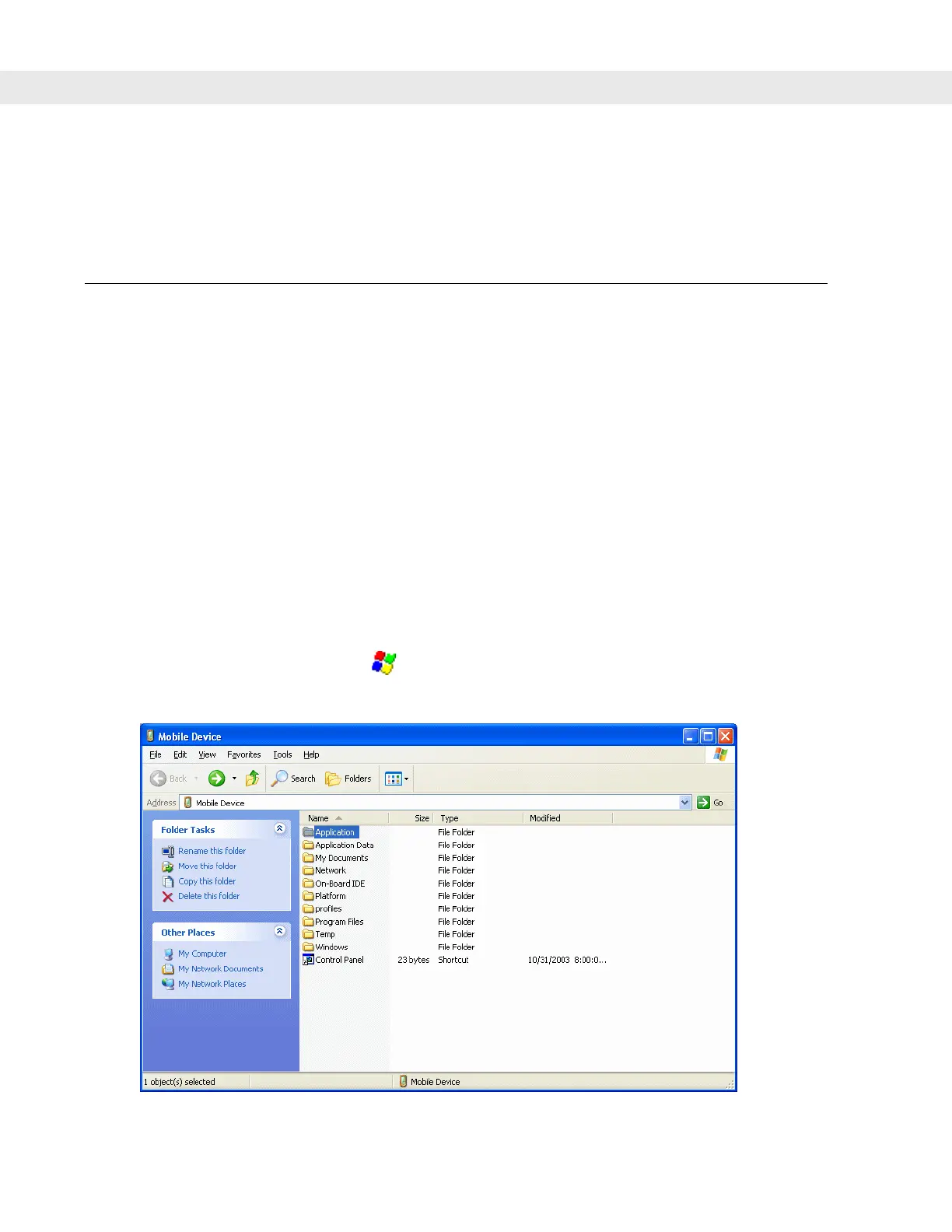
4. Select Explore.
Figure 7-1
ActiveSync Explorer


 To Next Page