Operating the VC5090 3 - 5
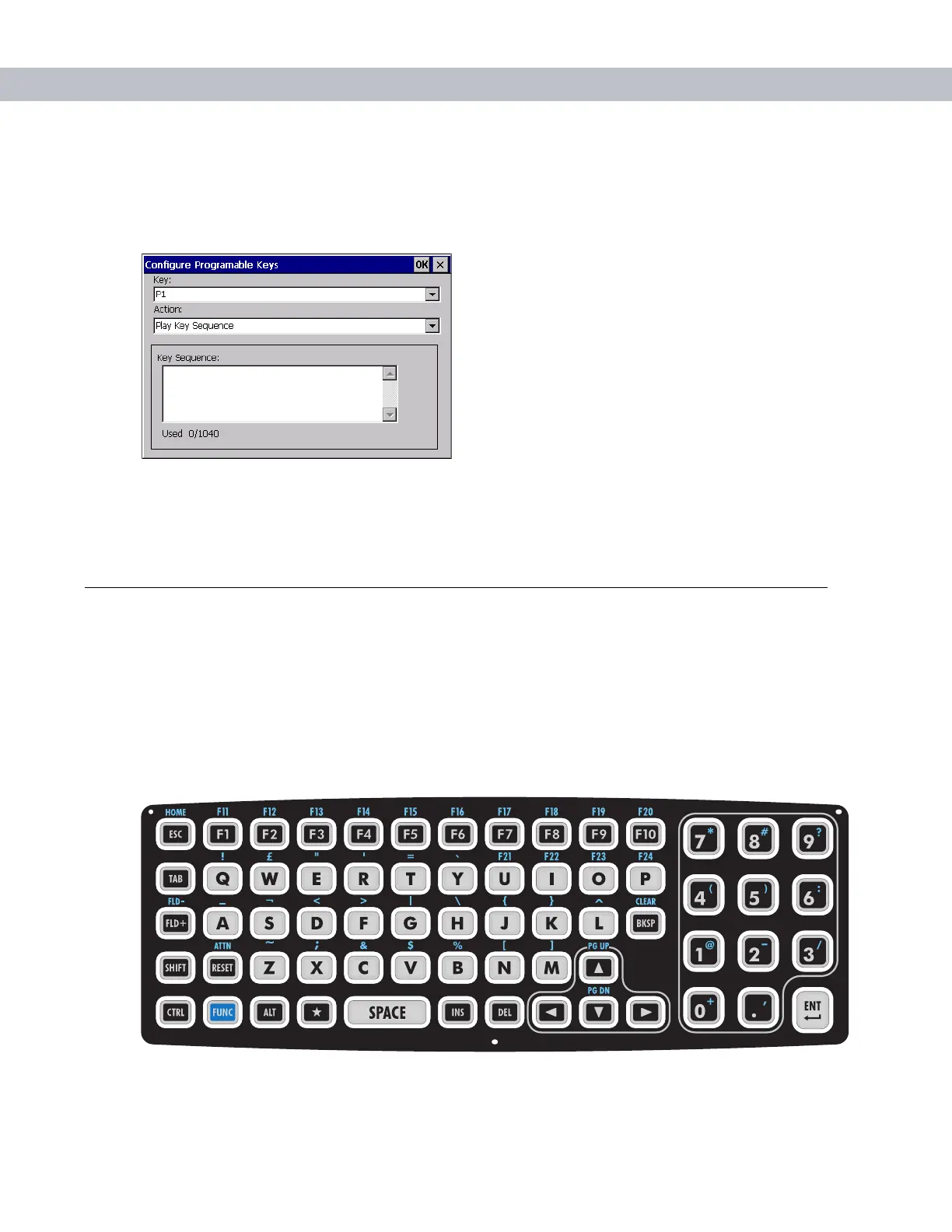
Play Key Sequence
To set a programmable key to play a sequence of characters:
1. In the Action drop-down list, select Play Key Sequence.
Figure 3-6
Configure Programmable Keys - Play Key Sequence
2. In the Key Sequence field, enter a character string (up to 1,040 characters).
3. Tap OK.
Using the Keyboard
An optional QWERTY keyboard can be used with the full-screen vehicle computer. Refer to Figure 3-7 and
Table 3-3 for a description of the keys. The half-screen vehicle computer has a built-in keyboard. Both
keyboards function identically.
Keyboard Functionality
Table 3-3 describes the general functions of the keyboard.
Figure 3-7
VC5090 Keyboard


 To Next Page