Chapter 3
Operating the VC5090
Chapter 3
Operating the VC5090
Introduction
This chapter explains the buttons, status icons and controls on the VC5090 and provides basic instructions for
using the VC5090, including powering on and resetting. It also included instructions for entering and capturing
data.
Quick Access Panel
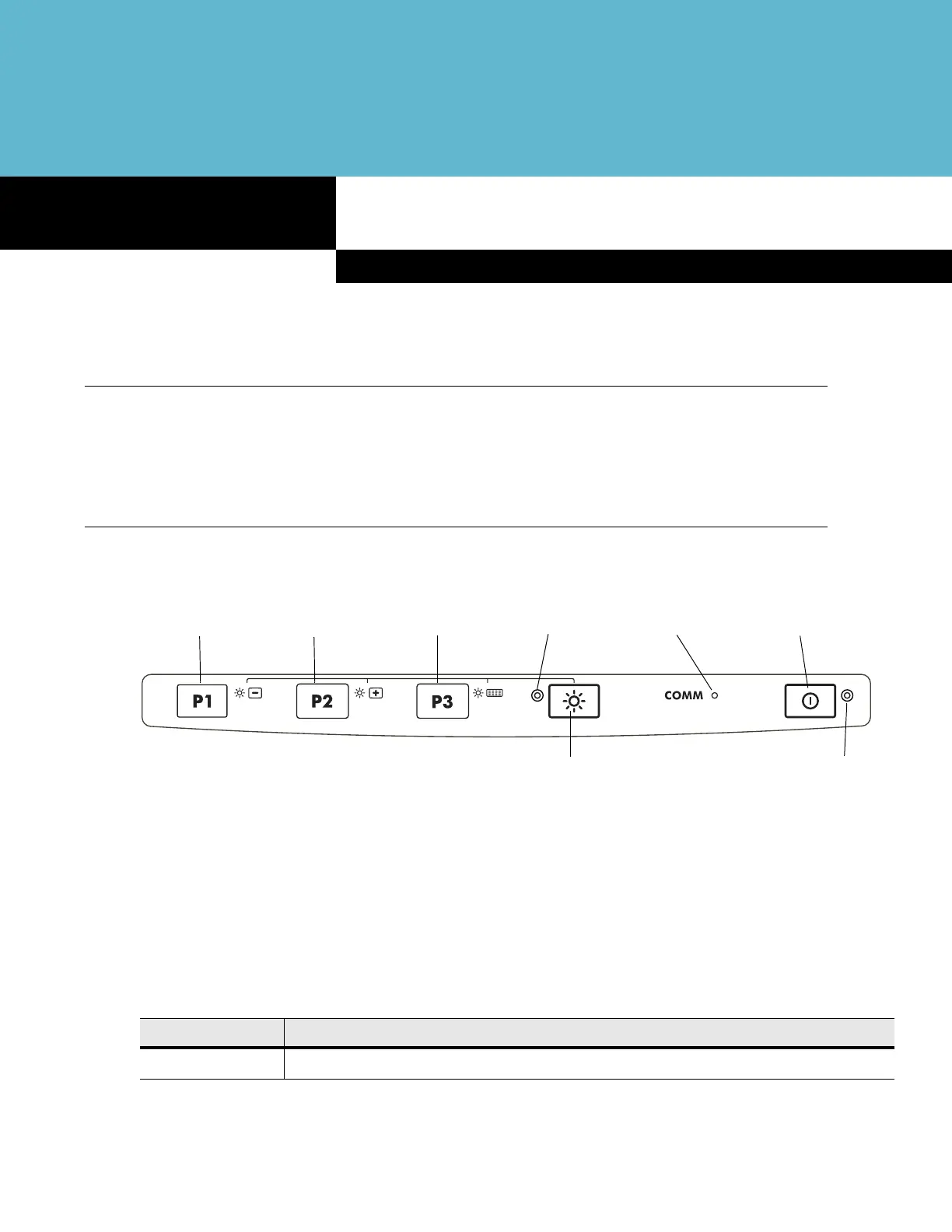
The Quick Access Panel contains buttons and LEDs to control the operation of the vehicle computer.
Figure 3-1
VC5090 Quick Access Panel
Power Button
Press the Power button to place the vehicle computer into suspend mode. When in suspend mode, press the
Power button to resume normal operation.
Power LED
Table 3-1 lists the states of the Power LED.
P2 Button
P3 Button
Backlight Control LED
Power LEDBacklight Control Button
Power Button
P1 Button
COMM LED
Table 3-1
Power LED Indicator
LED State Indication
Solid Green Vehicle computer is operating from external power.


 To Next Page