Wireless Applications 4 - 23
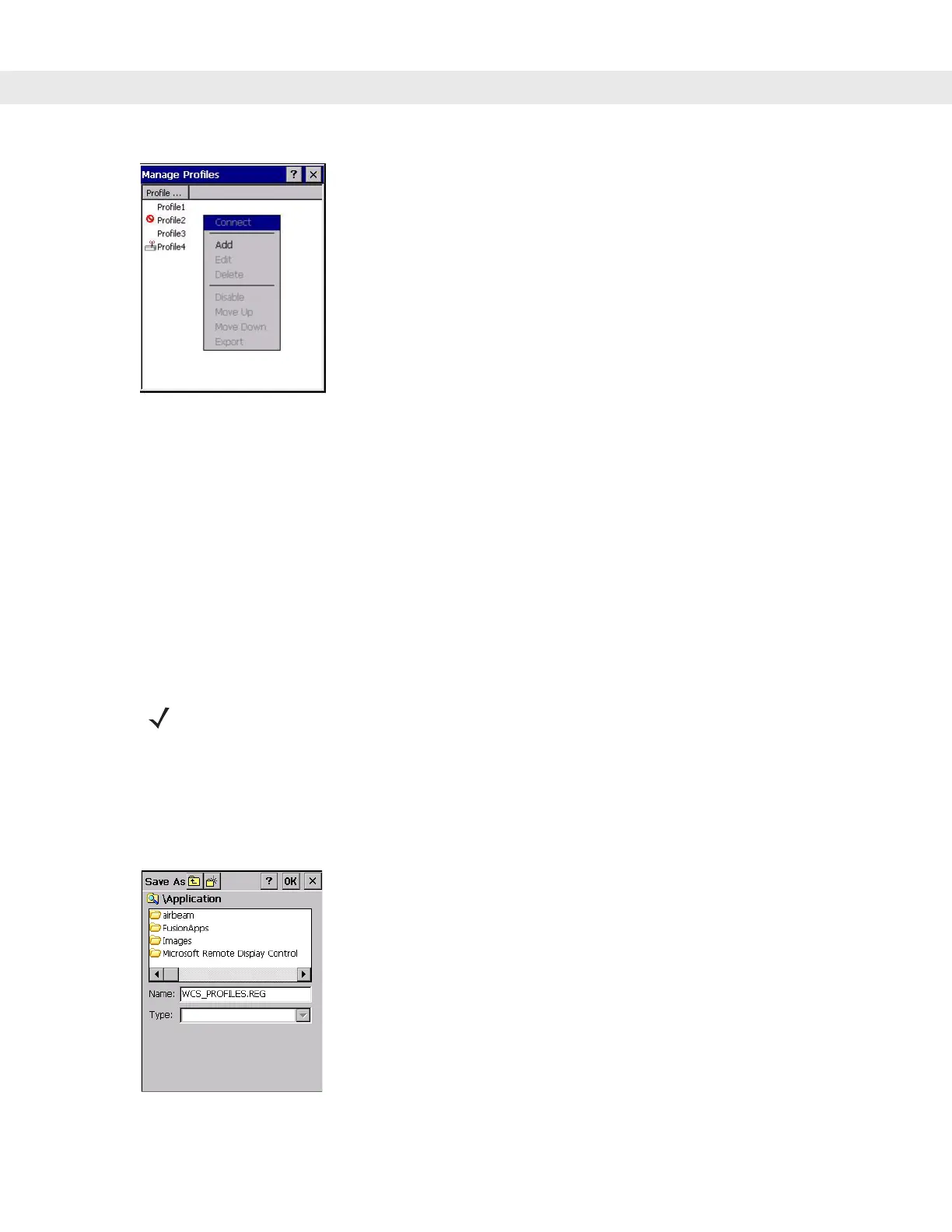
Figure 4-31
Manage Profiles - Add
Select
Add to display the Profile Wizard wherein you can set the profile name and ESSID. Set security, network
address information, and power consumption level for the new profile.
Deleting a Profile
To delete a profile from the list, tap and hold and select Delete from the pop-up menu. A confirmation dialog box
appears.
Ordering Profiles
Tap and hold a profile from the list and select Move Up or Move Down to order the profile. If the current profile
association is lost, the vehicle computer attempts to associate with the first profile in the list, then the next, until
it achieves a new association.
Export a Profile
To export a profile to a registry file, tap and hold a profile from the list and select Export from the pop-up menu.
The
Save As dialog box displays with the Application folder and a default name of WCS_PROFILE{profile
GUID}.reg (Globally Unique Identifier).
Figure 4-32
Save As Dialog Box
NOTE Profile Roaming must be enabled.


 To Next Page