Installation 2 - 15
Installing the Optional Keyboard
The keyboard kit contains the following items:
•
keyboard
•
two keyboard brackets
•
four cap screws with captive washers
•
two locking knobs
•
four flat and lock washers.
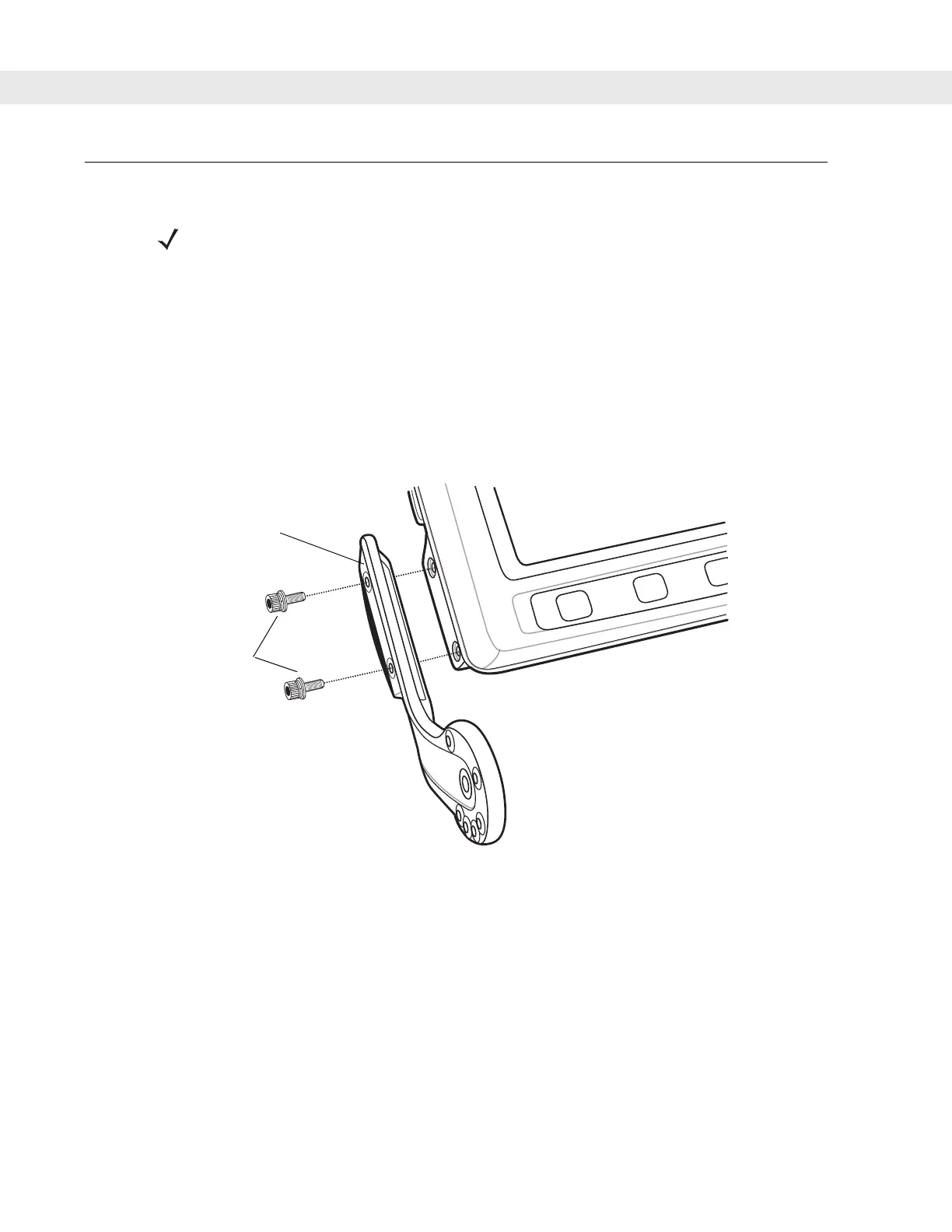
1. Attach the keyboard brackets to both sides of the VC5090, using the cap screws with captive washers.
Figure 2-15
Attaching the Brackets to the VC5090
2. Torque the screws to 230 kgf/cm (200 in-lbs).
3. Squeeze the quick release tabs on the keyboard and align the keyboard with the brackets.
NOTE The optional keyboard is only available on the full-screen configuration.
Left Hand
Bracket
Cap Screws with
Captive Washers


 To Next Page