Installation 2 - 25
Installing a Secure Digital Card
A Secure Digital (SD) card provides secondary non-volatile storage. The card holder is located on the back of
the VC5090.
To install the SD card:
1. Place the Main Power switch on the top of the vehicle computer to the off position.
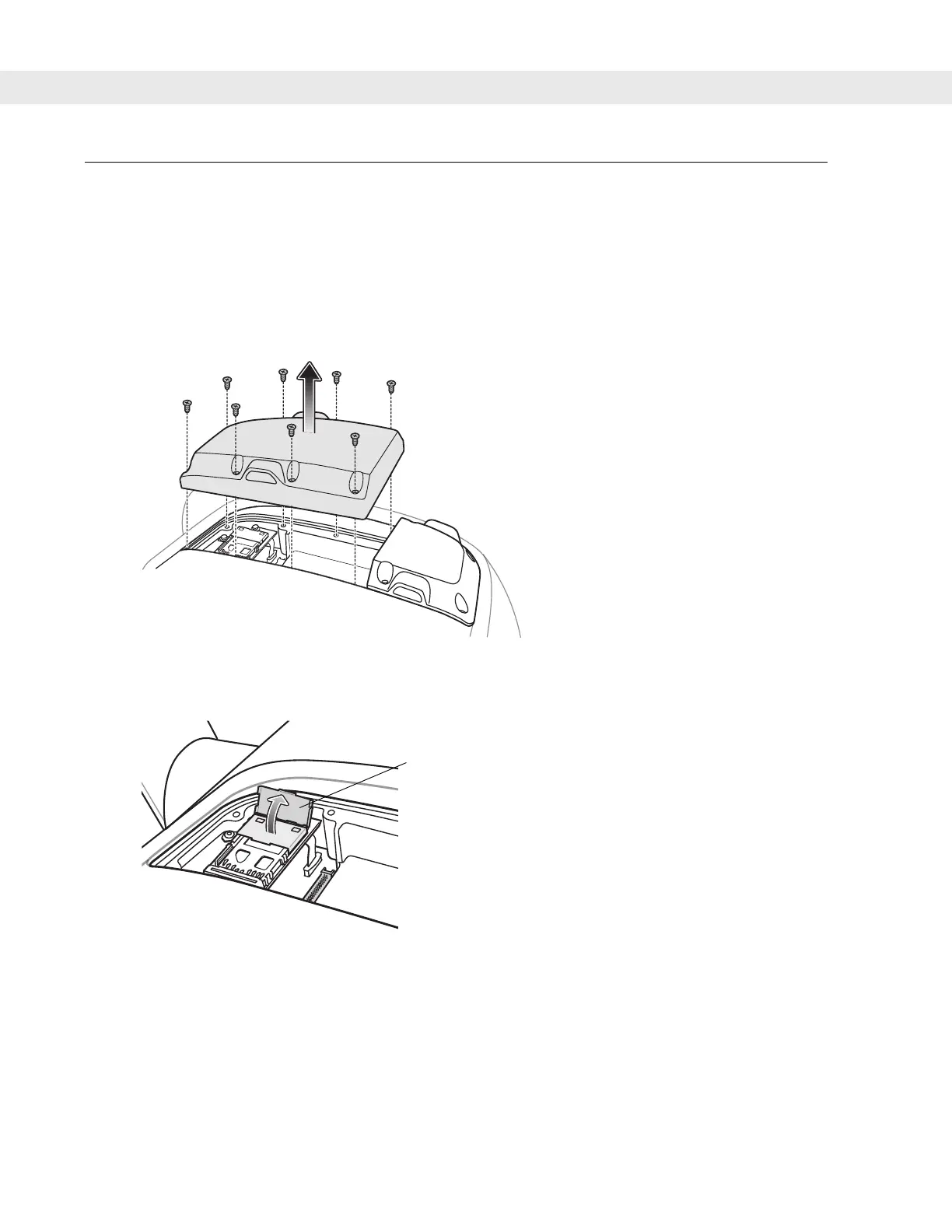
2. Remove and discard the eight screws securing the UPS/Storage Card door.
Figure 2-31
UPS/Storage Card Door Removal
3. Lift the SD card retaining door.
Figure 2-32
Lift Retaining Door
4. Position the SD card, with the contacts down, into the card holder. The SD card corner notch fits into the
holder only one way.
Retaining Clip


 To Next Page