Operating the VC5090 3 - 17
Checking Battery Status
To check whether the backup battery in the vehicle computer is charged, tap > Settings > Control Panel >
Power icon to display the Power Settings window.
To save battery power, set the vehicle computer to turn off after a specified number of minutes.
Ignition Sensing
The vehicle computer contains an Ignition Sense feature that detects when the ignition switch is turned off and shuts the
vehicle computer down after a preprogrammed timeout. This feature allows the operator to use the vehicle computer for a
predetermined time period after the ignition switch is turned off, then shuts the vehicle computer down automatically to
prevent over-discharge of the forklift battery. The timeout period is adjustable by the user. The normal current draw of a
suspended vehicle computer is approximately 500mA. When the vehicle computer shuts down using the Ignition Sense
feature, current draw is reduced to approximately 5 mA. This feature provides the automatic shutoff functionality of an
external relay, without requiring an actual relay and has the added benefit of allowing the user to work for a preset time
period before shutting down.
The power cable must be connected to the ignition switch. See Connecting the Power Cable on page 2-10 for
information on connecting the power cable to enable the Ignition Sense feature.
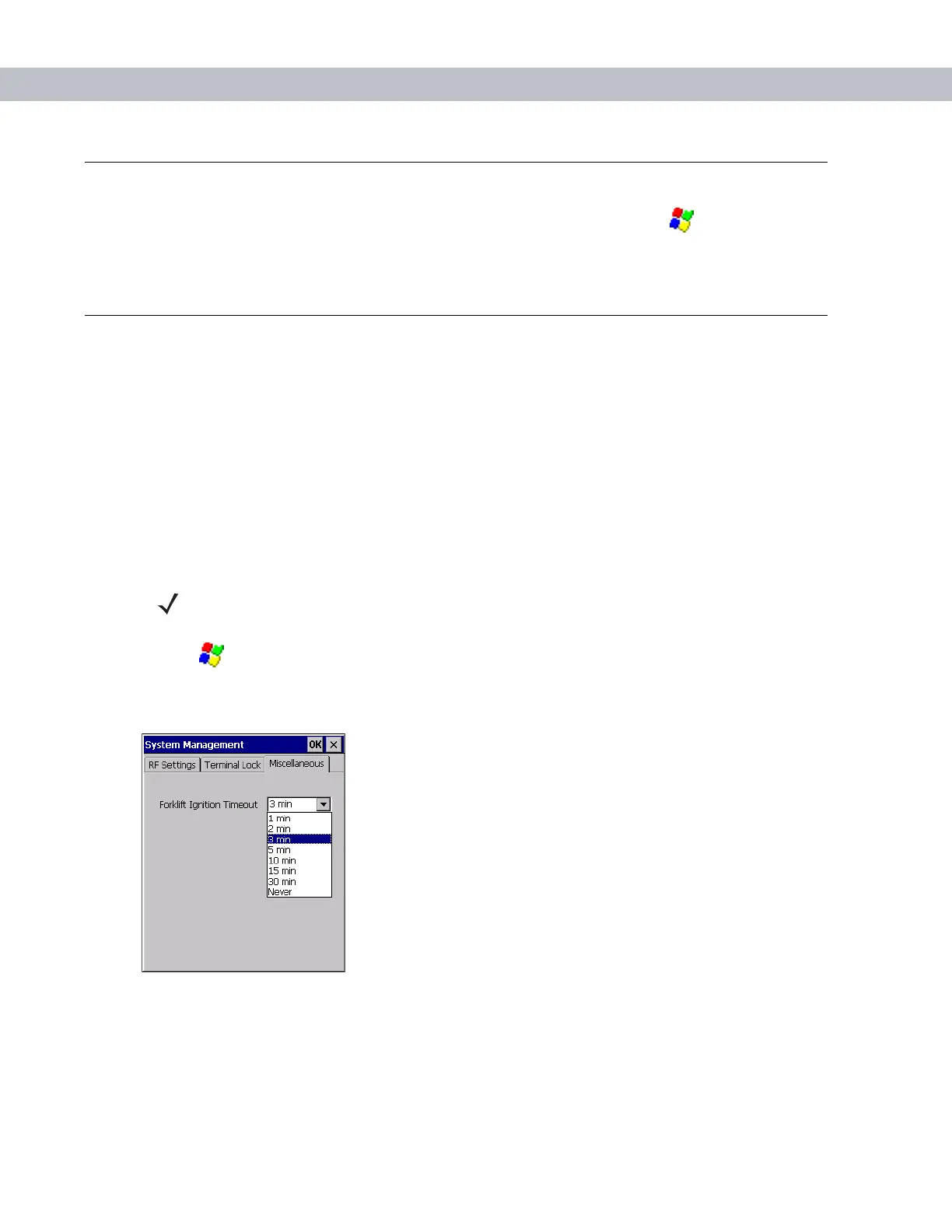
1. Tap > Settings > Control Panel > VC5090 System Management icon. The System Management window
displays.
2. Select the Miscellaneous tab.
Figure 3-24
Miscellaneous Tab Window
3. In the Forklift Ignition Timeout drop-down list, select the amount of time before the vehicle computer shuts
down after the ignition switch is turned off.
4. Tap OK.
NOTE These settings are not persistent across a cold boot.


 To Next Page