3 - 16 VC5090 Vehicle Computer Product Reference Guide
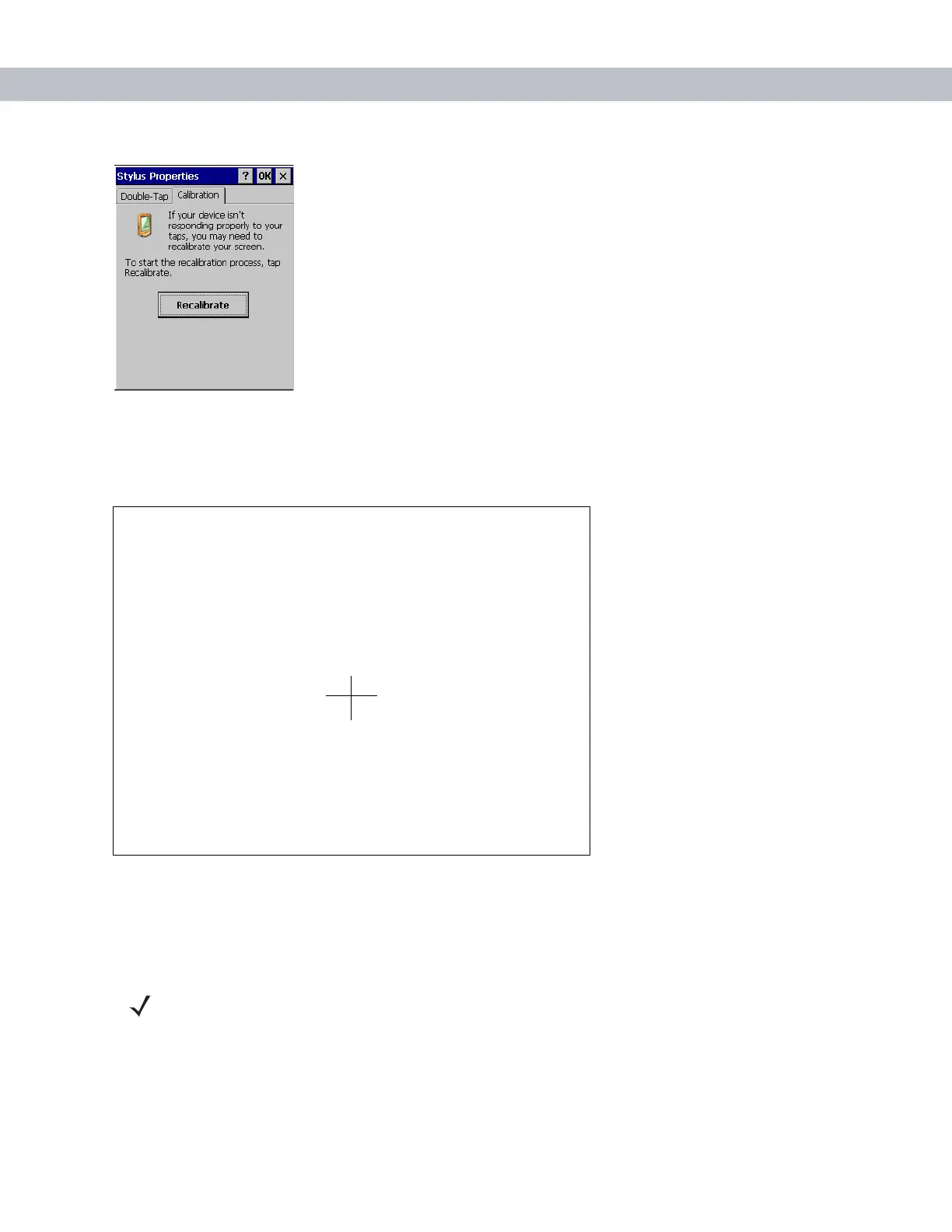
Figure 3-22
Stylus Properties Calibration Tab Window
6. Using the Tab key, select the Recalibrate button.
7. Press the space key to start the calibration process. The calibration screen appears.
Figure 3-23
Calibration Screen
8. As the screen instructs, carefully touch and briefly hold on the center of each target that appears. Repeat
as the target moves around the screen.
9. Tap the screen to accept the new calibration.
Carefully press and briefly hold stylus
on the center of the target.
Repeat as the target moves around
the screen.
Press the Esc key to cancel.
NOTE If the calibration screen fails to respond, call the Symbol Support Center for assistance.


 To Next Page