4-1
Rev 2.2, 10/31/94
4. Front Panel Overview
4.1 User Interface Summary
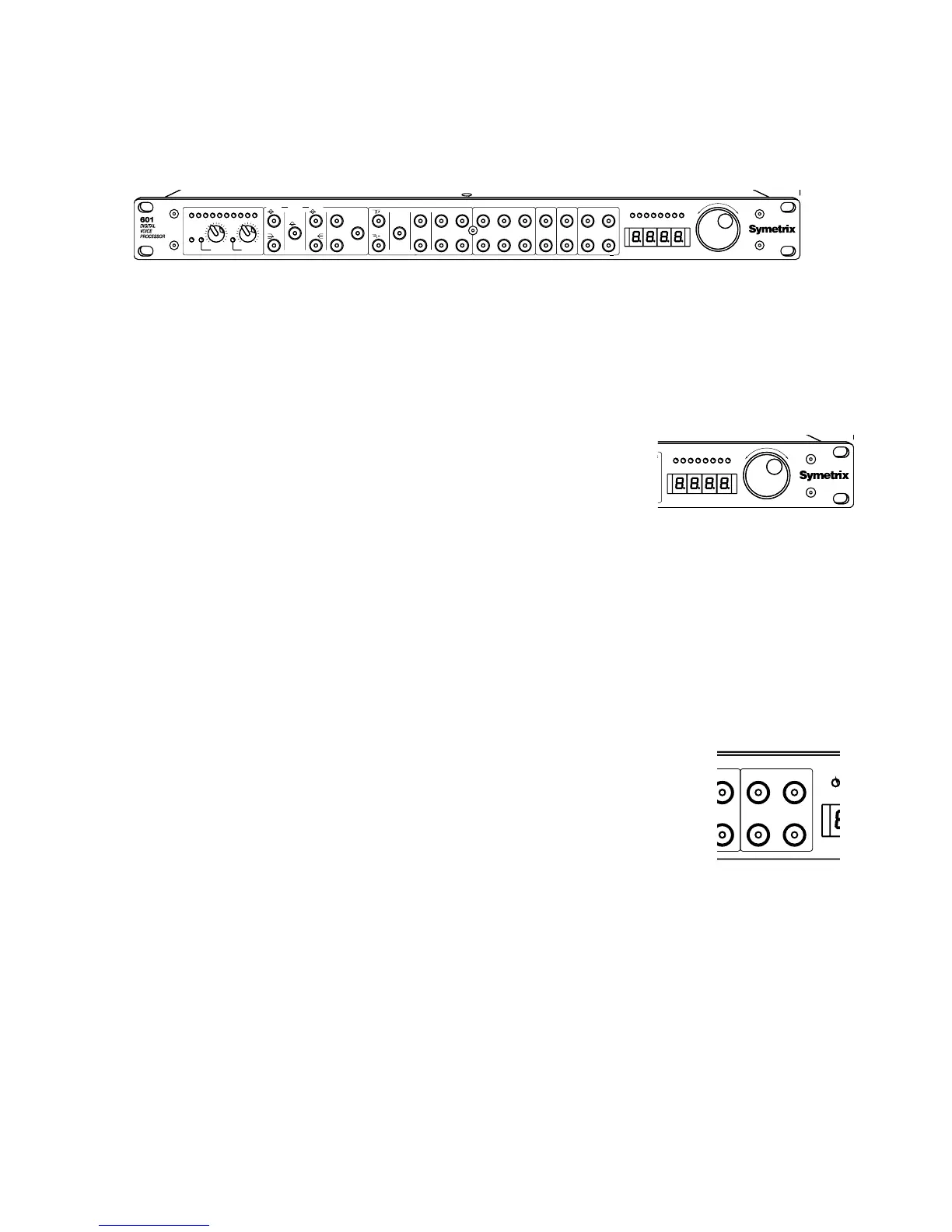
The user interface of the 601 has been designed to be powerful yet intuitive. Most switches
have only one function and where a switch has several functions, the display prompts for the
parameter in question. There are no hierarchical menus.
The parameter adjustment wheel (Wheel) modifies the parameter
or function selected via the front panel switches. The Wheel is
sensitive to direction, and velocity. Thus, turning the Wheel
quickly causes the display to change very quickly, and turning
the Wheel slowly causes the display to change very slowly (as if
there were a gear reduction unit on the Wheel).
Select a function for editing by pressing its associated switch once. The switch begins flashing.
Next, select the parameter that you want to edit and press its switch. The display indicates the
current value. Turning the Wheel changes the value.
If a function switch has several choices, the display indicates the choice, and the Wheel cycles
through the options. An example of this sort of function switch is the
GLOBAL switch.
4.1.1 Loading Programs
A program is nothing more than a group of control settings. To load (recall) a
program, press the
LEAVE EDIT switch to return to the top-most control level.
The display now indicates the current program number. Rotate the Wheel
until the desired program number appears flashing in the display. Press the
LOAD switch. When the program has loaded, the display says
donE
and the
number stops flashing.
Note: the 601 always loads a copy of the program stored in program memory
into the edit buffer. The contents of the edit buffer are lost only when another program has
been loaded. If the program stored in the edit buffer is 'dirty' (i.e. it has been modified), the red
SAVE switch flashes. It is possible to intentionally overwrite the current program by holding
down the
LOAD switch, regardless of its save status.
4.1.2 Saving Programs
To save a program, press the LEAVE EDIT switch to return to the top-most control level. The red
SAVE switch should be flashing (if not, then the program in the edit buffer has not been
modified; it doesn't need to be saved). Turn the Wheel to select the desired save location
(memory locations 1 through 128), press and hold the
SAVE switch until the display says
donE
.
Program numbers above 128 are read-only. The save operation displays
- -
if you try to save a
program to one of these numbers.
-4 -2
3 2 CLIP
-9 -6 -20 -12
618 12 4
-24
24
PRESETS
SAVE COMPARE
LOAD EDIT
LEAVE
SYSTEM
GLOBALBYPASS
OUTPUT
MIDIDEPTH PAN
GAIN(dB) /
GAIN REDUCTION (dB)
OUTPUT HEADROOM (dB)
DELAY
DELAY(mS)MIX
RATEFILTER
ATTACK(mS)
DYNAMICS PROCESSING
COMPRESS
RATIO(X:1)AGC
FREQ(kHz) /
THRESH(dB)
RELEASE(mS)
DS
LEVEL(dB)
NR
BAND 3
BP
BAND 2
BP
PARAMETRIC EQ
HIGH WIDTH(Oct)
FREQ(kHz)
EXPANDER
CLIP4312 6 2
+4 -10 50
LINE
24 1848 36
0
IN / SYNC
DIGITAL
MIC
INPUT HEADROOM (dB)
INPUT LEVEL CONTROL
LOW
BAND 1
BP FEEDBACK
MODULATION
-4 -2
3 2 CLIP
-9 -6 -20 -12
618 12 4
-24
24
GAIN REDUCTION (dB)
OUTPUT HEADROOM (dB)
-24
24
PRESETS
SAVE COMPARE
LOAD EDIT
LEAVE
STEM
OBAL
MIDI
N



 To Next Page