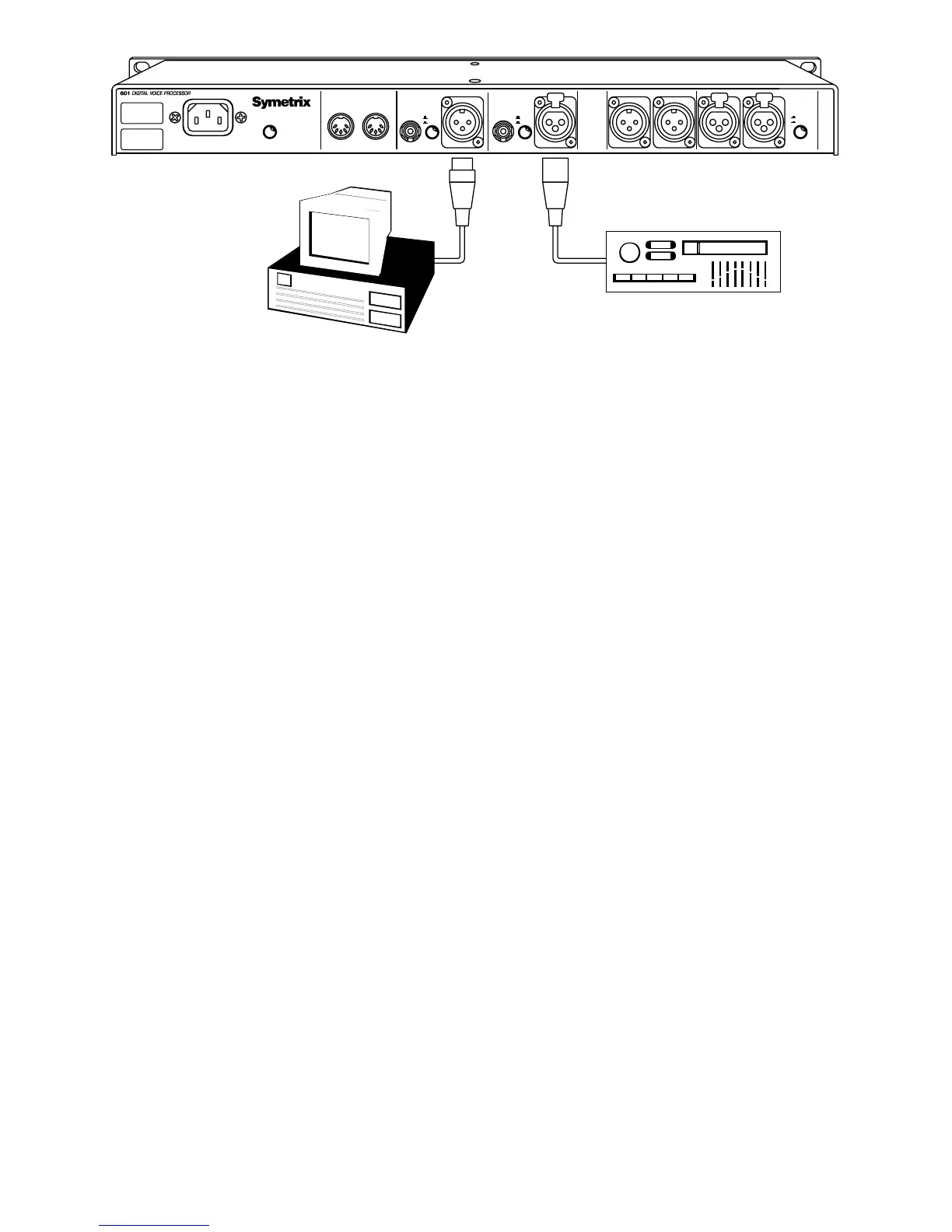
6-4
Rev 2.2, 10/31/94
6.3 Settings for Digital Sources
For a digital source, Figure 6-4 shows the connections required. Set the controls and switches
on the front panel as follows:
1. After all rear-panel input and output connections have been made, apply power to the 601
and depress the
POWER switch. When the display shows program number
1
, proceed to the
next step.
2. Depress the
GLOBAL switch once. The display reads
GAIn
. Rotate the Wheel to set the digital
input gain to
0
.
3. Depress the
GLOBAL switch again. The display reads
Pd--
or
PAd
. Since we are using the
digital input, this parameter is unimportant.
4. Depress the
GLOBAL switch again. The display reads
InP
. Rotating the Wheel selects the
input source as indicated by the
DIGITAL/MIC/LINE LEDs. The input possibilities are: digital,
mic, mic + line (mic/line mix), line. Rotate the Wheel until the
DIGITAL IN/SYNC LED
illuminates (steady or flashing).
5. Depress the
GLOBAL switch again. The display reads
CL--
. The clock/sample-rate reference is
the external digital signal. Refer to Chapter 4 for additional information.
6. Depress the Global switch again. The display reads
nP--
(not protected) or
Prt
(protected).
Select memory protection as required.
7. Depress the level switch. The display reads
L 0.0
. If not, rotate the Wheel until the display
reads
L 0.0
. This sets the output gain to 0 dB.
Set the input level by accessing the global
gAIn
setting from the GLOBAL switch. This parameter
is the digital input gain. Increase the
gAIn
setting as required so that the -2 dB LED in the
H
EADROOM display illuminates. Since the red CLIPPING LED is driven from the analog inputs, it
should never illuminate. The 601 should now pass signal.
Rev-B
DIGITAL AUDIO
SOURCE
RECORDER
WORKSTATION/
DIGITAL AUDIO
PHANTOM
BYPASS
+48V
POWER
MIC INPUT
BALANCED OUT R BALANCED OUT LAES/EBU
DIGITAL
INPUT
S/PDIF
S/PDIF
AES/EBU
LINE INPUT
DIGITAL
OUTPUT
S/PDIF
AES/EBU
S/PDIF
MIDI
INPUT
MIDI
MANUFACTURED IN THE USA BY
THIS UNIT CONTAINS NO
USER SERVICEABLE PARTS.
POWER
OUTPUT
12.5W MAXIMUM
AES/EBU
RPSSE ESSPRESSPR
Figure 6-4. Using the 601 with a digital source and digital destination.



 To Next Page