Synology DiskStation User's Guide
Based on DSM 3.1
147 Chapter 12: Play Music with Audio Station
Organize Your Music
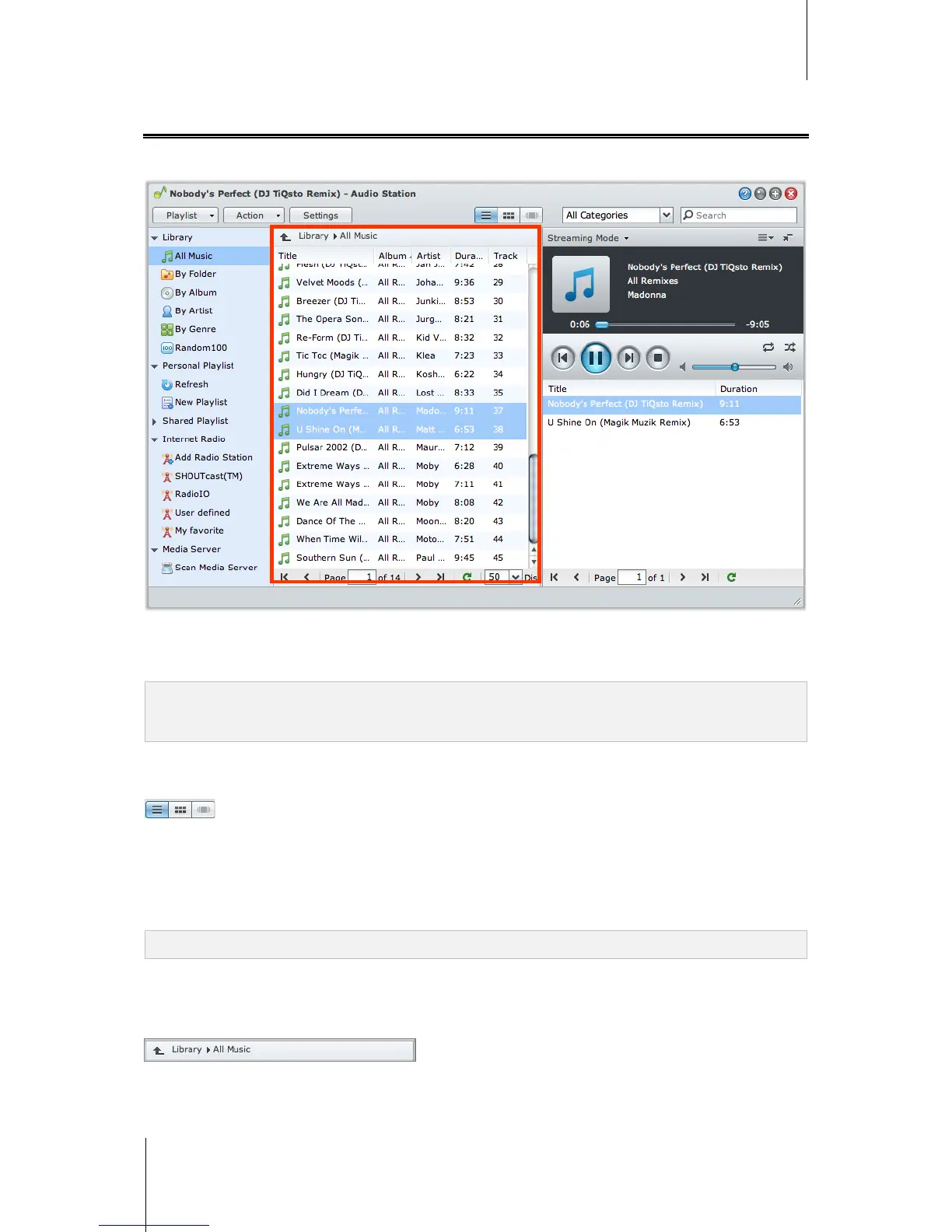
After selecting one of the audio sources on the left side, you can browse its contents in the main section of the
Audio Station, and organize your favorite music into playlists.
Browse Music
You can change views, see your current location, and use the search field to find your music quickly.
Note: If you see unreadable song titles, album names, or artist names while browsing through your music, go to
Synology DiskStation Manager to set the correct codepage that matches the language of your computer, and then re-
index your music. See "Language" on Page 36 and "Enable Audio Station" on Page 144 for more information.
Change Views
By clicking the three buttons above the main section, you can browse your songs in different views.
There are three views to browse your songs:
List (the first button): Organize your items in a list.
Icon (the second button): The icons or artwork (if any) of your songs or folders appear in the main section.
Cover Flow (the third button): All icons/artwork and song/directory names appear using Cover Flow, a fancy
way to flip through your library.
Note: Cover flow is available only when browsing the library using By Album or By Artist.
See Your Current Location
You can use the Up icon (with an upward arrow) or any of the path names above the main area to go back to
previous directories.
To go back to a previous directory, do any of the following:
Click the Up button to go back to the last directory.






 To Next Page